Automated Invoicing for Service Businesses: Setup Guide

Automated invoicing means the invoice is created, sent and followed up by software, triggered by the work itself, not by someone remembering to bill. For a service business, the cleanest setup puts jobs, time, customers and invoices in one system, so a completed work order becomes a draft invoice without retyping. Firmanager is built that way: CRM, work orders, time tracking and invoicing with Stripe integration sit behind one login, and the Free plan costs $0.
This guide shows where billing slows down in a service company, which steps to automate first, which to keep under a human check, and how to roll it out in a week.
TL;DR
- Automated invoicing connects the work (jobs, hours, milestones) to the invoice, the delivery, the payment link and the follow-up.
- The biggest gains in a service business come from the gap between “job done” and “invoice sent”, not from the invoice template.
- Automate creation, numbering, totals and reminders first. Keep a quick human check on sending and charging.
- A single platform for jobs and billing removes the double entry that causes most errors.
- Firmanager’s Free plan is $0, Pro is $19 per month and Business is $49 per month.
Table of Contents
- What automated invoicing is
- Where service billing loses time
- What to automate and what to keep human
- How to automate service billing, step by step
- Recurring billing and automatic payments
- Connecting billing to accounting
- Features field teams and managers need
- A note on AI-generated invoices
- Start with Firmanager
- Our view on automated invoicing
- FAQ
- Sources
What automated invoicing is
An automated invoice is generated from data you already hold: a work order, a timesheet, a quote, a recurring contract. Rules decide what gets billed, when it goes out and who it goes to. The software then delivers it electronically, tracks whether it was opened or paid, and matches the payment when it arrives.
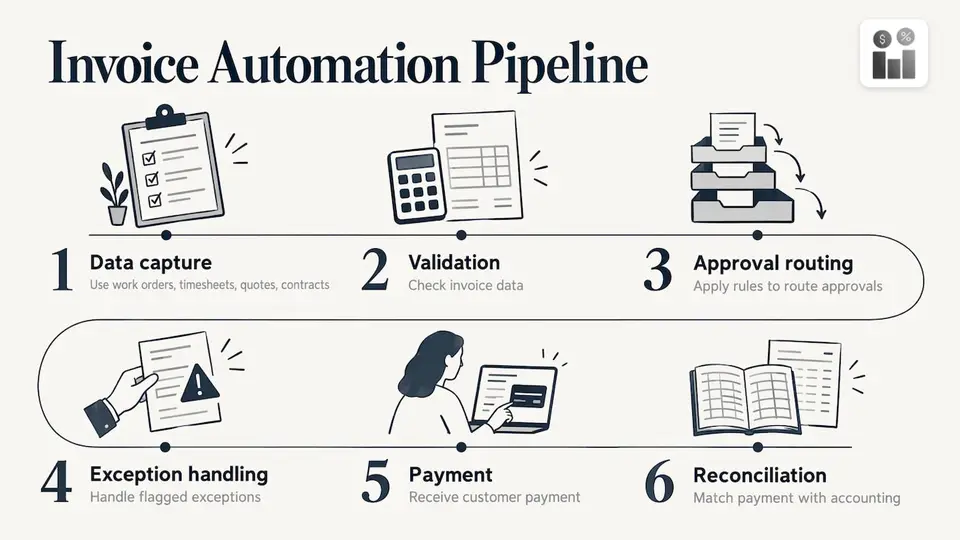
The process described in Stripe’s guide to invoice automation follows a standard pipeline: data capture, validation, rule-based approval routing, exception handling, payment, and reconciliation with accounting. That guide also puts the invoice automation software market at almost $3.4 billion in 2024, with an estimate of $8.9 billion by 2031. Those figures show how many businesses are moving the same way.
Two directions exist. Payables automation processes the bills you receive from suppliers. Receivables automation creates and sends the invoices your customers pay you. This article covers receivables, because that is what a maintenance, cleaning or technical services company needs to get paid for completed work.
Where service billing loses time
A manual billing cycle in a field business usually looks like this: the technician finishes the job, the office hears about it later, someone builds the invoice from a template, emails it, and then waits. Each hand-off adds days.
A billing workflow guide from Fairlight Digital describes the safe sequence for service companies: a trigger such as a completed job, a locked timesheet, an approved milestone or a retainer date creates a draft invoice. Exceptions go to a named billing owner. Approved invoices go out with a payment link, and reminders stop when payment posts.
That gives four places to look for delay in your own business:
- Remembering to invoice. The job is finished but nobody has raised the bill.
- Retyping. Hours, materials and customer details are copied from one system into another.
- Sending. Invoices wait in a draft folder or an inbox.
- Chasing. Follow-up happens when someone has time, not on a schedule.
Each one can be automated on its own, so you do not have to change everything at once. Start with the one that costs you the most days.
What to automate and what to keep human
Automation repeats whatever you give it. A wrong rate becomes a wrong invoice for every customer on that rate. A sensible split follows one question: how often does the task happen, and what does a mistake cost?
| Task | Frequency | Cost of a mistake | Recommended approach |
|---|---|---|---|
| Invoice numbering and dates | Every invoice | Low | Fully automatic |
| Line totals and tax | Every invoice | Low | Fully automatic |
| Recurring invoice creation | Every cycle | Medium | Automatic, with a review of the first runs |
| Payment reminders | Every unpaid invoice | Low to medium | Automatic, with a pause option |
| Sending to the customer | Every invoice | High | Automatic after a quick pre-send check |
| Charging a card | Every payment | High | Automatic only for customers who agreed to it |
The Intrum comparison of manual and automated invoicing makes the same point from the collections side: automation takes over the repeated mechanical work, so people can spend their time on credit terms, disputes and difficult customers.
A ten-second check before sending
Before a batch goes out, look for four things:
- An amount that changed from the last invoice to the same customer.
- A job that was invoiced but did not take place.
- Hours that vary far from the usual.
- A changed customer name, address or contact.
Also make sure your system lets you pause or correct an invoice. Credit notes, partial payments, disputes and wrong contacts all happen, and an automation you cannot stop creates more work than it saves.
How to automate service billing, step by step
Step 1: Put customers and jobs in one place
Invoices are only as accurate as the records behind them. If customer details live in one tool, jobs in another and hours in a spreadsheet, every invoice needs retyping, and retyping is where errors enter. Where this goes wrong: duplicate customer records, so an invoice goes to an old address.
In Firmanager, customer and facility records, work orders and invoicing share one platform and one login, so the data that created the job is the data that bills it.
Step 2: Choose the billing trigger
Decide what makes an invoice appear:
- Job completed for one-off work such as repairs and call-outs.
- Timesheet approved for hourly work. Clean time records matter here, and our guide on technician time tracking shows how to close billable gaps.
- Milestone approved for projects billed in stages.
- Date reached for retainers and recurring contracts such as monthly cleaning.
Where this goes wrong: a trigger set on “job created” instead of “job completed”, which bills for work that has not happened.
Step 3: Standardize rates, tax and line items
Automation needs rules it can follow. List your labor rates, call-out fees, materials markups and tax treatment, and give each a fixed place in your price list. Standard jobs then produce a predictable invoice, and anything unusual stands out.
Firmanager includes supplier and product management and sales pipeline and quoting, so the quoted items can carry through to billing.
Step 4: Set approval rules
Let routine invoices through and flag the rest: unusually large amounts, jobs with extra materials, new customers. A matrix for approval workflows helps you decide which invoices need a second pair of eyes and which do not.
Step 5: Send with a payment link
An invoice that can be paid in one click gets paid sooner than one that needs a bank transfer to be set up. Firmanager’s invoicing connects to Stripe, so customers can pay online. Real-time notifications by SMS and email keep customers and your team informed.
Step 6: Schedule follow-up
The Fairlight Digital workflow suggests a default business-to-business cadence, shown below. Adapt it to your payment terms.
| When | Action |
|---|---|
| 3 days before the due date | Friendly reminder |
| On the due date | Reminder with the payment link |
| 7 days overdue | Firmer reminder |
| 14 days overdue | A phone call from a person |
Stop reminders as soon as payment posts. Nothing annoys a customer more than a reminder for an invoice they already paid.
Step 7: Review the numbers
Track how long it takes from job completion to invoice, and from invoice to payment. Those two numbers show whether the automation works. Firmanager’s financial management with real-time analytics puts them in front of owners and managers without a separate report.
Recurring billing and automatic payments
Contracts billed on a schedule are the easiest place to start. The invoice is the same each cycle, the customer is known and the date is fixed. If customers pay automatically by card, think about what happens when your payment setup changes, for example when you move systems. This explanation of how automatic recurring payments carry over when an organization switches platforms shows the questions to settle before a move.
Connecting billing to accounting
Many service companies keep their books in a separate accounting package. The integration worth wanting is two-way: completed jobs create invoices, and payments flow back. A case study of a Xero integration for a mobile workforce shows the pattern. A webhook fires when a job completes, a draft invoice is created with the right tax codes, standard jobs are approved automatically, complex ones are flagged for admin review, and reports then break down revenue by technician, trade, job type and customer.
The principle applies whatever tools you use: pull labor, materials and rates from the job record, never from memory.
Features field teams and managers need
Billing accuracy starts in the field. Look for these:
- Mobile access for employees. Technicians see job details and update status from their phones. Firmanager has an employee self-service mobile portal.
- Real-time sync. The office sees a completed job as it happens. Firmanager is cloud-synced, so data is up to date across devices.
- Time and leave tracking. Hours feed billing and payroll from the same record.
- Route and dispatch management. Planned work ends up as completed work that can be billed.
- Document handling. Photos, reports and signed forms stay attached to the job.
- Compliance tracking. Health, safety and environment records sit next to the work they relate to.
- Reporting. Managers can see revenue, outstanding invoices and workload in one place.
Our article on how to reduce operating costs in a service business shows how faster billing fits into the wider cost picture.
A note on AI-generated invoices
Some tools now draft invoices from notes or a short description. The speed is real, but the rule stays the same: a person checks the customer, the amounts, the tax and the description before it is sent. Treat an AI draft the way you treat any automated draft, as a starting point that passes through your pre-send check.
Start with Firmanager
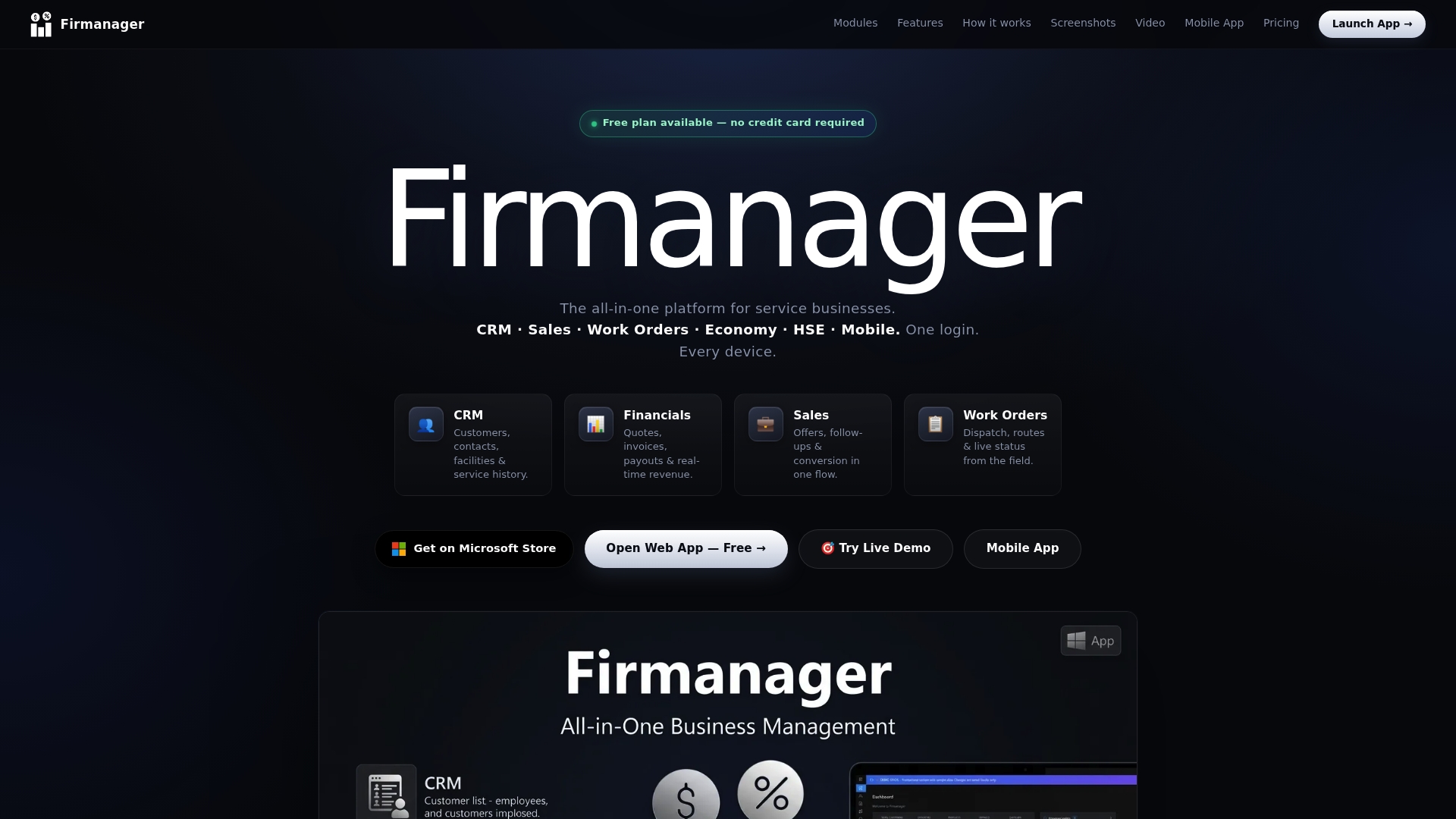
Firmanager puts CRM, work orders, time tracking and invoicing in one platform, so billing starts from the job and not from a blank page. The plans are published: Free at $0, Pro at $19 per month and Business at $49 per month. You can compare the plans and set up your first workflow, or sign in to the app if you already have an account.
A practical first week: load your customers, create one price list, run a handful of real jobs through the work order to invoice path, and review each draft before it goes out.
Our view on automated invoicing
Most billing problems in service companies are not invoicing problems. They are data problems. The job lives in one place, the hours in another, the customer in a third, and the invoice is where they get stitched together by hand.
That is why we built Firmanager as one platform. Data flows across CRM, projects, HR, invoicing and field service management, with real-time sync and a single login across devices. When the work order is the source of the invoice, there is less to retype and less to get wrong.
We also think automation should be modular. You can start with the part that hurts most, such as invoicing, and add time tracking, dispatch or compliance when you are ready. Your team keeps control of the judgement calls, and the routine work moves on its own.
KaiosMedia
FAQ
Is invoice automation worth it for a small service business?
Yes, when you send invoices regularly and the work is repeatable. The savings come from not retyping and not forgetting to bill. A small team can start with the plan that fits its seats, and Firmanager has a Free plan at $0.
What is the first thing to automate?
Start with the delay that costs you the most days. For most field companies that is the gap between finishing a job and raising the invoice. Link the invoice to the completed work order, then add reminders.
Can automated invoicing handle recurring contracts?
Yes. Recurring contracts are the simplest case, because the amount, customer and date are known. Review the first few cycles by hand, and keep a way to pause or correct an invoice for credit notes and disputes.
Do I still need to check invoices?
Yes, at least before sending and charging. Automation repeats a mistake across every invoice that follows the same rule, so a short check for changed amounts, jobs that did not happen, unusual hours and changed contact details pays off.
Sources
- How automation works in invoice processing, Stripe
- How to automate a billing workflow for service businesses, Fairlight Digital
- Manual invoicing vs. automated invoicing, Intrum
- Xero job management integration case study, Hello People
- What happens to automatic dues payments when we move, SorrelSites
Recommended
Run your whole business in one place
CRM, quotes, work orders, invoicing, expenses, HR and HSE — one login, every device. Free-forever plan.
Start free →