Coordinating leave tracking, approval workflows, and compliance across multiple locations or teams often leads to delays and manual errors. Many tools lack built-in compliance modules or force teams to juggle separate apps for customer operations, invoicing, and real-time field updates. This article lets HR teams, operations managers, and leave administrators match a single platform to their field, agency, or multi-country management needs by comparing features, pricing, and integrations.
Table of Contents
Firmanager
At a Glance
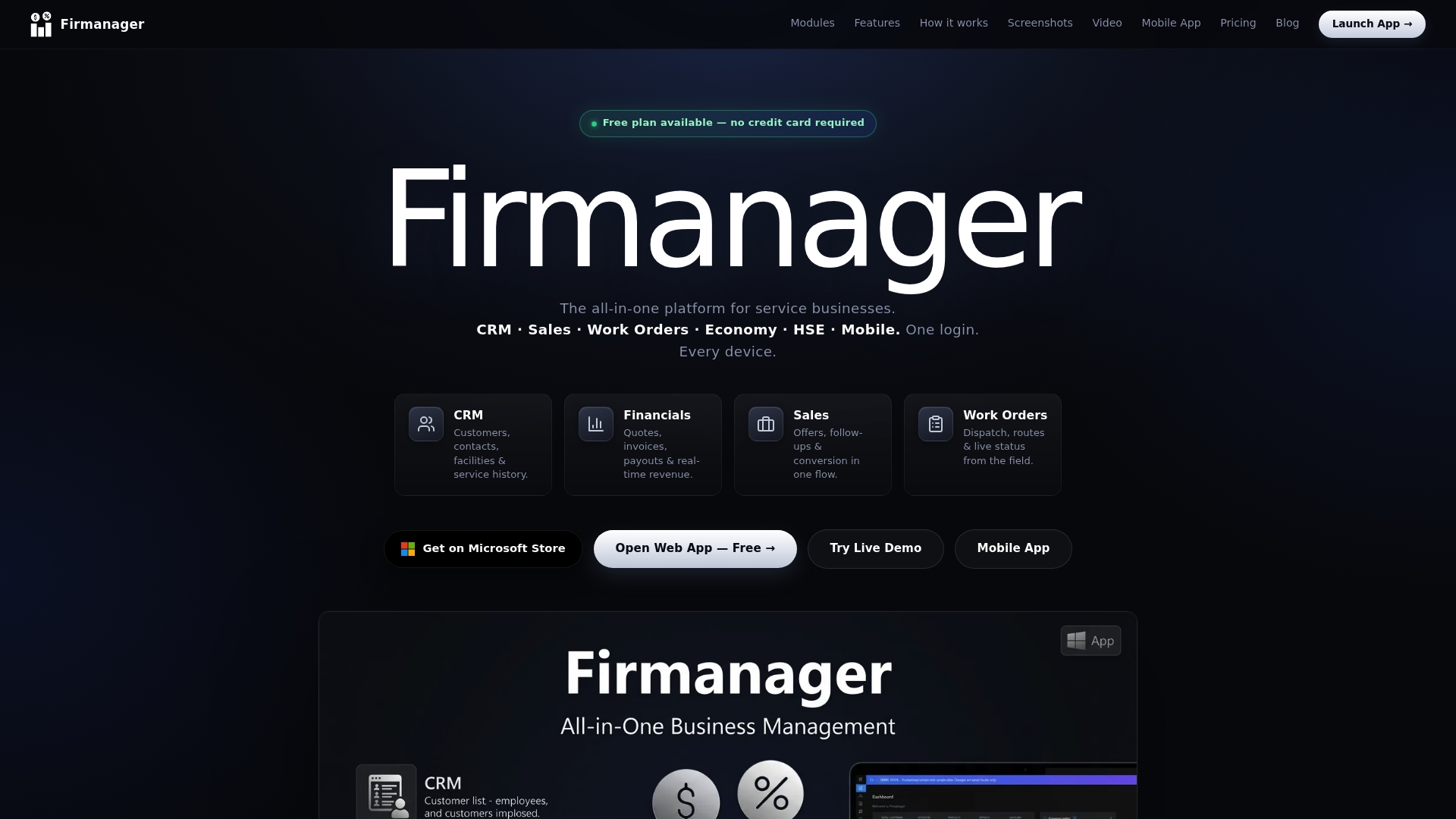
Native Windows and PWA apps give field technicians offline-capable access to records and checklists. The platform ties customer profiles, work orders, invoicing, and HSE tools into a single cloud system. Mobile and desktop access sync in real time for multi-user teams across locations.
Core Features
Firmanager combines a CRM with customer profiles and contract tracking, task management with recurring tasks and kanban views, and work order dispatching with checklists. The economy module handles quotes, invoicing, and multi-currency PDF export while the HSE tools cover risk assessments and incident reporting. Employee self-service, route planning, and real-time SMS and email notifications support field operations and compliance deadlines.
Key Differentiator
The strongest differentiator is the platform’s integrated core: CRM, work order, invoicing, and compliance modules operate within one cloud system that includes native Windows and PWA apps. That architecture removes the need to copy data between separate tools and keeps field updates visible to office staff instantly. Teams that need both office accounting and field dispatch in one product will notice this workflow continuity.
Pros
Data flows across modules, so customer updates appear in quotes and invoices without manual exports. The real-time dashboard surfaces KPIs and upcoming tasks, making daily planning easier for dispatchers and managers. Mobile-optimized employee portals let field workers upload photos, track time, and complete safety checklists on site. The free plan requires no credit card to start, and paid tiers scale to include Pro and Business features. Built-in HSE tools reduce the number of separate compliance apps you must run.
Cons
- Limited customization for niche-specific workflows can frustrate teams that need deep, industry-specific forms or logic.
Notable Integrations
- Stripe for payment processing and subscription billing.
- Firebase for cloud synchronization and multi-tenant architecture.
Who It's For
Firmanager fits small to medium service businesses that run field operations and must combine customer management with compliance tracking. It suits firms that want desktop and mobile access for technicians, plus invoicing and payment capture in the same system. Large enterprises with heavy platform customization needs may find the product less suitable.
Unique Value Proposition
A free plan with no credit card required lowers the procurement barrier for teams piloting field service software. That offers a low-cost way to test dispatch, mobile checklists, and invoicing without upfront billing. For teams that decide to upgrade, the Pro and Business tiers add expanded billing and automation options.
Real World Use Case
A home services company keeps customer records, dispatches technicians, issues quotes, and sends invoices from one interface. Technicians use the PWA to capture photos and incident reports on site. Managers track upcoming certifications and employee time from the live dashboard.
Pricing
Pricing runs on three tiers: a free plan, Pro at $19/month, and Business at $49/month. The free tier allows evaluation without a credit card, while paid plans add billing features and expanded user controls.
Website: https://firmanager.cloud
BreezeLeave
At a Glance
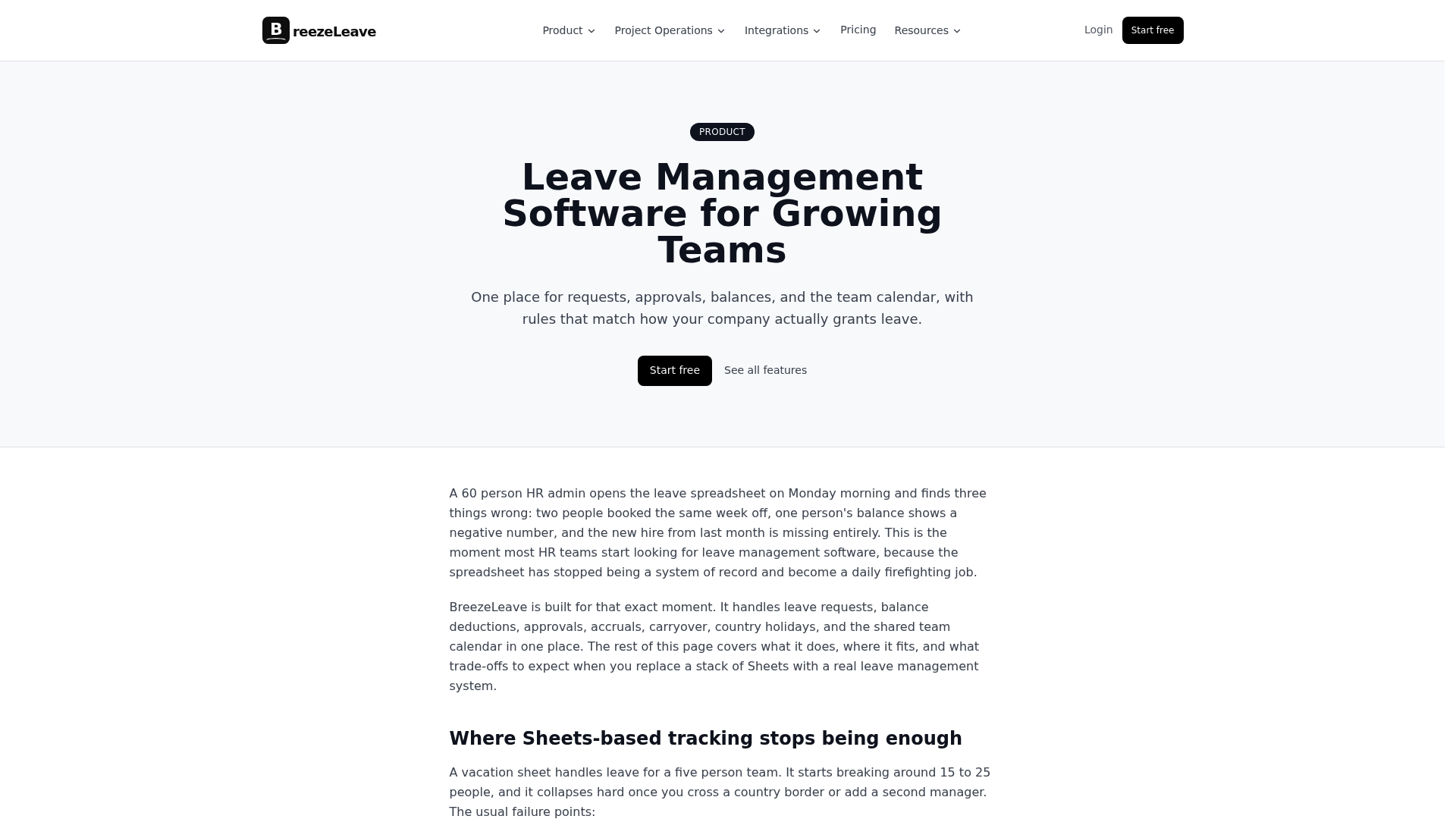
An optional Project Operations add on costs $6 per user per month, billed annually. BreezeLeave also offers a free tier for teams of up to 10 users and a low cost Pro plan for growing teams. The pricing structure makes the project add on a notable decision point for agencies that need capacity planning alongside leave tracking.
Core Features
BreezeLeave centralizes leave request and approval workflows and shows team calendars with approved time off and public holidays by country. The platform uses a rules engine to manage accruals, carryover caps, lockouts, blackout dates, and auto approval thresholds. It includes multi company support, audit logs, real time balance tracking, and exportable reports for payroll and bookkeeping.
Key Differentiator
BreezeLeave focuses on multi country holiday calendars and rule driven leave policies while connecting directly to chat and calendar tools. The product integrates approvals and notifications inside collaboration apps so requests surface where teams already work. That mix targets agencies and service teams that need to leave visibility tied to project capacity.
Pros
The interface is intuitive and reduces spreadsheet work for HR and operations staff. Rich integrations with Slack, Microsoft Teams, and Google Calendar let approvals arrive in chat and synchronize with personal schedules. The rules engine supports complex, country specific policies and carryover limits, and multi company support helps organizations with separate legal entities maintain accurate allowances and audit trails.
Cons
- Reports of unclear billing and subscription transparency, including unexpected charges and difficulty canceling subscriptions.
- Users note a lack of clarity around recurring payments and billing processes, which complicates vendor onboarding decisions.
- Customer support responsiveness has been problematic for some customers, slowing issue resolution and implementation.
When It May Not Fit
If you need ironclad billing clarity before onboarding, BreezeLeave may cause concern due to reported subscription and cancellation issues. Large enterprises that require a vendor SLA around billing and support should request clear contract terms. Organizations that cannot tolerate slow vendor response times should consider alternatives with proven support records.
Notable Integrations
- Slack
- Microsoft Teams
- Google Calendar
- ClickUp
- SendGrid
- Custom SMTP
Who It's For
HR teams and operations managers at companies with 10 to 500 employees will find BreezeLeave relevant. It suits organizations managing cross border leave policies and those that must align leave with project planning. Agencies that need capacity visibility alongside time off will see the clearest fit.
Real World Use Case
A medium sized agency uses BreezeLeave to automate approvals and keep a shared calendar of approved leave ahead of critical deadlines. The team tracks balances in real time and exports reports for payroll. That practice replaced multiple spreadsheets and made audit preparation faster.
Pricing
Free for small teams up to 10 users. Paid plans start at $1.50 per user per month for Pro for teams from 10 to 200 users, and Enterprise uses custom pricing for unlimited users and features. The optional Project Operations add on costs $6 per user per month, billed annually.
Website: https://breezeleave.com/leave-management-software
Absenca
At a Glance
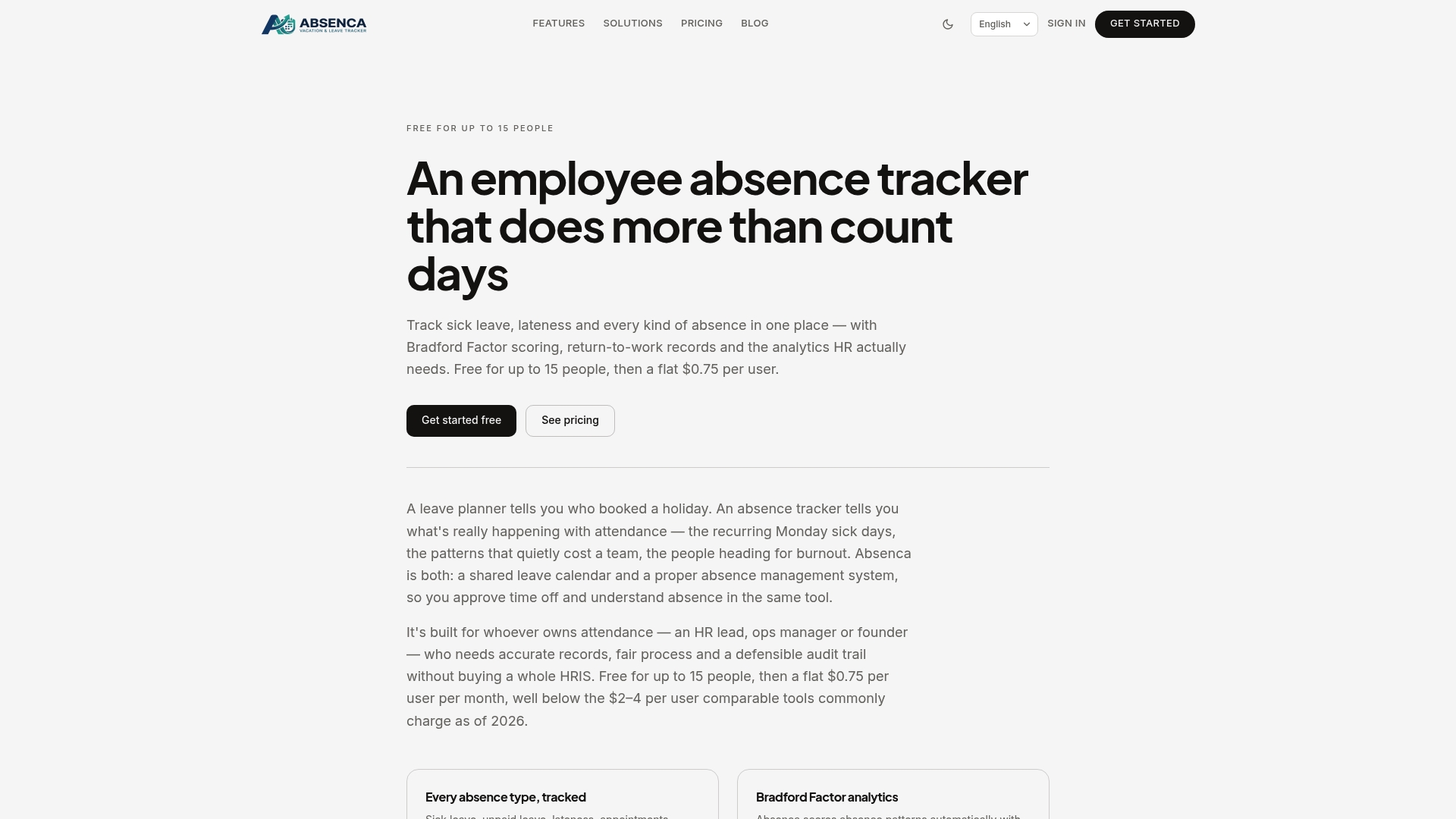
Free for up to 15 users and then priced at $0.75 per user per month, Absenca targets small European teams that need focused absence tracking without a full HRIS. It records reasons and doctor's notes and keeps an audit trail for each absence. That level of record keeping helps with compliance and auditability for HR teams.
Core Features
Absenca tracks sick leave, unpaid leave, lateness, parental leave, and custom absence types while offering built-in leave planning and approval workflows. The tool includes Bradford Factor scoring for spotting absence patterns and role based access controls to limit visibility of sensitive records. Audit logs, policy configuration, and calendar sync keep absence records accurate and tied to local labor rules.
Key Differentiator
Absenca focuses narrowly on absence management and analytics instead of trying to be a full HR system. Its chat integrations let employees request leave inside team conversations, and its pricing model keeps recurring costs predictable for small budgets. That single purpose makes it faster to deploy for teams that already use Slack or Microsoft Teams.
Pros
The free tier makes pilot projects and small teams simple to start. Its chat and calendar integrations let employees file requests inside Slack, Microsoft Teams, or Google Chat and view approvals in Google Calendar or Outlook. Role based controls and audit trails support compliance and fairness by limiting who can edit records and by preserving a change history. Bradford Factor scoring gives HR a quick indicator of repeat absence patterns for policy discussion.
Cons
- Lacks payroll, recruiting, or performance modules, so HR teams needing an all-in-one HRIS will need another tool.
- The free plan caps at 15 users; larger teams must move to the paid rate.
- Reporting and customization options may be too basic for regulated enterprises with complex compliance requirements.
- Focused solely on absence management, which limits value for organizations that want a broader HR platform.
When It May Not Fit
Organizations that need payroll or applicant tracking will find Absenca incomplete. Large enterprises with hundreds of employees will likely outgrow the feature set and need a full HRIS. Firms that require highly customized reporting or advanced compliance workflows will need a product with deeper configuration.
Notable Integrations
- Slack
- Microsoft Teams
- Google Chat
- Google Calendar
- Outlook / Microsoft 365 calendar
Who It's For
European small and medium sized businesses that want a low cost way to track time off and sickness. HR or operations managers who need in-chat request and approval flows will benefit most. Teams that already rely on Slack or Microsoft Teams will see the fastest adoption.
Real World Use Case
A European SME uses Absenca to capture unplanned sick days with doctor's note attachments and to plan holiday leave across teams. Managers approve requests inside Microsoft Teams and exported audit logs support local compliance reviews. The company avoided buying a full HRIS while keeping accurate absence records.
Pricing
Free for up to 15 users, then $0.75 per user per month. The model charges per user and stays predictable as headcount grows, making budgeting straightforward for small HR teams.
Website: https://absenca.com/absence-tracker
Zenchronity
At a Glance
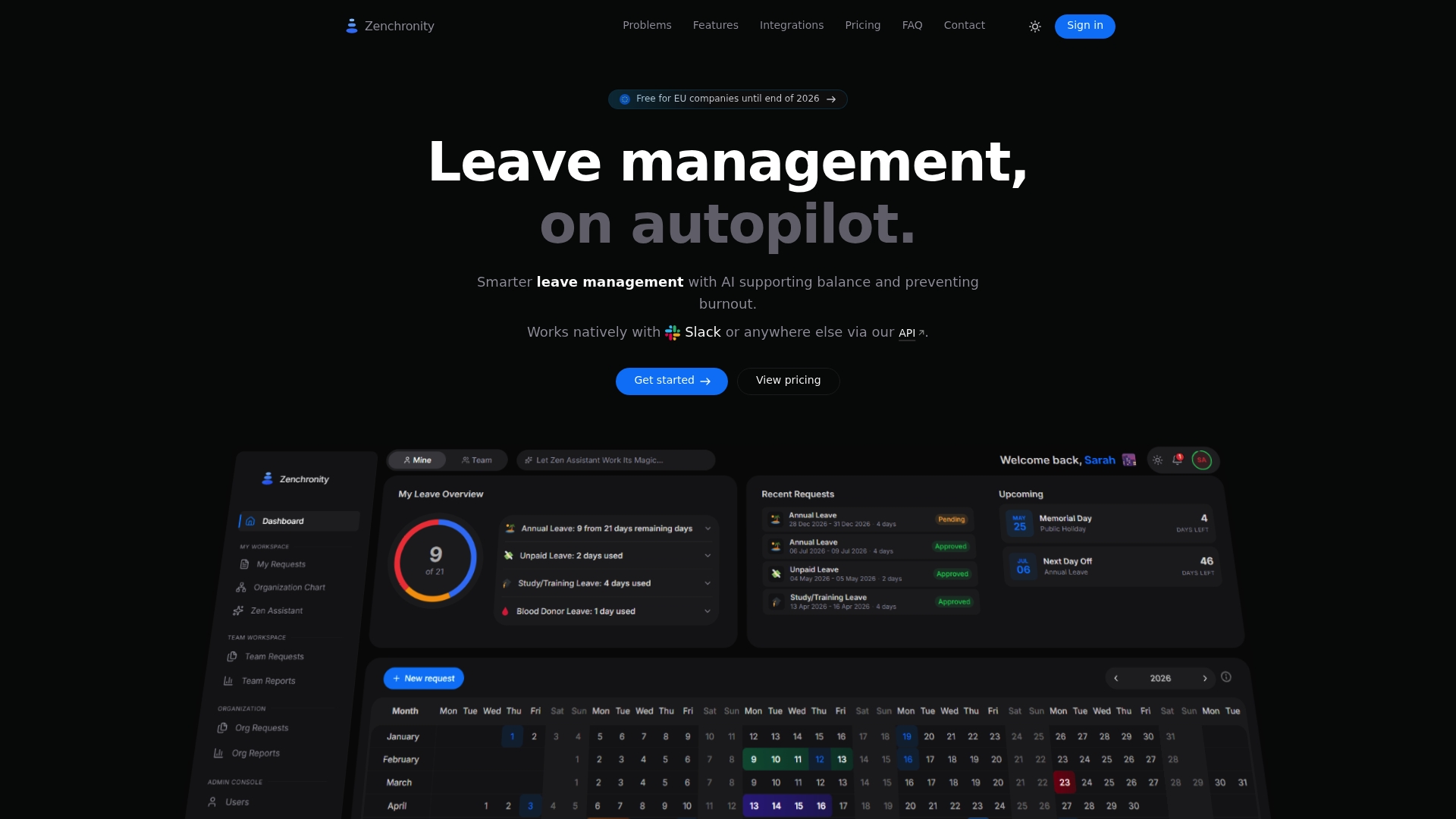
According to the company, European organizations can use Zenchronity for free until 2026 as part of an EU campaign. The vendor lists €1 per user/month, billed annually, with 50 virtual users included. The product targets small to medium HR teams seeking AI-assisted leave requests and proactive well-being signals.
Core Features
Zenchronity combines a natural language AI assistant for leave requests with team and personal calendars that update in real time. It surfaces burnout signals, sends Slack and email notifications, and supports customizable leave types and approval workflows. The platform also offers SSO, two factor authentication, audit logs, a developer API, document generation with branding, and a mobile app for approvals on the go.
Key Differentiator
Zenchronity pairs proactive burnout detection with a natural language interface for employee self-service. Real-time analytics tie those signals to team calendars and approval workflows to flag risk early. That focus on early intervention sets it apart from typical leave trackers aimed only at record keeping.
Pros
Zenchronity automates leave intake through natural language requests, which reduces manual data entry and speeds approvals. Its burnout signals and analytics help HR spot trends before they become patterns, and Slack notifications keep managers informed without extra meetings. The platform supports virtual accounts for deskless staff and offers enterprise security features such as SSO and audit logs.
Cons
- Limited public user reviews make it hard to judge real-world usability and support responsiveness.
- Pricing for larger deployments appears consultative, which may require negotiation or custom quotes.
- The feature set targets complex leave policies, making the product potentially more than required for very small teams.
When It May Not Fit
Organizations with very simple leave needs will find the feature depth unnecessary and possibly costly to manage. Teams that require extensive peer reviews or on-premise deployments should confirm compatibility before committing. Larger enterprises seeking fixed list pricing for thousands of seats may need direct consultation for scale and discounts.
Notable Integrations
Zenchronity connects to Azure Active Directory, Google Workspace, Slack, and calendar services via iCal and WebCal. It also exposes a REST API and webhooks for custom integrations and workflow automation.
Who It's For
HR teams and managers in small to medium organizations that need AI-driven leave intake and early well-being signals will benefit most. European companies that can take advantage of the vendor promotion until 2026 should evaluate it closely. Teams that already use Slack and cloud identity providers will gain the fastest time to value.
Real World Use Case
A mid-sized European tech employer uses Zenchronity to accept natural language leave requests across time zones and apply local holiday rules automatically. Burnout signals alerted HR to rising consecutive time-off patterns on one team, prompting an adjusted staffing plan. Managers handled approvals from the mobile app, reducing email back-and-forth.
Pricing
The vendor lists €1 per user/month, billed annually, with 50 virtual users included; that pricing reportedly covers the full feature set with no tiers. For larger teams the vendor suggests a consultative approach to pricing and deployment.
Website: https://zenchronity.com
Illizeo
At a Glance
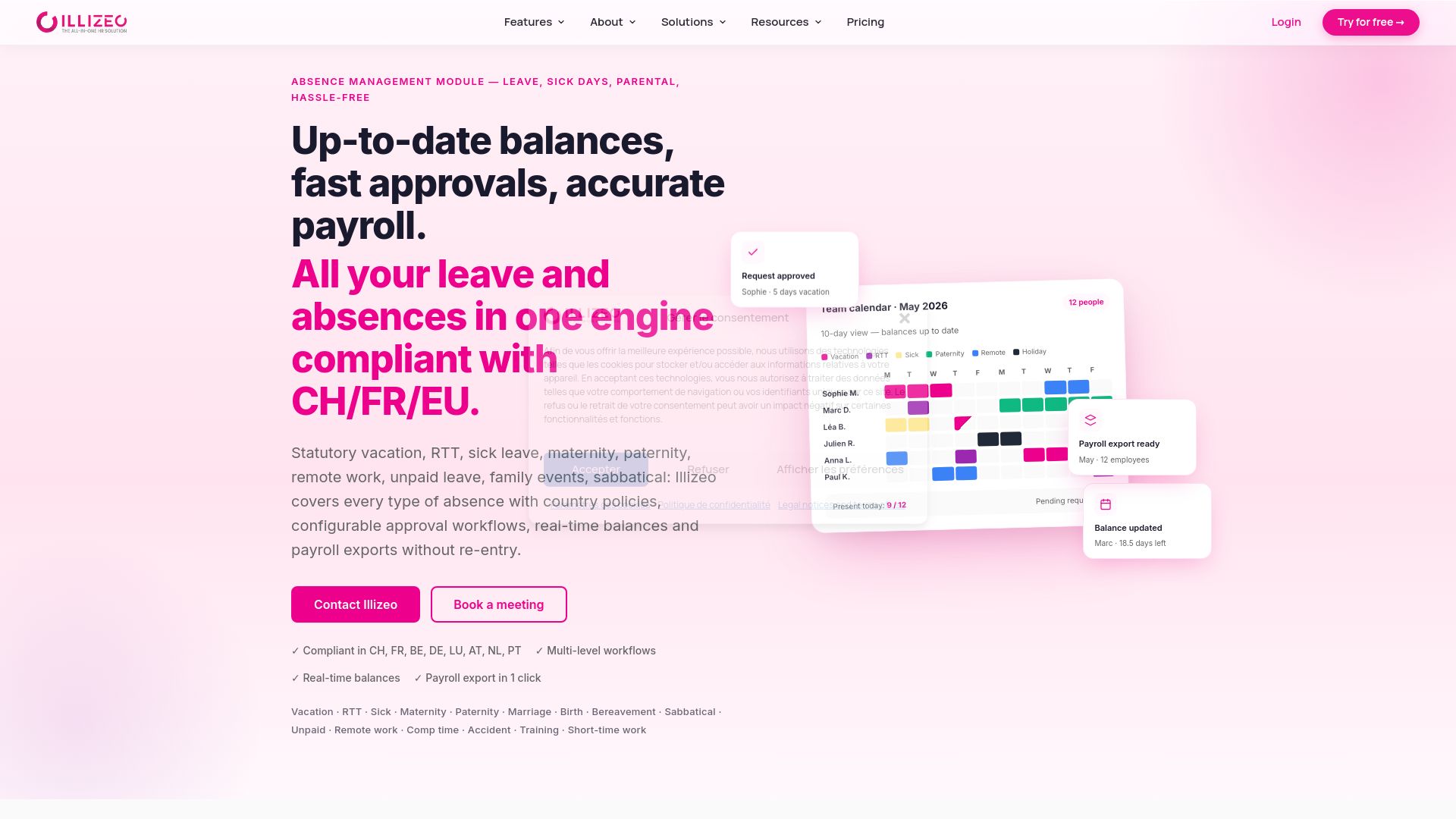
Illizeo reports that it hosts HR data in Europe and applies GDPR and Swiss data protection standards by design. The platform combines absence management, payroll exports, and onboarding into one modular HR suite. It also includes AI features for conflict detection and expiring balance alerts. This mix targets organizations that need cross-border compliance and live leave balances.
Core Features
Illizeo provides absence management with country-specific rules and configurable approval workflows, plus automated leave balances that update in real time. The platform bundles modular HR services for onboarding, offboarding, performance, and project management while supporting payroll exports. It offers AI-powered conflict detection, SSO, secure API access, OCR receipt processing, and native support for DocuSign and Adobe Sign.
Key Differentiator
Illizeo centers on a unified engine that enforces multi-country and multi-collective bargaining agreement compliance while keeping balances current. That engine ties automated workflows to payroll exports and legal alerts. The result is a single source of truth for absence and payroll data across legal jurisdictions.
Pros
The product groups HR functions so HR teams can manage records, leave, and payroll flows from one system. Built-in automation reduces manual adjustments by keeping balances and approvals synchronized with payroll exports. Hosting in Europe with Swiss data protection and GDPR focus addresses cross-border data residency needs. API access and digital signature support make integrations and paperwork simpler for established HR ecosystems.
Cons
- No substantive third-party reviews are available. This leaves user experience strengths and weaknesses undocumented.
- Pricing is customizable and not fully public, which can complicate vendor comparison for smaller buyers.
- Some advanced capabilities require additional modules or integrations, which can raise deployment complexity and cost.
Who It's For
HR teams in medium to large organizations that manage employees across countries and collective bargaining agreements will find Illizeo relevant. Teams that must export clean payroll files and enforce local rules will benefit from its compliance features. Organizations with existing HRIS or payroll systems will value the API and digital signature options.
Real World Use Case
The vendor reports one Swiss multinational reduced manual HR processing by 6 days per month after deploying Illizeo. The company used country-specific absence policies and automated approvals to cut reconciliations. That outcome highlights the platform's effect on repetitive HR work when configured for multiple entities.
Pricing
Illizeo lists base pricing starting from CHF 1.73 per user per month for Core. The Absence Management module starts from 1.89 CHF per employee per month, and custom enterprise solutions are available on request. Detailed quotes require direct contact due to modular pricing and multi-country considerations.
Website: https://illizeo.com/en/absence-management
LeaveSource® by Qcera
At a Glance
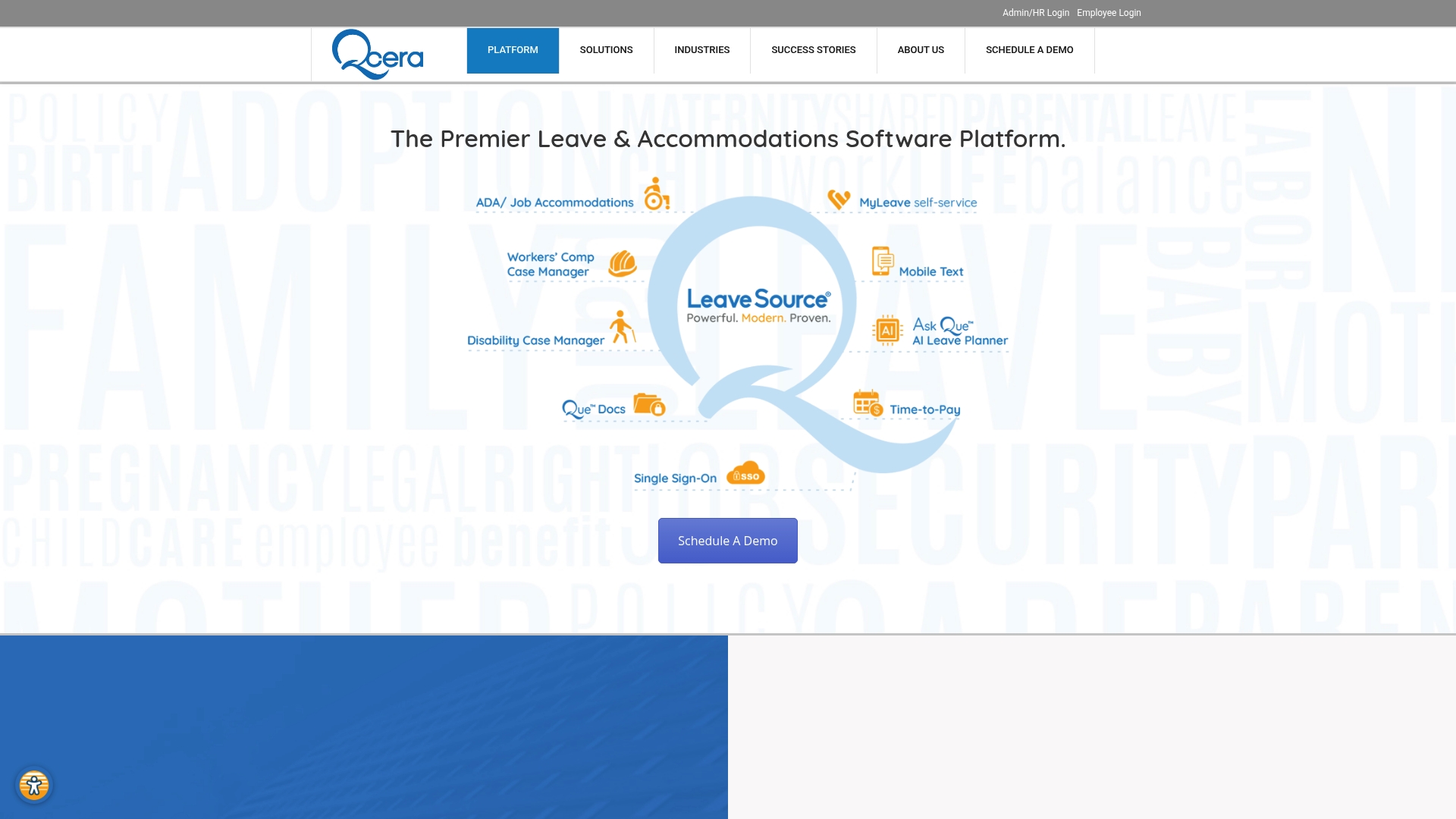
LeaveSource® holds SOC2 and HITRUST certifications, according to the vendor. The platform focuses on managing complex leave types including FMLA, ADA, military, and state leaves. Qcera pairs software with administrative services to run leave programs for large employers.
Core Features
LeaveSource offers a highly configurable leave management system with embedded workflows that adapt to employer rules and multiple jurisdictions. An algorithmic counting engine handles accruals and leave spans while the compliance matrix maps federal, state, and employer rules into case handling. The platform can track benefit premium payments and manage cases while integrating with HRIS and payroll systems.
Key Differentiator
LeaveSource is purpose built for complex leave law compliance and enterprise scale automation. The product concentrates on covering many leave types and edge cases that generic HR platforms often miss. Qcera’s combination of configurable workflows and a counting engine targets organizations with dense regulatory requirements.
Pros
The platform supports a wide array of leave types and layered compliance rules, which reduces manual interpretation for leave teams. Its configurability lets you model employer specific policies and local rules without heavy custom code. Integrations with HRIS and payroll help keep pay and benefit data aligned with leave status. Pairing software with Qcera’s administrative services lets teams delegate case handling when they need operational support.
Cons
- Product complexity may require dedicated training or subject matter expertise to configure and maintain effectively.
- Pricing details are not publicly disclosed, so procurement requires direct contact with the vendor.
- Initial setup and data mapping can be resource intensive for organizations without an established HRIS.
When It May Not Fit
LeaveSource may not suit small organizations with simple leave needs and limited HRIS infrastructure. Organizations that cannot dedicate an administrator to configuration will likely face a steep setup curve. Employers seeking a low cost, off the shelf absence tracker may find the platform more capability than they need.
Who It's For
Large HR teams, leave administrators, and third party administrators that handle complex federal, state, and employer specific leave rules. Organizations that need detailed case management and benefits tracking when employees take extended leave. Teams that can allocate technical and HR resources to configure policies will get the most value.
Real World Use Case
A healthcare system uses LeaveSource to automate FMLA, ADA, and state leave administration across multiple facilities. The system reduces manual paperwork and coordinates return to work while syncing leave data with payroll. Qcera’s administrative services fill operational gaps when hospital HR teams need case support.
Pricing
Pricing is not published and the vendor lists the offering as informational only. Expect enterprise licensing and implementation fees that reflect the product’s scope and service components. Procurement requires a direct inquiry to Qcera for a tailored quote.
Website: https://qcera.com/platform
Comparison of Alternatives
With various options available, choosing the right leave management platform depends on your team's operational needs and budget considerations.
Compliance Features for Global Reach
Illizeo clearly outperforms competitors in compliance management, particularly for organizations operating across multiple legal jurisdictions and bargaining agreements. Its enforcement of country-specific policies and alignment with payroll operations are key strengths. However, buyers should anticipate addressing modular pricing via consultation, which may increase complexity during procurement decisions.
Usability and Implementation Challenges
Absenca stands out for its simplicity and affordability, particularly for smaller teams. The platform's focus on absence tracking and chat-based leave workflows provides low entry barriers, benefiting organizations familiar with Slack or Teams. On the other hand, its lack of broader HR features like recruiting tools and customizable reporting limits its applicability for larger or regulated enterprises.
Best Fit
- Service firms prioritizing integrated operations can rely on Firmanager.cloud’s combined tools, including CRM and field service functionalities.
- Small HR teams needing budget-conscious absence tracking should evaluate Absenca for its affordable subscription model targeted at simple leave workflows.
- Enterprises seeking compliance features across international HR policies will find Illizeo's configuration capabilities highly suitable.
Our Pick
Firmanager.cloud is ideal for teams needing CRM, compliance, and operational modules unified into one cloud system. It empowers service businesses with real-time data integration, route planning, and HSE functionalities, although firms needing deep feature customization or standalone modules may prefer alternatives.
Selecting the ideal leave management solution depends on functionality, user suitability, and pricing. This table compares prominent options:
| Product | Key Feature | Best For | Pricing | Limitation |
|---|---|---|---|---|
| Firmanager | Integrated CRM, invoicing, and compliance | Small to medium field-centered businesses | Free, $19/month Pro, $49/month Business | Limited customization for niche-specific workflows |
| BreezeLeave | Multi-country calendars and rules engine | Agencies managing capacity and leave policies | Free up to 10, then $1.50/user/month Pro | Reported unclear billing and subscription transparency |
| Absenca | Absence tracking with Bradford scoring | Small European teams needing absence analytics | Free up to 15, then $0.75/user/month | Focused only on absence; no payroll or HRIS integration |
| Zenchronity | AI-driven burnout and leave analytics | European SMBs utilizing EU pricing incentives | €1/user/month, free till 2026 in the EU | Limited public reviews and costly consultative pricing |
| LeaveSource® | Compliance with complex leave regulations | Enterprises with detailed compliance needs | Price not published | Configuration complexity may require dedicated expertise |
Managing Leave and Field Service Together Without Losing Track
Handling leave management and compliance alongside field operations challenges service businesses daily. Firmanager unites customer records, task management, invoicing, and health safety tools into one platform accessible on desktop and mobile. This connected approach eliminates the hassle caused by juggling separate systems for scheduling, dispatch, and compliance.
- Keep employee time, certifications, and safety checklists updated across teams
- Sync real-time changes so office staff and field technicians stay aligned
- Access financial and operational insights from live dashboards
Learn more about Firmanager and see how you can simplify your service business workflows while managing leave and field operations in one place.
Get started with Firmanager today and import your customer and service data to experience task and compliance tracking on an integrated platform.
FAQ
How does Firmanager help service businesses manage their workforce effectively?
Firmanager enables service businesses to manage their workforce with features like mobile-optimized employee portals, which allow field workers to upload photos, track time, and complete safety checklists on-site. This capability enhances operational efficiency and compliance tracking essential for service businesses. Start by exploring Firmanager's features to see how they can meet your specific needs.
What is the difference between Firmanager and BreezeLeave for leave management?
BreezeLeave excels in offering multi-country holiday calendars with rule-driven leave policies, making it particularly suitable for agencies managing complex leave scenarios. Firmanager, meanwhile, integrates core functionalities such as CRM, invoicing, and compliance tools into one cloud system, which benefits service businesses needing holistic management rather than focused leave features. Consider your specific use case when evaluating these platforms in detail.
Can I track employee time with Firmanager effectively?
Firmanager tracks employee time in real time, allowing businesses to keep accurate records as technicians work on-site. This feature is vital for service businesses that require precise time management alongside workflow optimization. Ensure your team is ready to take advantage of these capabilities for improved time accountability.
What unique features does Firmanager offer for compliance management?
Firmanager includes built-in Health, Safety, and Environment (HSE) tools, which help businesses with risk assessments and incident reporting, crucial for compliance management in many service industries. By utilizing these features, service companies can maintain a thorough compliance framework that meets industry standards.
How much does Firmanager cost for a team?
Firmanager offers a free plan and has paid tiers starting from $19 per month for the Pro plan and $49 per month for Business features. This tiered pricing allows service businesses to evaluate the platform's suitability before committing to a paid plan. Review your team size and specific needs to determine the best plan.