Cleaning Business Management Software: 6 Options Compared (2026)
The best cleaning business management software keeps the whole job in one place: the customer record, the quote, the schedule, the crew’s checklist, the invoice and the report. Firmanager is built around that idea. CRM, work orders, field service, invoicing and HR sit behind a single login, so a job booked in the morning is invoiced the same day without anyone retyping it. Below you will find what to compare, how six well-known options differ, and which kind of cleaning company each one suits.
TL;DR
- Cleaning software should cover six things: customers, scheduling and dispatch, crew mobile access, invoicing and payments, reporting, and compliance records.
- Firmanager combines CRM, work orders, invoicing, HR, HSE compliance and a mobile employee portal in one platform. It has a Free plan, Pro at $19 per month and Business at $49 per month.
- Residential-only tools, per-property tools and per-user field service tools each fit a narrower type of business. Match the tool to your job mix, not to the longest feature list.
- Check how pricing scales (users, jobs, properties) before you commit, because that is where costs change as you grow.
Table of Contents
- What cleaning business management software actually does
- What to compare before you choose
- Six options compared
- Which type of cleaning company needs what
- A worked example: a ten-person crew
- How to run your own comparison
- Why we built Firmanager as one platform
- Start with the plan that fits your crew
- FAQ
- Sources
What cleaning business management software actually does
A cleaning company runs on repeating work: the same offices cleaned every night, the same homes every second Tuesday, plus one-off deep cleans and move-outs. Management software turns that repetition into records you do not rebuild each week.
In practice it handles:
- Customers and sites: contacts, addresses, access notes, contract terms and job history.
- Quotes and pipeline: who asked for a price, who accepted, who went quiet.
- Work orders and recurring tasks: a job created once and repeated on a schedule.
- Dispatch and routes: who goes where, in what order.
- Crew mobile access: job details, checklists and updates from a phone.
- Invoicing and payments: invoices generated from completed work and paid online.
- Reporting: revenue, labor and job data without a spreadsheet.
- Compliance: safety records, chemical handling and incident logs.
The more of these live in one system, the fewer places a job can fall through. That is the main argument for an all-in-one platform over a scheduling app plus a separate accounting tool plus a spreadsheet.
What to compare before you choose
Feature lists look alike. These questions separate the tools that fit a cleaning company from the ones that merely list the same words.
Scheduling and dispatch
Can you set a recurring job once and see it on the calendar for months? Can you assign a crew, reassign it when someone calls in sick, and see the change reach the phone immediately? Our guide to technician dispatching walks through the data a dispatcher needs, and the same logic applies to cleaning crews. If you run multiple sites a day, route planning starts with clean job data: correct addresses, durations and time windows.
Field updates and mobile access
Your cleaners should see the address, the access instructions and the task list on their own phone, and you should see when the job is done. Look for an employee portal rather than an app only managers can use.
Customer management
A cleaning business lives on referrals and repeat contracts. You want one record per customer and site with notes, documents, quotes and invoices attached. For a deeper look at this layer, see our comparison of CRM for cleaning companies.
Invoicing and payments
Invoices should come from completed work, not from memory at the end of the month. Check which payment processor is supported and what it charges per transaction, since processing fees are separate from the software subscription.
Reporting and compliance
Owners need revenue per client, hours per job and open invoices at a glance. Commercial cleaners also need safety and compliance records for audits and client requirements.
How pricing scales
Plans scale in three different ways: per user, per job or appointment, and per property. A five-person crew, a company with hundreds of small jobs, and a vacation-rental operator will each pay very differently on the same price list. Model your own numbers before you compare sticker prices.
Six options compared
Prices below are the published plan prices reported for 2026. Vendors change them, so confirm on the vendor’s own pricing page before you buy.
| Software | Best suited to | Starting price | How pricing scales |
|---|---|---|---|
| Firmanager | Residential and commercial cleaning teams that want CRM, work orders, invoicing, HR and compliance in one login | Free plan at $0; Pro $19 per month; Business $49 per month | Tiered plans by seats and usage limits |
| Jobber | Small to mid-size crews needing quoting, scheduling and invoicing | Core $49 per month billed monthly | Plans by tier, extra users at $29 per month each |
| Housecall Pro | Home service teams that want a field-service toolkit | Basic $79 per month | Plans by tier and number of users |
| ZenMaid | Residential maid services | Starter $19 per month | Starter capped at 40 appointments per month; higher tiers unlimited |
| ServiceM8 | Early-stage teams paying by job volume | Starter $29 per month | Plans by monthly job limit (15, 50, unlimited) |
| Cleanster | Vacation-rental cleaning | About $3.99 to $12 per property per month depending on region | Per property |
1. Firmanager: the all-in-one pick
Firmanager is a platform for service businesses, and cleaning companies are exactly the kind of team it is designed for. Its modules cover CRM, customer and facility management, work orders and field service, recurring task and workflow tracking, sales pipeline and quoting, invoicing with Stripe integration, an employee self-service mobile portal, financial management with real-time analytics, supplier and product management, HSE compliance, time and leave tracking, route and dispatch management, document handling, and real-time notifications by SMS and email.
What makes it the strongest fit is how the pieces connect. Data flows across CRM, projects, HR and invoicing, and the system is cloud-synced, so the office and the crew see the same job status. One login works across devices. You can switch modules on as you need them rather than paying for a bundle you will not use.
Plans: Free at $0, Pro at $19 per month and Business at $49 per month. That is a low entry point for a growing crew, and you can start on Free before you commit to a subscription.
Best for: residential, commercial and facility cleaning companies that want one system for sales, operations, people and money.
2. Jobber
Jobber is a widely used field-service tool with quoting, scheduling, invoicing and client communication. Its published Core plan is $49 per month billed monthly for one user, with higher tiers (Connect, Grow, Plus) adding users and features, and extra users billed at $29 per month each. Card payments carry a processing fee. It suits small crews that want a recognized, straightforward scheduling and invoicing setup, and it connects to QuickBooks Online and Stripe for US and Canadian buyers.
3. Housecall Pro
Housecall Pro targets home-service businesses. Its Basic plan is listed at $79 per month for one user, with Essentials covering five users and MAX covering eight on monthly billing. Card payments are charged at a per-transaction rate. It fits teams that want a field-service toolkit and are comfortable with per-user tiers.
4. ZenMaid
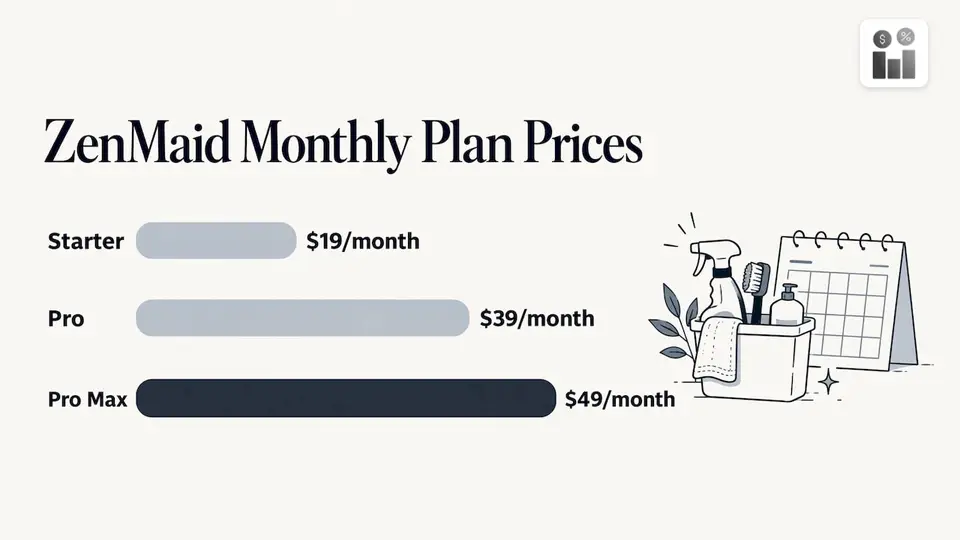
ZenMaid is built for residential maid services. Its Starter plan is $19 per month for up to 40 appointments a month, Pro is $39 per month with unlimited appointments, and Pro Max is $49 per month. Annual billing saves 20%, and text messaging is billed separately. It is a focused scheduling-and-booking tool for house cleaners rather than a broader business platform, so commercial and facility contracts sit outside its focus.
5. ServiceM8
ServiceM8 prices by monthly job count: Starter at $29 per month for 15 jobs, Growing at $79 for 50 jobs, Premium at $149 for unlimited jobs and Enterprise at $349 for multi-location teams. That structure works for a new business with a small job volume. Teams outside North America often choose it for its Xero accounting link.
6. Cleanster
Cleanster pairs a vetted cleaner marketplace with an operations platform for vacation-rental cleaning. According to STR Specialist’s 2026 review, the software side is priced per property per month, roughly $3.99 to $12 depending on tier and region, with unlimited bookings, checklists and team members. The marketplace covers the US, Canada and the UK. It is the specialist choice for short-term rental turnovers.
Which type of cleaning company needs what
Your job mix decides the shortlist more than any feature chart.
Residential maid service. Your needs are recurring appointments, online booking, reminders and card payments. A focused scheduler works, but if you also employ staff, track time and leave, and want one set of books, an all-in-one platform saves you from stitching tools together.
Commercial and janitorial. You have fixed contracts, multiple sites, night shifts, supply tracking and client audits. Here the combination of work orders, facility records, HSE compliance, supplier and product management, and time tracking matters more than a booking widget. This is where Firmanager’s modular design earns its place.
Vacation-rental turnovers. Per-property pricing and checklists tied to each unit make sense. If you also run office or home accounts, one platform for all of them avoids double entry.
New or solo operators. Cost is the constraint. Starting on a free plan lets you run real jobs and invoices before you pay anything, then step up when you add crew.
A worked example: a ten-person crew
Say you run a commercial cleaning company with ten employees, 25 recurring office accounts and a handful of one-off deep cleans per month. A typical week looks like this:
- A prospect asks for a quote. You log it in the pipeline and send a quote from the same record.
- The prospect accepts. The quote becomes a work order, and a recurring task is set for the nightly clean.
- You assign the crew. Each cleaner sees site details and tasks in the mobile employee portal and gets notifications by SMS or email.
- The crew completes the job. Time is logged against the site.
- The invoice is generated from the completed work and can be paid online through the Stripe integration.
- At month end, you read revenue, labor and open invoices from one dashboard.
With separate tools, steps 1 through 6 each involve copying a name, an address or an amount from one place to another. Each copy is a chance for an error, and each error is a late invoice or a missed visit. For more ways to take cost out of that chain, see our guide on how to reduce operating costs in a service business.
How to run your own comparison
- List your job types. Recurring contracts, one-offs, move-outs, rental turnovers. Note how many of each you do per month.
- Count your people. Office staff, supervisors and cleaners who need phone access. Per-user pricing multiplies fast.
- Name the one task that costs you the most time. Usually invoicing, rescheduling or chasing customers. Make sure the tool removes it.
- Check the accounting and payment fit. Confirm which payment processor and accounting tools connect.
- Model twelve months of cost. Include added users, volume growth and payment processing fees.
- Run a real week of jobs. Enter actual customers, assign a real crew and send a real invoice before you move everything over.
Why we built Firmanager as one platform
We built Firmanager around a simple idea: a service business should not need five logins to run one job. Cleaning companies move between sales, scheduling, people and money all day, and every handoff between separate tools is a place where information gets lost.
That is why our modules share one data set. A customer in the CRM is the same customer on the work order, the same customer on the invoice and the same site your crew opens on their phone. Our platform is cloud-synced, so the office and the field see the same thing at the same time.
We also designed it to be modular. You switch on what your business uses today, such as work orders and invoicing, and add HR, compliance or route management as you grow. The Free plan lets you start without a subscription, and Pro and Business give you more seats and usage as your team expands.
Our view is that the best software for a cleaning company is the one your whole team actually uses: managers, dispatchers and cleaners alike. Simple access on every device is how we aim to make that happen.
KaiosMedia
Start with the plan that fits your crew
Firmanager has three plans: Free at $0, Pro at $19 per month and Business at $49 per month. You can create your account, add your customers and sites, and set up your first recurring work orders on the Free plan, then move to Pro or Business when your team and job volume grow.
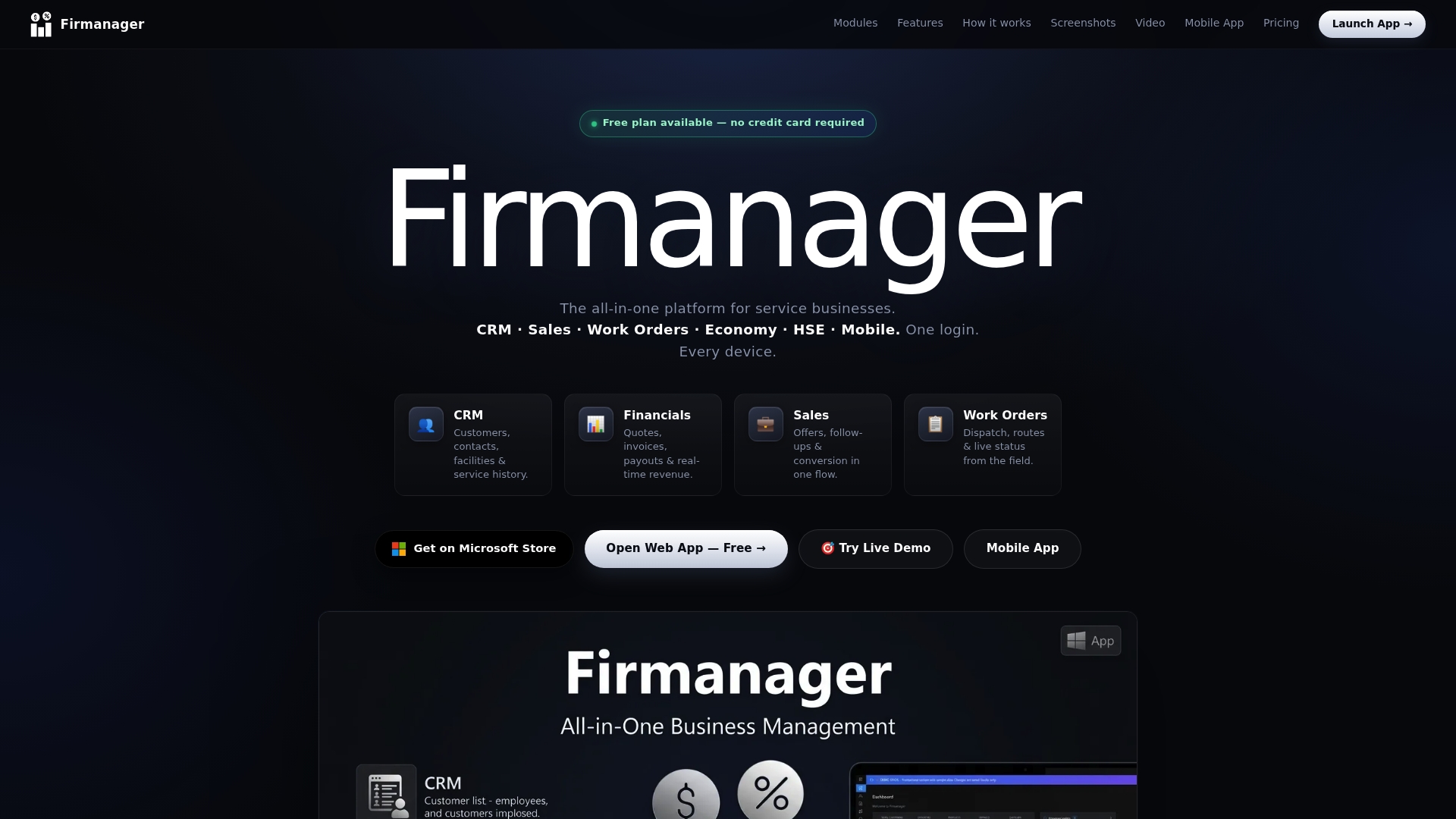
See the plans on the Firmanager site or go straight to the Firmanager app to set up your account.
FAQ
What is the best software for a cleaning company?
The best one matches your job mix and brings sales, scheduling, crew access and invoicing into one place. For residential and commercial cleaning teams alike, Firmanager covers CRM, work orders, invoicing, HR and compliance in a single login, starting with a Free plan. Smaller tools can work for a single narrow use case such as booking only.
How much does cleaning business software cost?
Published entry prices in 2026 range from about $19 to $79 per month for a starter plan, and higher tiers cost more as users, jobs or properties grow. Firmanager’s plans are Free at $0, Pro at $19 per month and Business at $49 per month. Always confirm current prices on each vendor’s own page.
Do my cleaners need to be tech-savvy to use it?
No. Crew members need only a phone. In Firmanager they open the employee self-service mobile portal to see job details and receive SMS or email notifications, so there is nothing to learn beyond checking their assigned work.
Can software handle recurring cleaning contracts?
Yes. Recurring tasks and workflows are set up once and repeat on a schedule, so a nightly office clean or a biweekly home visit appears without being re-entered. Firmanager tracks these recurring workflows alongside work orders and invoicing.
Can I use it for both homes and commercial buildings?
Yes. Firmanager is designed for service businesses in general, with customer and facility management, HSE compliance and document handling that suit commercial sites, and the same CRM, scheduling and invoicing modules that residential routes need.
Sources
Recommended
Run your whole business in one place
CRM, quotes, work orders, invoicing, expenses, HR and HSE — one login, every device. Free-forever plan.
Start free →