Contractor Compliance Software: Options Compared for 2026

If you run a service business, the best contractor compliance software is usually the one that keeps compliance in the same place as your jobs, people and invoices. Firmanager does this: HSE compliance, document handling, supplier management, work orders, time and leave tracking and invoicing sit behind one login. Enterprise prequalification networks and construction-only tools solve narrower problems, and this guide shows where each one fits.
TL;DR
- Contractor compliance software collects requirements and documents from contractors, verifies them, monitors them and keeps the records.
- The market splits into dedicated compliance platforms, broader construction or workforce tools, and all-in-one service business platforms.
- Listed prices range from $0 to tens of thousands of dollars a year, and several vendors publish no price at all.
- Firmanager is our pick for service businesses: Free at $0, Pro at $19 per month and Business at $49 per month, with compliance next to field operations.
- Before you buy, check how licenses are stored, how reports export, how contractors submit documents from a phone and whether you can take your data with you.
Table of Contents
- What contractor compliance software does
- Three kinds of tools you will meet
- Contractor compliance software compared
- Why a service business should keep compliance next to operations
- How to choose: a short checklist
- Match the tool to your size
- Contractor compliance is a lifecycle
- Try compliance and field operations in one place
- Our perspective
- FAQ
- Sources
What contractor compliance software does
A contractor is anyone outside your payroll who works for you or on your sites: a subcontractor, a freelancer, a specialist trade or a supplier’s crew. Compliance means proving that each one meets your requirements before and while they work. Typical requirements are insurance, licenses, training, safety records and signed paperwork.
Done by spreadsheet and email, this turns into chasing. Someone asks for a document, someone else files it, and nobody notices when it lapses. Software replaces that with one record per contractor and a clear status: approved, missing something or expired.
A good system covers the whole cycle:
- Requirements: what each contractor type must provide for each job or site.
- Collection: a place where documents arrive, instead of inboxes.
- Verification: someone checks the document and approves or rejects it.
- Monitoring: expiry dates and status changes are tracked over time.
- Records: you can show who approved what, and when, if there is an audit or an incident.
Some products automate more of this than others. One vendor, for example, describes reminders sent at 90, 60, 30 and 7 days before a document expires. That cadence is a useful benchmark when you compare how any tool handles renewals.
Three kinds of tools you will meet
Search results mix products that do very different jobs. Sorting them first saves weeks of demos.
Dedicated compliance and prequalification platforms
These focus on documents, expiry tracking and audit reporting. Large hiring companies use them to vet thousands of contractors, and contractors often pay to join the network. They go deep on prequalification, but they do not run your schedule, dispatch your technicians or send your invoices.
Construction and project tools with compliance features
These manage plans, tasks, bids and project cost. Compliance is one capability among many. They suit general contractors running building projects, less so a maintenance, cleaning or technical services company with recurring work.
All-in-one service business platforms
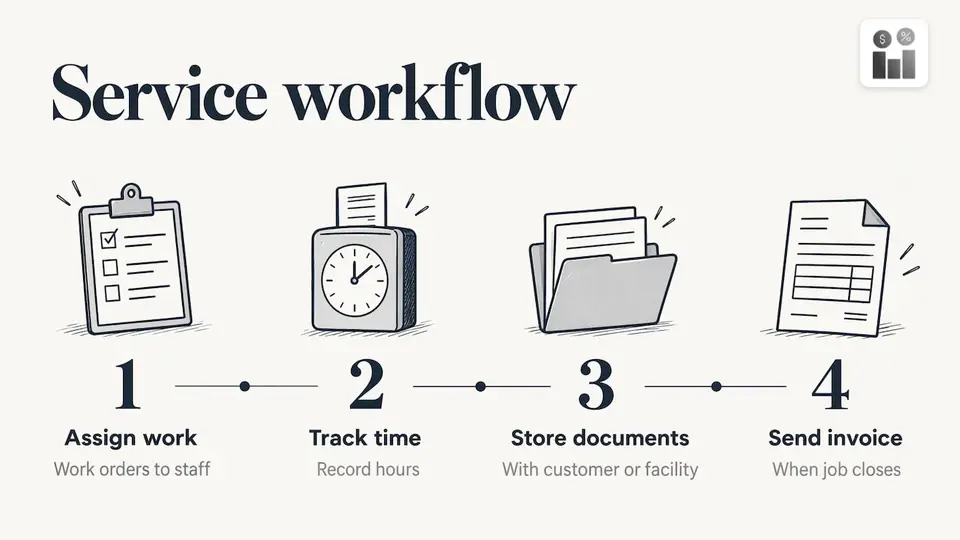
Here compliance is part of daily operations. Contractors and staff are assigned work orders, time is tracked, documents live with the customer or facility record and the invoice goes out when the job closes. This is the category Firmanager belongs to, and it is the one most small and mid-sized service companies actually need.
Contractor compliance software compared
The table summarizes each option, who it is built for and the pricing published in 2026. Prices change, so confirm them on the vendor’s page before you budget.
| Option | Built for | Listed pricing |
|---|---|---|
| Firmanager | Service businesses running field teams, contractors and compliance in one system | Free $0, Pro $19 per month, Business $49 per month |
| ISNetworld | Large hiring clients vetting many contractors | $875 per year for a contractor, $50,000 per year for a hiring client (directory listing) |
| SafetyCulture | Audits and inspections | $24 per user per month |
| PlanRadar | Construction tracking | $32 per user per month |
| Fieldwire | Construction field management | Basic $0, Pro $39, Business $64, Business Plus $89 per user per month |
| Deel HR, Worksuite, TalentDesk | Global contractor administration | Deel HR from $5 per user per month, others on request |
| Kahua | Enterprise construction management | Quoted per organization |
1. Firmanager: our pick for service businesses
Firmanager is a business management platform built for service companies. Compliance is not a separate product you bolt on. It sits alongside CRM, customer and facility management, work orders and field service, task and recurring workflow tracking, sales pipeline and quoting, invoicing with Stripe integration, supplier and product management, HSE (health, safety and environment) compliance, time and leave tracking, route and dispatch management and document handling.
What this means in practice:
- One login, every device. Managers, field staff and the office work from the same cloud-synced data, so the status you see is current.
- Compliance tied to the work. HSE compliance and document handling live in the same system as the work order, so the people assigned to a job and the paperwork behind it are not in different tools.
- Field access. The employee self-service mobile portal gives your team job details on their phones, and real-time notifications go out by SMS and email.
- Suppliers in the same system. Supplier and product management means the companies you buy from are managed where you manage everything else. Our guide to supplier onboarding walks through that process.
- Modular setup. You use the modules you need and tailor the rest, instead of paying for a heavy enterprise suite.
- Clear plans. Free costs $0, Pro costs $19 per month and Business costs $49 per month, paid monthly or annually depending on seats and usage limits.
If your compliance question is “who is allowed to do this job, and is everything in order before we send them,” Firmanager answers it in the same place where you dispatch the job and bill for it.
2. ISNetworld
ISNetworld is a network model aimed at large companies that hire many contractors. Software Advice lists it with document management, compliance tracking, alerts, audit management, mobile access, reporting and an API. The same listing shows $875 per year for a contractor or supplier ($750 plus a one-time $125 setup fee) and $50,000 per year for a hiring client ($40,000 plus a one-time $10,000 setup fee). G2’s 2026 comparison repeats those two figures. Other aggregator pages say the vendor gives quotes only, so treat any published number as a starting point for a conversation.
It fits an enterprise with a large contractor base and a dedicated safety team. It does not replace the system that schedules and invoices your own technicians.
3. SafetyCulture and PlanRadar
People Managing People’s 2026 review lists SafetyCulture for audit management at $24 per user per month and PlanRadar for construction tracking at $32 per user per month. SafetyCulture suits teams whose main need is inspections and audits. PlanRadar suits building projects with defects and site documentation. Both are priced per user, so cost grows with headcount.
4. Fieldwire
Fieldwire, a construction field management product, publishes its own plans: Basic at $0 per user per month, Pro at $39 and Business at $64 (both billed annually) and Business Plus at $89. It covers plan viewing, tasks, files, photos, reports and exports. It is built around construction drawings and projects, which is a different shape of business from recurring service work.
5. Deel HR, Worksuite and TalentDesk
These are positioned around global contractor and workforce administration, such as contracts and payments across countries, rather than site safety. The same People Managing People review lists Deel HR from $5 per user per month, with Worksuite and TalentDesk priced on request. They suit a company paying freelancers in many countries.
6. Kahua
Kahua is an enterprise construction management platform for owners and delivery teams, spanning the construction lifecycle with portfolio visibility, cost and risk controls and compliance controls. Its pricing is set per organization and deployment, not per seat, which suits large capital programs.
Why a service business should keep compliance next to operations
Most compliance failures in service companies are not about missing a platform. They happen because the information is in three places. The certificate is in an email, the schedule is in a calendar and the job record is somewhere else, so nobody checks one against the other on the day.
The operating question differs between tools. Project and operations software asks what is open, what happened on site and what the work costs. Compliance software asks what documentation is required, what is current and what still needs attention. A service platform that keeps both in one record lets a dispatcher answer both questions before assigning a job.
There are practical gains beyond compliance itself:
- Fewer re-entries. Customer, site, contractor, work order and invoice share one record.
- Real-time status. Cloud sync means a change made in the field is visible in the office straight away.
- Time and leave in view. Knowing who is available, and who is on leave, matters when you plan compliant crews. See our notes on technician time tracking and time and attendance options for field teams.
- Recurring work. Maintenance and cleaning contracts repeat. Recurring workflow tracking keeps the same checks attached to each visit. Our guide to service contract tracking covers the setup.
How to choose: a short checklist
Whatever you shortlist, test these points against your real contractors, not a demo account.
- Match the platform to your contractor types and locations. List the trades, states and customer sites you work in, and the requirements each one brings.
- Look at how licenses are stored. Licenses vary by state and trade, and a pile of uploaded files does not capture issuing body, holder or renewal cycle. Ask whether licenses are recorded as structured data tied to a person or company.
- Check onboarding effort. How do you import your existing contractor list? How long until the first real job runs through the system?
- Try the contractor’s side. If your subcontractors cannot submit a document from a phone in a couple of minutes, they will email it and you are back to chasing.
- Test reporting. You should be able to export a report by site, trade, person or project, with a clear update date and a record of who changed each item.
- Confirm data portability. Ask whether you can export your data in a standard format such as CSV, so you are never locked in.
- Confirm integrations directly. Review sites often have no integration data for a product, so ask about the tools you already use.
- Add up the real cost. Per-user pricing grows with every technician. Our look at field service software year-one costs shows how to model seats, setup and add-ons.
Match the tool to your size
A useful rule from buyer guides is to separate the primary gap from the nice-to-have. If compliance paperwork is your only gap and you have a small contractor list, a simple tool is enough. If you also schedule work, track time, send invoices and manage customers, one platform removes the handoffs. With Firmanager you can start on the Free plan at $0, move to Pro at $19 per month when your team grows and step up to Business at $49 per month when you need more seats and usage.
For larger contractor networks with thousands of vendors, enterprise prequalification systems make sense, and that is the territory ISNetworld and Kahua serve.
Contractor compliance is a lifecycle
Compliance does not end at approval. It starts at onboarding and finishes when the engagement ends: access removed, final documents filed, equipment returned and final payments settled. If you also work with contractors abroad, a structured contractor offboarding checklist shows how formal that last stage can be under local labor rules. Whatever the country, write the end-of-engagement steps down once and attach them to every contractor record.
Try compliance and field operations in one place
Firmanager gives service businesses CRM, work orders, HSE compliance, document handling, time and leave tracking and invoicing in one cloud platform. Start with the Free plan at $0, or choose Pro at $19 per month or Business at $49 per month when you need more room. See the plans at firmanager.cloud.
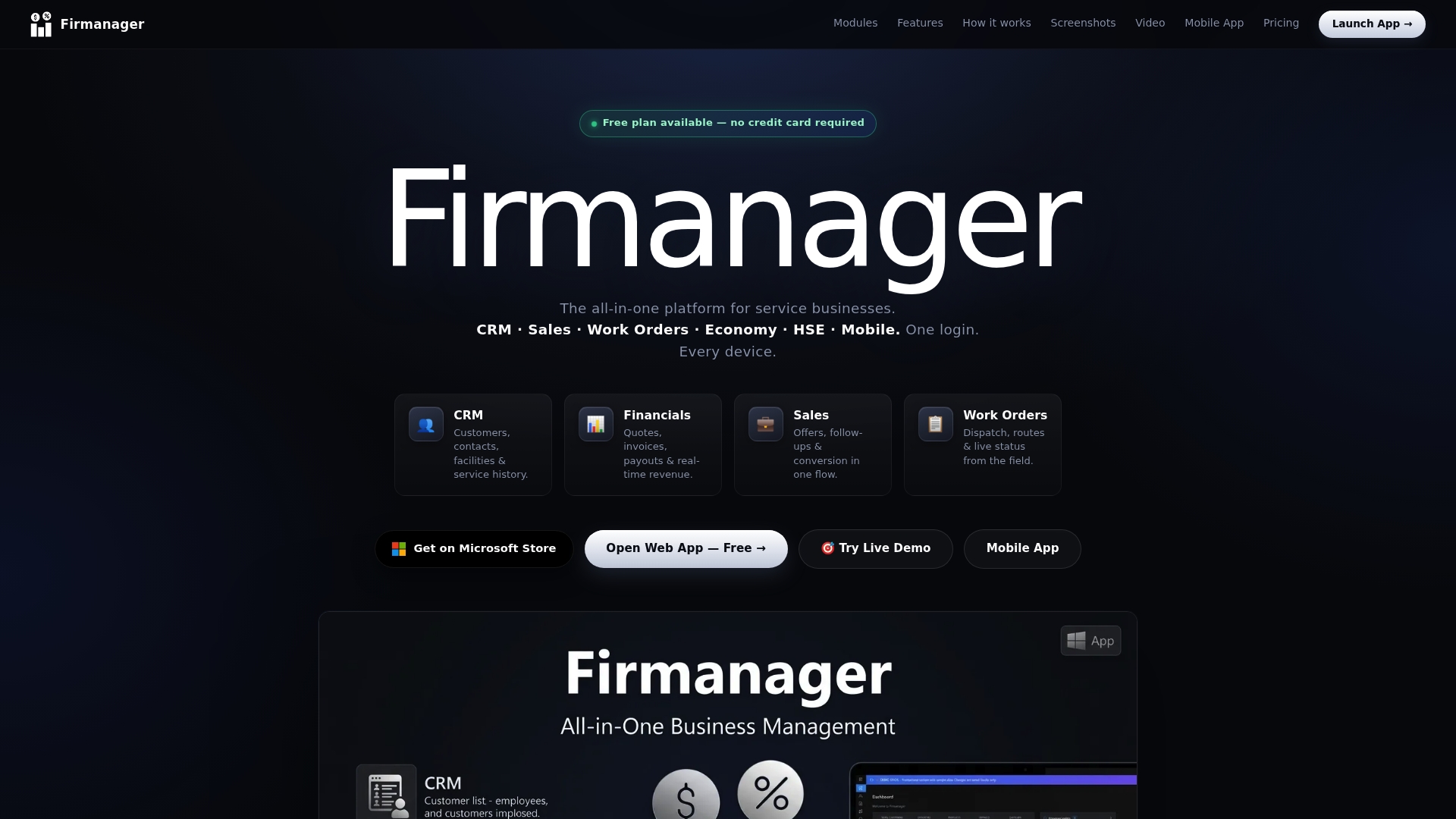
Your team signs in once, on any device, and sees the same current data you do. You can also go straight to the Firmanager app.
Our perspective
We built Firmanager on one belief: compliance should not be a separate department’s spreadsheet. It is a property of the job. When a work order, the people on it, the documents behind it and the invoice that follows all live in one record, nobody has to reconcile four tools to know whether the work was done properly.
Service businesses rarely need an enterprise prequalification network. They need to know today, from a phone, who is assigned, what is attached to the job and what is outstanding. That is why our modules share data: CRM, facilities, work orders, HSE compliance, documents, time and leave, and invoicing.
The modular design means you start with what hurts most and add the rest when you are ready. Real-time sync means the manager in the office and the technician on site are looking at the same facts.
KaiosMedia
FAQ
What is contractor compliance software?
It is software that manages the requirements, documents, verification, approval, monitoring and records for the contractors you work with. It replaces email and spreadsheets with one record per contractor and a visible status. Broader platforms also handle scheduling, time tracking and invoicing alongside compliance.
How is a contractor compliance management system different from field service software?
A dedicated compliance system focuses on documents, expiry tracking and audit reporting. Field service software focuses on running the work: jobs, dispatch, time and invoices. An all-in-one platform such as Firmanager combines HSE compliance and document handling with field operations, so compliance sits inside the daily workflow.
How much does contractor compliance software cost?
Published prices vary widely. Per-user tools listed in 2026 run from about $24 to $89 per user per month, and ISNetworld is listed at $875 per year for contractors and $50,000 per year for hiring clients. Firmanager’s plans are $0 (Free), $19 per month (Pro) and $49 per month (Business).
What should I check before I commit?
Check how licenses are recorded, how contractors submit documents from a phone, whether reports export by site, trade or project, and whether you can export your data. Also confirm the integrations you need directly with the vendor.
Sources
- ISNetworld Software Reviews, Demo & Pricing, Software Advice
- Avetta vs. ISNetworld Comparison 2026, G2
- 10 Best Contractor Compliance Software Reviewed in 2026, People Managing People
- Subcontractor Compliance Software, ExpiryEdge
- Offboarding Checklist for South Africa, Expand to South Africa
Recommended
Run your whole business in one place
CRM, quotes, work orders, invoicing, expenses, HR and HSE — one login, every device. Free-forever plan.
Start free →