CRM With Project Management: 5 Options Compared for Service Teams
The best CRM with project management for a service business is one platform where the customer record, the quote, the job, the crew and the invoice share a single login. Firmanager is built that way: CRM, work orders, invoicing and HR sit in one cloud-synced system, so nothing gets retyped between the office and the field. Below, we compare it with the other kinds of tools you will meet, with prices where published, so you can pick on facts.
TL;DR
- A CRM can run projects. Many CRM platforms include project features, and a sales pipeline can carry task assignment and progress tracking.
- Field service work needs more than tasks: work orders, dispatch, time tracking, invoicing and mobile access for technicians.
- Firmanager covers these in one platform. Plans: Free at $0, Pro at $19 per month, Business at $49 per month.
- Project-first tools such as Scoro and Productive price per user, with Scoro requiring a minimum of five users.
- Connecting two separate apps works, but it adds a sync you have to maintain. One platform removes it.
Table of Contents
- What a CRM with project management actually does
- What to look for before you compare
- Five options compared
- How the choice plays out in a real week
- Approvals, leave and compliance belong in the same system
- What it costs to run
- How to choose in four steps
- Perspective
- Start with the plan that fits your team
- FAQ
- Sources
What a CRM with project management actually does
A CRM stores customers, contacts and the history of every conversation. Project management software plans tasks, deadlines and people. A CRM with project management joins them, so the job you deliver stays tied to the deal you sold.
The practical gain is continuity. The person doing the work can see what was quoted, promised and agreed, and the office can see how delivery is going, without anyone copying details from one system to another. Comparison guides describe the same split: CRM covers customer relationships and sales, project tools cover tasks and delivery, and a CRM alone is not the strongest fit for complex projects.
For a service business, “project” usually means something specific:
- A maintenance contract with recurring visits.
- A cleaning or technical job at a customer’s facility.
- An installation with several steps, several people and materials.
- A quote that becomes a work order, then an invoice.
Generic project tools handle tasks and deadlines well. They rarely handle the field side: who is on site, what time they logged, what the customer signs off, and what gets billed. That gap decides which option below fits you.
What to look for before you compare
Use these criteria, in this order. They come from how service teams actually work.
- One customer record. Quotes, jobs, invoices and notes hang off the same customer and facility.
- Work orders and dispatch. Jobs can be assigned, scheduled and routed to the right person.
- Mobile access for employees. Technicians open job details on their phones and update status on site. If you are weighing this, our guide to field service CRM features shows how to check offline access before you buy.
- Time tracking. Hours logged against jobs feed billing. See how managers close billable gaps with technician time tracking.
- Invoicing in the same system. A finished job turns into an invoice without re-entry.
- Reporting. Managers see pipeline, workload and revenue in real time, not at month end.
- Pricing you can predict. Per-user tiers with minimum seat counts grow fast as you add field staff.
Five options compared
The table sets Firmanager next to the main types of tool a service business considers. Competitor prices are the figures published in a 2026 FinancesOnline comparison of Scoro and Productive; plans and prices change, so confirm on each vendor’s own page.
| Option | Type | Built for | Published pricing | Field service coverage |
|---|---|---|---|---|
| Firmanager | All-in-one platform | Service businesses with field teams | Free $0; Pro $19 per month; Business $49 per month | CRM, work orders, dispatch, time and leave tracking, invoicing, HSE compliance, employee mobile portal |
| Scoro | Project and business management | Agencies and professional services | Essential $26, Standard $37, Pro $63 per user per month; minimum 5 users | Projects, quotes, invoices, time tracking; sales pipeline only on Pro |
| Productive | Agency project and finance tool | Agencies | Essential $10, Professional $25 per user per month, billed annually | Budgeting, resource planning, time tracking, expenses |
| Zoho Projects paired with a CRM | Two connected apps | Teams that already use Zoho | Free plan for up to five users, paid tiers per user | Project tasks; customer data lives in a second app |
| Sales CRM plus a task tool | Two connected apps | Sales-led teams | Priced separately per seat | Pipeline in one app, tasks in the other |
Firmanager: the pick for service businesses
Firmanager is a B2B platform for owners and managers of service companies such as maintenance, cleaning and technical services. It bundles CRM, customer and facility management, work orders and field service management, sales pipeline and quoting, invoicing with Stripe integration, supplier and product management, HSE (health, safety and environment) compliance, time and leave tracking, route and dispatch management, documents, and SMS and email notifications.
The point is that these modules share data. A deal in the pipeline becomes a customer, the customer has facilities, the facility gets a work order, the work order gets a crew, and the finished work becomes an invoice. Employees use a mobile self-service portal for their job details. The system is cloud-synced, so the office and the field see the same information.
The design is modular, so you can start with the parts you need and use more as the business grows. To see how the sales side works, read our service sales pipeline model and the pipeline stages playbook.
Scoro and Productive: strong project tools, aimed elsewhere
Scoro’s Essential plan includes projects, calendars, tasks, contacts, quotes, invoices, bills and reports. Standard adds Gantt charts, milestones and time tracking, and Pro adds the sales pipeline, billable time and utilization reports. Every plan requires at least five users, per the FinancesOnline comparison above. Productive Essential covers budgeting, resource planning, projects, time tracking and expenses.
Both were designed around agency and professional services work: budgets, utilization and retainers. That suits a creative studio. A cleaning or maintenance company also needs dispatch, facility records, HSE compliance and a mobile portal for technicians, which is where a platform built for field service pulls ahead.
Two connected apps
Pairing a CRM with a separate project tool is a common route. A Cloudwards guide recommends connecting specialized tools to prevent data silos. It can work for a team with an IT person to maintain the connection. For a service company, the cost shows up in three places: two logins for staff, two bills that scale per seat, and a hand-off point where a won deal must become a job. Free tiers help at the start. Zoho Projects, for example, offers a free plan for up to five users, but the customer records still live in a different app from the jobs.
If you want a wider view of tools that combine CRM and delivery features, this comparison of project management tools shows how the category is usually sorted.
How the choice plays out in a real week
Take a ten-person facility maintenance company. On Monday a customer asks for a quote. The manager creates it from the pipeline, the customer accepts, and the quote becomes a work order for their site.
With two separate apps, someone re-enters the customer, address and scope in the project tool, then assigns the crew. On Friday, someone collects hours from the technicians and types them into the invoice.
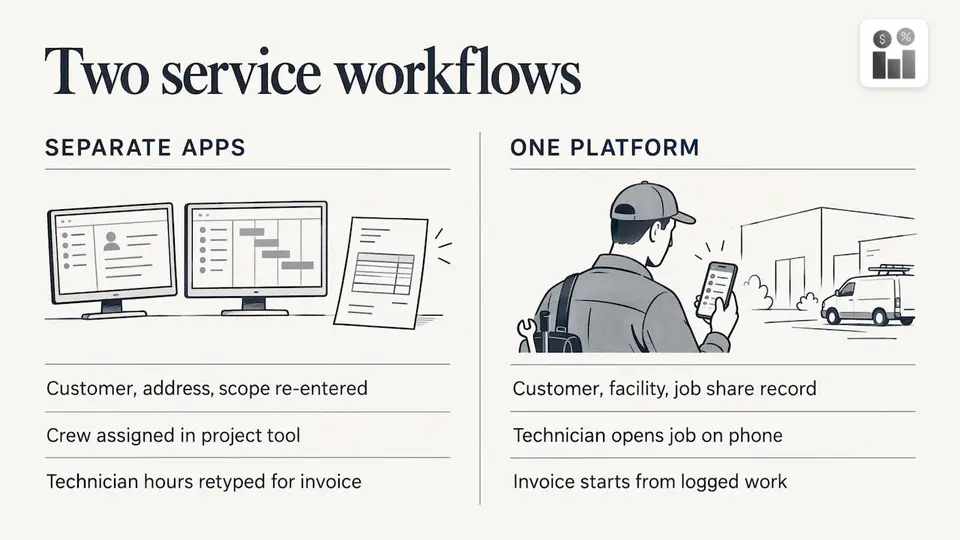
With one platform, the same record carries the customer, the facility, the job, the hours and the invoice. The technician opens the job on a phone, the manager sees status in real time, and billing starts from logged work. The time you save is the retyping, and the errors that come with it.
Approvals, leave and compliance belong in the same system
Service teams rarely fail on the big plan. They fail on small hand-offs: a purchase approval waiting in someone’s inbox, a day-off request nobody answered, a safety checklist on paper. When these live next to the jobs, managers see the whole picture of who is available and what is signed off.
Firmanager includes time and leave tracking and HSE compliance in the same platform as work orders. Two guides show how managers set these up: approval workflows with four tests and a copyable matrix and a leave approval workflow for small HR teams.
What it costs to run
Per-seat pricing looks cheap for one office user and grows fast once every technician needs access. Scoro, for instance, starts at $26 per user per month with a five-user minimum, which is $130 per month before you add anyone else, based on the published Essential price.
Firmanager’s published plans are simpler to read: Free at $0, Pro at $19 per month and Business at $49 per month. Plans are paid monthly or annually depending on seats and usage limits. For a fuller view of what a first year looks like, see our breakdown of field service software year-one costs.
How to choose in four steps
- List your jobs, not your features. Write down what happens from quote to payment. Mark each hand-off where data is retyped.
- Count the people who need access. Include technicians, not just office staff. This is what drives per-seat pricing.
- Check the field side. Confirm that employees can open job details on a phone and update them on site.
- Start small. Begin with the modules you use now and add others when the team is ready.
Perspective
We built Firmanager around one idea: a service business should not need a separate tool for every step of a job. The customer, the quote, the work order, the crew, the hours and the invoice are one story. When they live in one place, the data flows across CRM, projects, HR, invoicing and field service management without anyone moving it by hand.
Project-first tools are good at tasks and deadlines. Service companies also need to know who is on site, what the customer agreed to, and what to bill. That is why we offer a modular platform with one login across devices: you turn on what you need, and the team works from the same real-time information.
If your day is quotes, jobs, crews and invoices, start from a system designed for exactly that.
KaiosMedia
Start with the plan that fits your team
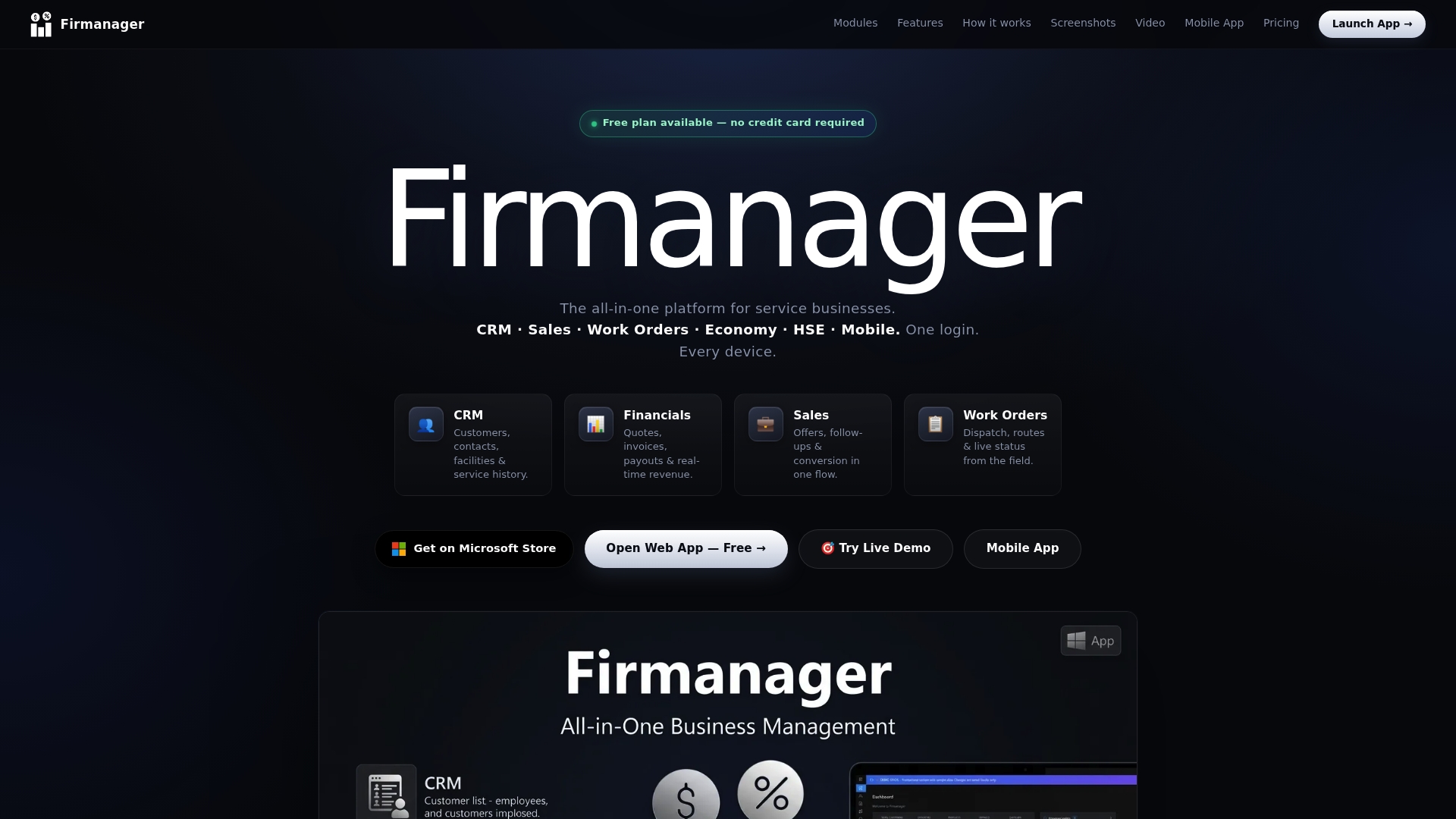
Firmanager has three published plans: Free at $0, Pro at $19 per month and Business at $49 per month. You can see all three on the Firmanager site and open the app directly at app.firmanager.cloud.
If you manage a field team, begin with your customers and one recurring job type. Add work orders, time tracking and invoicing as the team gets comfortable.
FAQ
Can a CRM be used for project management?
Yes. Many CRM platforms include project features, and a standard sales pipeline can run projects with task allocation and progress visibility. For service work, look for work orders, dispatch and invoicing too, because tasks alone do not cover a job in the field.
Is an all-in-one platform better than connecting two apps?
For most service businesses, yes. One platform means one login, one customer record and no sync to maintain between a CRM and a project tool. Connecting two apps can prevent silos, but it adds a hand-off every time a deal becomes a job.
What does Firmanager cost?
Firmanager publishes three plans: Free at $0, Pro at $19 per month and Business at $49 per month. Billing is monthly or annual depending on seats and usage limits. The current plan details are on the Firmanager site.
Can my technicians use it on their phones?
Yes. Firmanager includes an employee self-service mobile portal where staff open their job details. Because the platform is cloud-synced, what they see matches what the office sees.
Sources
- 8 Best CRM with Project Management in 2026 (Reviewed), EmailVendorSelection
- CRM vs Project Management Software, Cloudwards
- Scoro vs Productive.io 2026 Comparison, FinancesOnline
- Zoho Projects Pricing 2026, Tech.co
- 7 Best Project Management Tools for Recruitment Agencies in 2026
Recommended
Run your whole business in one place
CRM, quotes, work orders, invoicing, expenses, HR and HSE — one login, every device. Free-forever plan.
Start free →