Customer Database Management: A Guide for Service Businesses
Customer database management means keeping every fact about your customers in one structured place, accurate enough that your office, your crews and your invoices all work from the same record. For a service business, that record has to do more than hold a phone number. It has to connect to the sites you serve, the jobs you scheduled and the invoices you sent. Firmanager is built on that idea: CRM, customer and facility management, work orders and invoicing share one database behind one login, so a change made in the field is the change your office sees.
This guide covers what to store, how to structure it, how to keep it clean and when a spreadsheet stops being enough.
TL;DR
- A customer database is the structured data. A CRM is the application that puts workflows, reminders and reporting on top of it.
- Store four groups of fields: identity, contact, transaction and interaction. Link contacts to companies and sites instead of using one flat table.
- Keep records healthy with a simple loop: profile, clean, prevent, monitor, document.
- A spreadsheet works for a few hundred records and one or two users. Once several people edit data or crews need it on the road, move to shared software.
- Collect only the personal data you can use, and protect and delete it on a schedule.
Table of Contents
- 🗂️ What customer database management actually covers
- 📋 What to store about each customer
- 🧹 How to keep customer records accurate
- 🔐 Privacy and security basics for customer records
- 📊 Spreadsheet or customer database software?
- ⚙️ Features to look for in customer database software
- 💬 Our perspective
- 🚀 Run your customer records in Firmanager
- FAQ
- Sources
🗂️ What customer database management actually covers
A customer database is a structured collection of contact details, purchase history, interactions and, for businesses that sell to companies, firmographic data such as company name and size. Prospeo’s guide describes it as the data layer underneath a CRM. The CRM handles the workflow: follow-up reminders, deal stages, email sequences. The database is the raw information those workflows run on.
Managing it comes down to five jobs:
- Capture: record each customer once, with the same fields every time.
- Structure: link people, companies, sites and jobs so nothing is typed twice.
- Maintain: fix duplicates, stale entries and missing fields.
- Protect: control who can see and change what, and delete what you no longer need.
- Use: turn the records into schedules, quotes, invoices and reports.
The same ideas appear under other names: customer data management, managing customer records, customer records software. They all describe this loop.
📋 What to store about each customer
A management consultant, Christoph Olivier, recommends four field groups. They fit a service business well:
| Field group | What it holds | Service-business example |
|---|---|---|
| Identity | Who the customer is | Company name, contact name, account type |
| Contact | How to reach them | Phone, email, billing address, preferred channel |
| Transaction | What they bought | Quotes, work orders, invoices, payment status |
| Interaction | What happened between you | Calls, site visits, complaints, follow-ups |
Service work adds one layer that a retail contact list never needs: the site. One customer can have five buildings, each with its own access instructions, equipment and recurring visits. If the site lives in a free-text note, your crew will not find it when they need it.
Use linked tables, not one long sheet
Olivier suggests a relational model for service businesses: Companies, Contacts linked to a company, Deals and Activities. He warns that a flat single table breaks the moment two contacts share a company or one contact buys twice. For a field business, extend the same logic: Company, Contact, Site, Job, Invoice. Each fact then lives in one place and everything else points to it.
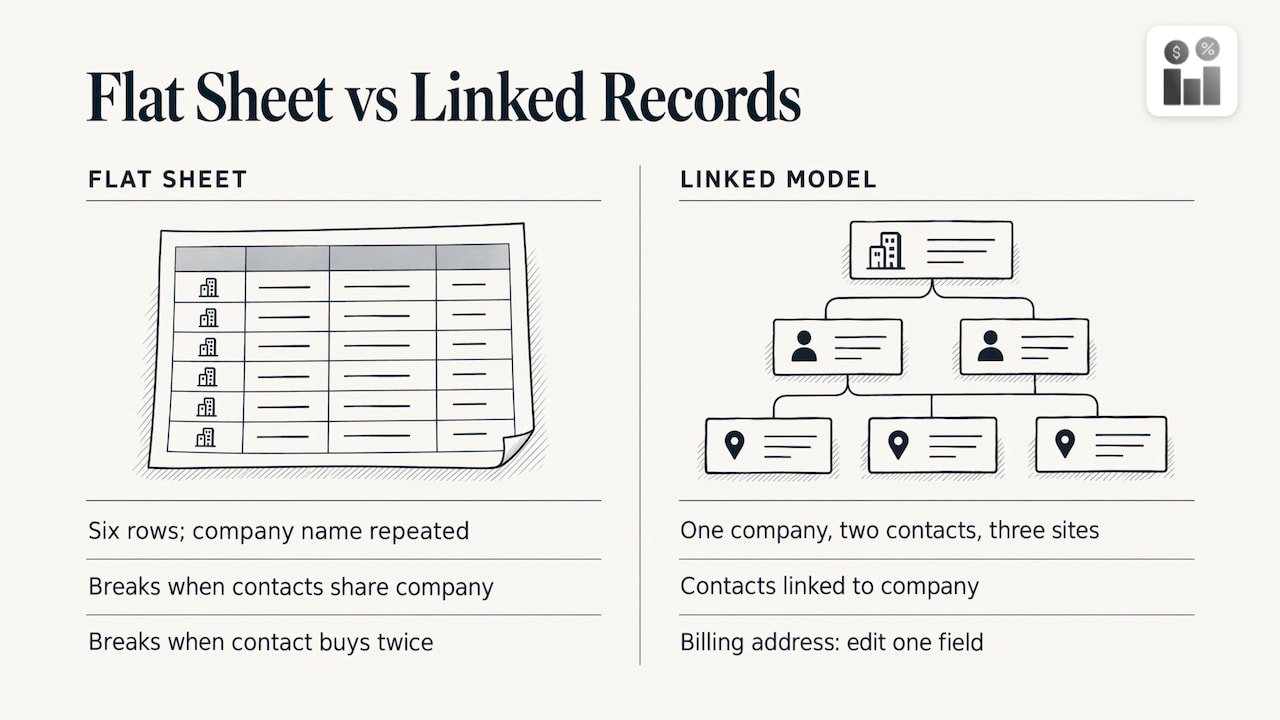
A worked example: a property manager oversees three buildings and has two staff who approve work. In a flat sheet that is six rows with the company name typed six ways. In a linked model it is one company, two contacts and three sites. When the manager changes billing address, you edit one field.
Collect less, document more
Only track information your team will use. The FTC’s business guidance gives a plain rule here: keep only what you need, and dispose properly of what you no longer need. For each field, write down its purpose, format, owner and how long you keep it. That one-page list is your data dictionary, and it settles most later arguments about whose job a field is.
🧹 How to keep customer records accurate
Most database problems are habit problems. Olivier makes the point that when founders call their CRM a disaster, the tool is rarely the cause. The cause is the field structure, duplicate handling and entry rules. You own the data model whatever tool you use.
AWS describes a five-step data-quality loop for small and midsize businesses. Here it is, applied to a service company.
- Profile. Look for duplicates, missing critical fields, invalid formats and stale records. AWS gives deals not updated in 30 days as an example of stale. For you, that could be a recurring contract with no visit logged.
- Clean and standardize. Normalize state abbreviations, country names and company naming. Pick one way to write “Acme Property Mgmt” and merge the rest.
- Prevent. Make the top 5 to 10 critical fields required. Use dropdowns instead of free text, add format checks and turn on duplicate warnings.
- Monitor. Track a small set of weekly rules, such as duplicate rate and completeness.
- Document. Keep the data dictionary: what each field means, where it comes from, who owns it and what good looks like.
Step 3 is where software earns its keep. A spreadsheet accepts anything you type. A platform with required fields and dropdowns stops the mistake at entry.
If retention is the reason you want cleaner records, the customer retention strategies in this guide start from the same place: accurate, current data about who your customers are and when they last heard from you. Our own post on improving customer retention in a service business applies it to recurring field work.
Field data needs its own control
In a service business, a lot of data is created away from a desk: arrival times, completed tasks, notes, photos. If it reaches the database late or incomplete, invoices and reports drift from reality. Our article on field data accuracy walks through one control that makes records audit ready.
🔐 Privacy and security basics for customer records
Customer records contain personal information, so a few rules apply from day one.
- Know what you hold. The FTC’s first step is to take stock of the personal information in your files and on your devices.
- Lock it. Limit access by role, so a technician sees the job details they need and not your full billing history.
- Delete on schedule. Set a retention period per field and stick to it.
- Plan for incidents. Decide in advance who does what if data is exposed.
If you serve California residents, the California Consumer Privacy Act gives them the right to know what personal information a business collects, to delete it, to correct inaccurate data and to opt out of its sale or sharing, with some exceptions. It applies to businesses that meet its thresholds, so check the state Attorney General’s page for whether it covers you.
If you text customers, record their consent as a field in the record itself. Our SMS consent guide for the USA explains what to capture.
📊 Spreadsheet or customer database software?
Yes, a spreadsheet can be a customer database. Olivier’s guide puts the sweet spot at under about 500 records, one or two users and static needs. Beyond that, a growing pipeline with several people who need automation and reporting calls for a CRM.
In a service business the tipping points are practical:
| Situation | What breaks in a spreadsheet | What shared software changes |
|---|---|---|
| Two or more people edit records | Duplicates and conflicting versions | One record, one login, one current state |
| Crews need job details on site | Files are emailed or printed | Mobile access to the same live data |
| Recurring work and follow-ups | Reminders live in people’s heads | Recurring workflows and notifications |
| Quotes and invoices | Re-typing customer data into each one | Invoices built from the customer and job record |
| Monthly reporting | Manual copy and paste | Reports from live data |
One caution applies to any move: clean first. Migrating messy data into new software only makes the mess faster to see. Run the five-step loop above, then import.
⚙️ Features to look for in customer database software
Use your own workflow as the checklist. For a field service company, these matter most:
- Customer and facility records that link contacts to sites and equipment.
- Work orders tied to the customer record, so job history sits with the account.
- Sales pipeline and quoting in the same system as the records.
- Invoicing that pulls customer and job data automatically, ideally with online payment.
- Mobile access for employees to see assignments and job details.
- Real-time sync, so the office and the field never work from different versions. Our five questions on real-time data sync help you judge it.
- Offline behavior for crews in basements and rural areas. See our notes on field service CRM features.
- Reporting across customers, jobs and revenue.
- Notifications by SMS and email.
- Roles and permissions that match who does what.
If you also care about connecting to your books, start with one flow, as described in our piece on CRM accounting integration. Comparing options for a specific trade? See CRM for cleaning companies or CRM with project management.
💬 Our perspective
Most service businesses do not have a data problem. They have a copying problem. A customer’s address is typed into a quote, again into a work order, again into an invoice, and each copy ages differently.
We built Firmanager so the customer record is the center. CRM, customer and facility management, work orders, sales pipeline and quoting, invoicing and HR sit in one modular platform, and data flows across them from a single source. You turn on the modules you need.
The cloud sync matters most for the people outside the office. When a technician opens a job on the mobile portal, they see what the office sees. When the office updates something, the field does too. That is what keeps a customer database trustworthy: fewer places to type, and fewer chances to disagree.
Start with clean fields and clear ownership, then let the platform enforce them.
KaiosMedia
🚀 Run your customer records in Firmanager
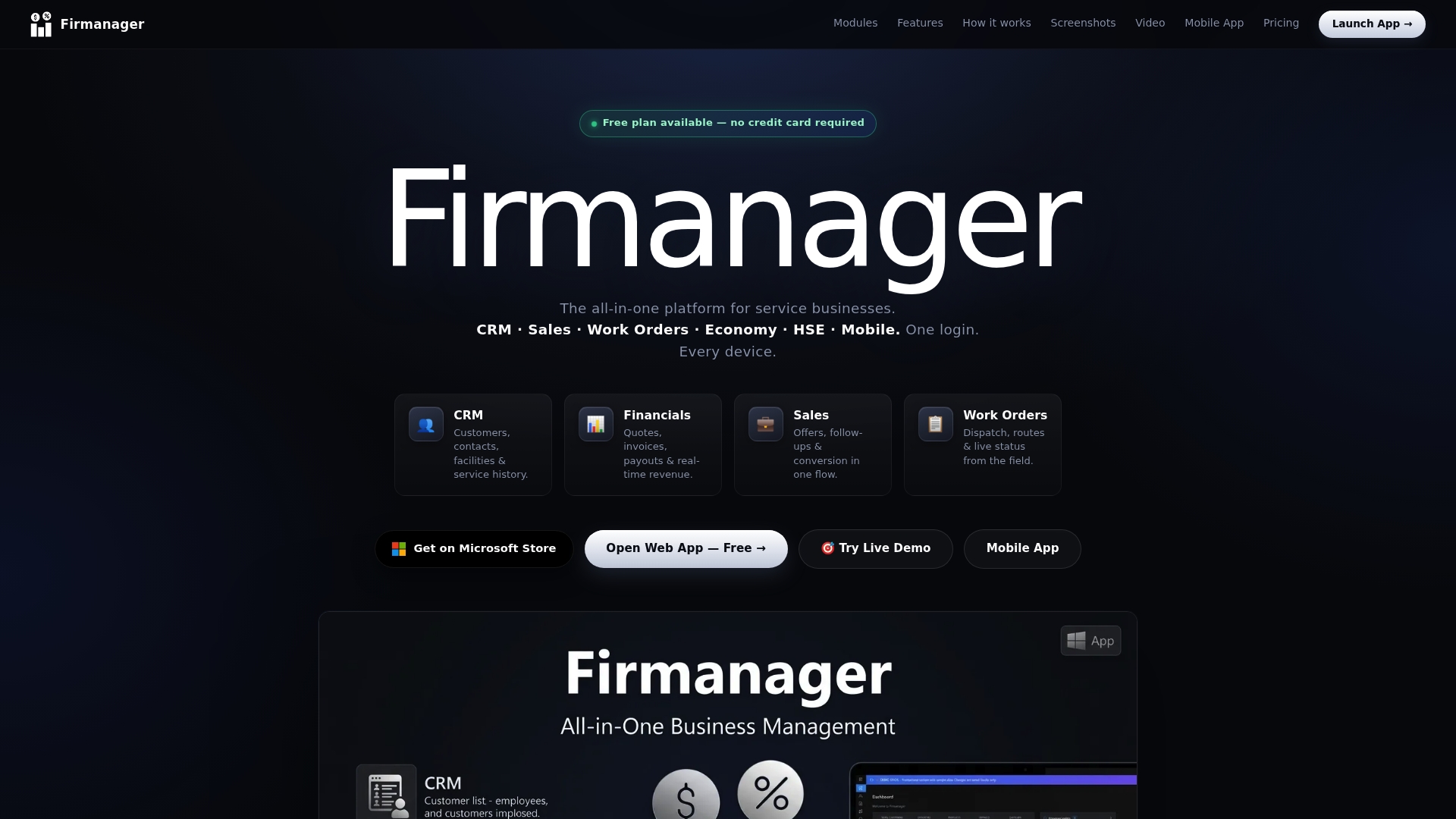
Firmanager gives service companies customer and facility management, work orders, quoting, invoicing with Stripe integration, an employee mobile portal and real-time analytics under one login. Plans are published on the site: Free at 0 $, Pro at 19 $ per month and Business at 49 $ per month. You can open the Firmanager app and start by importing your cleaned customer list.
A sensible first week: define your fields and owners, clean your list, import customers and sites, then create your first work order from a customer record and invoice it from the same job.
FAQ
What is the difference between a customer database and a CRM?
The database is the structured data: customers, contacts, history and the schema that organizes them. A CRM is the application on top, adding workflows, reminders, reporting and automation. Many service businesses choose a platform that includes both, so the records and the work they drive live together.
Is Excel a CRM database?
Excel can hold a customer database, and it suits a small list with one or two users. It does not give you workflows, role-based access or duplicate warnings. When several people edit the same data or crews need it in the field, shared software is the better fit.
What should a customer database include?
Start with identity, contact, transaction and interaction fields. For a service company, add sites and equipment, and link each job and invoice to its customer. Include only fields your team will actually use.
How often should I clean customer records?
Check a few simple rules weekly, such as duplicate rate and completeness, as AWS suggests in its data-quality loop. Do a fuller review of stale records on a regular schedule, and prevent most errors at entry with required fields and dropdowns.
Sources
- What Is a Customer Database? Guide for 2026
- Customer Management Database: Fields, Schema & Hygiene
- Data quality management for SMBs, AWS
- Protecting Personal Information: A Guide for Business, FTC
- California Consumer Privacy Act, California Attorney General
Recommended
Run your whole business in one place
CRM, quotes, work orders, invoicing, expenses, HR and HSE — one login, every device. Free-forever plan.
Start free →