10 Steps to Implement Cycle Count Procedures for Warehouse Managers
10 Steps to Implement Cycle Count Procedures for Warehouse Managers
Cycle count procedures are a repeatable process for auditing a rotating subset of inventory on a fixed schedule, without shutting down operations for a full physical count. The single best practice tying every reliable program together is discipline: freeze the zone, count blind, flag every variance, recount independently, and log a reason code for every adjustment. Run a short pilot on your A-items first — it proves the process before you scale it warehouse-wide.
TL;DR:
- Cycle counting prioritizes high-value items, with A SKUs counted weekly or monthly, while lower-value C SKUs are checked quarterly or annually.
- Implementing blind counting and requiring independent recounters significantly improves accuracy by reducing bias and confirmation errors.
- Automated schedule generation from ABC analysis and mobile apps that hide expected quantities streamline workflow and minimize manual errors.
- Variances exceeding 3% or $500 in value require escalation to managers, while smaller discrepancies can be adjusted directly by counters with reason codes.
- Using dedicated software that locks transaction zones during counts and logs all adjustments enhances reliability and auditability of cycle count programs.
Table of Contents
- What Is Cycle Counting and How Is It Different From a Full Inventory?
- Which Cycle Counting Method Should You Use?
- How Do You Turn ABC Targets Into a Daily Count Schedule?
- How Do You Perform a Cycle Count on the Warehouse Floor?
- What Technology Do You Need for Reliable Cycle Counts?
- What Variance Should Trigger a Recount or Escalation?
- Which KPIs Show Whether Your Cycle Count Program Is Working?
- Why Do Inventory Counts Keep Coming Up Wrong?
- How Do You Roll Out a Cycle Count Program Without Disrupting Operations?
- What Does the Research Say About Cycle Count Discipline?
- What Should Managers Expect in the First 90 Days?
- How Firmanager Helps You Run Cycle Counts Without the Spreadsheet Chaos
- Where to Read More on Cycle Counting
- Sources
- FAQ
What Is Cycle Counting and How Is It Different From a Full Inventory?
A cycle count is a continuous auditing method: instead of stopping the warehouse once a year to count everything, you count a small, defined slice of stock on a recurring schedule. The practice keeps inventory accuracy current all year rather than checking it once and hoping nothing drifted for the next 12 months.
That continuous rhythm is what separates cycle counting from an annual physical inventory. A full count freezes the entire operation, often for a day or more, and finds errors that may have compounded for months. Cycle counting catches the same errors within days of when they happen, while shipping and receiving keep running in every other zone.
The operational payoff shows up in three places:
- Less disruption. You freeze one zone or SKU group at a time, not the whole building.
- Earlier error detection. A misbin or receiving mistake gets caught in the same week, not buried until year-end.
- Continuous accuracy. Your accuracy rate becomes a live metric you track weekly, not a once-a-year surprise.
None of that works without groundwork. You need clean location logic in your WMS or ERP so counters know exactly where a SKU should live, a reliable baseline of on-hand quantities to freeze against, and a warehouse that already practices basic 5S or 6S organization. Counting in a facility where bins are mislabeled or overflow stock sits in random aisles just produces noise, not data.
Which Cycle Counting Method Should You Use?
The right method depends on how your inventory is distributed and what risk you’re managing. Most programs land on one of five approaches, sometimes blended.
ABC or value-based counting is the default for a reason: it assigns counting frequency by dollar impact. ABC analysis, drawn from the Pareto principle, sorts SKUs into three tiers, with A items counted most often, B items on a moderate schedule, and C items rarely.
| Class | Typical share of SKUs | Typical share of value | Suggested count frequency |
|---|---|---|---|
| A | about one-tenth to one-fifth | about seventy to eighty percent | Weekly to monthly |
| B | about one-fifth to almost one-third | about fifteen to twenty-five percent | Monthly to quarterly |
| C | about half to seventy percent | about five to ten percent | Quarterly to annually |
Usage or velocity-based counting works better than pure ABC when movement speed matters more than dollar value, like a distributor moving low-cost fasteners in huge volume. You count fast movers frequently regardless of unit price, because a stockout on a $2 part can shut down a production line just as fast as a $2,000 one.
Location-based counting rotates through physical zones or aisles rather than SKU classes. It’s simple to schedule and good for catching misbins, but it can waste counter time on slow-moving C items just because they happen to sit in this week’s aisle.
Random sample counting picks SKUs at random to get a statistically fair read on overall accuracy, useful for audits and insurance documentation, though it doesn’t target risk the way ABC does.
Control groups — a fixed set of SKUs counted every cycle regardless of class — give you a clean trend line to judge whether your process itself is improving.
Hybrids combine cost and usage into a single weighted score, which is often the most accurate approach for warehouses with both high-value slow movers and low-value fast movers on the same floor.
How Do You Turn ABC Targets Into a Daily Count Schedule?
Frequency targets are useless until you convert them into a number of SKUs to count each day. The math is simple: take your annual count target for a class, divide by working days, and round up.
If A items get counted 12 times a year, B items 4 times, and C items once, here’s what that looks like:
- A items: 300 SKUs counted multiple times a year, resulting in about a dozen or more counts per day.
- B items: 500 SKUs counted a few times per year, resulting in several counts per day.
- C items: 1,200 SKUs counted at least once per year, totaling several counts daily.
That’s roughly 27 counts a day across all classes for a 2,000-SKU warehouse, a workload one trained counter can usually clear in an hour or two depending on pick density.
A smaller catalog of 500 SKUs scales down proportionally to single digits per day. A large distribution center with 20,000 SKUs will need either a dedicated counting team or a rotation that spreads the load across multiple shifts.
Build fixed pick windows (first hour of shift is common), rotate which zone or SKU list gets counted each day so no aisle goes untouched for long, and adjust the cadence after a few months based on which classes show rising variance. If your B items start drifting, move them toward A-item frequency instead of waiting for the next scheduled review.
How Do You Perform a Cycle Count on the Warehouse Floor?
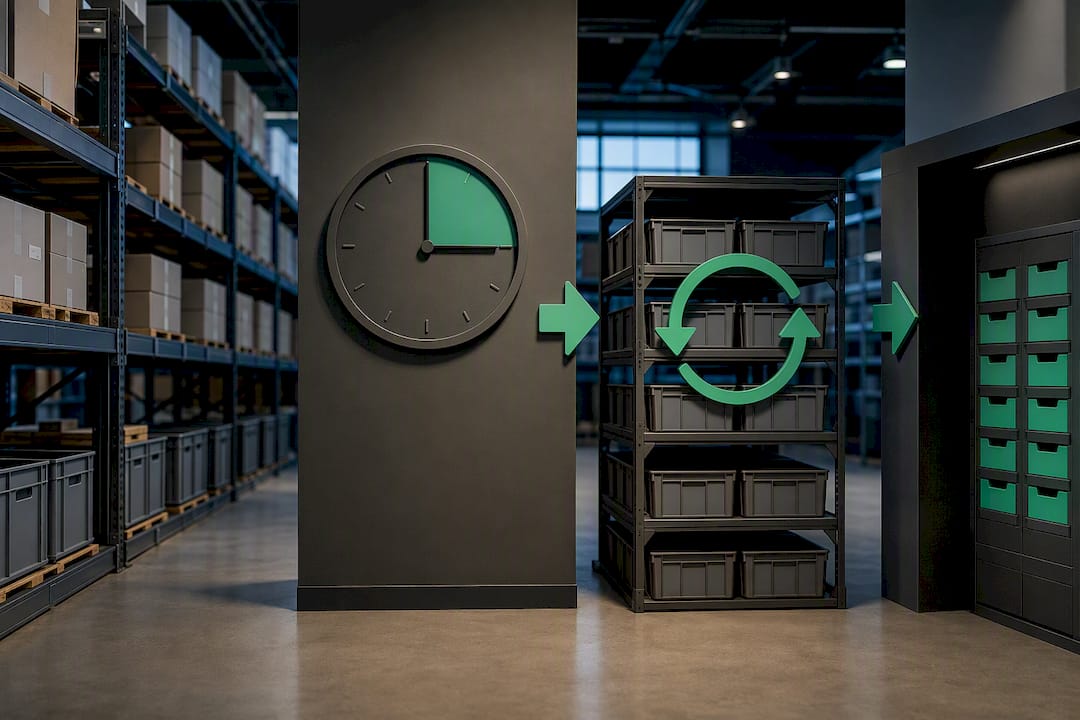
A defensible cycle count follows the same sequence every time, and skipping a step is usually where accuracy programs fall apart. The standard operational workflow runs in ten stages:
- Select the SKUs or zones for the day based on your ABC schedule, pulling a list from your WMS rather than picking items ad hoc.
- Freeze the zone. Stop receiving, picking, and putaway transactions in that specific area so the count reflects a true snapshot, not a moving target.
- Pull an ERP/WMS snapshot of expected on-hand quantities at the moment of the freeze, timestamped for the audit trail.
- Assign counters, ideally someone other than the person normally responsible for that zone, to reduce bias.
- Count blind. Counters record what they physically see without seeing the system’s expected quantity first.
- Flag variances the moment a counted number differs from the system snapshot, however small.
- Run an independent recount on every flagged SKU, using a different counter than the first pass when possible.
- Investigate before adjusting. Check for open transactions, in-transit receipts, or overflow stock in a nearby bin that might explain the gap.
- Adjust with a reason code attached to every change, never a bare quantity edit.
- Log the full audit trail: who counted, who recounted, what was found, what code was applied, and when.
Blind counting is the step most programs shortcut, and it’s also the one that matters most. Showing a counter the expected quantity before they count invites them to see what they expect rather than what’s actually on the shelf, which quietly erases the errors you’re trying to catch.
Pro Tip: Reconcile open work orders and in-transit receipts before you touch the adjustment screen. A part that’s already been pulled for a job just hasn’t been logged yet in your work order status tracking, and adjusting it as a shortage creates a phantom discrepancy you’ll be chasing for weeks.

What Technology Do You Need for Reliable Cycle Counts?
Paper clipboards still work for a five-SKU pilot, but any program counting dozens of items a day needs hardware and software that removes room for error. Barcode scanners or RFID readers, mobile audit apps that work offline, and timestamped submissions form the baseline stack.
Your WMS or ERP needs to support a few specific capabilities, not just generic inventory tracking:
- Frozen snapshots that lock expected quantities the instant a zone count starts.
- Scheduled count lists generated automatically from your ABC frequency rules.
- Reason-code fields built into the adjustment workflow, not a free-text afterthought.
- Audit-trail logging that records every counter, recount, and adjustment with a timestamp.
The mobile app your counters use on the floor should hide expected quantities until after entry, then flag any variance immediately and force a recount before the counter can move to the next SKU. That single UI decision enforces blind counting better than any policy memo.
Before rolling out, test the integration end to end: confirm a frozen zone actually blocks transactions in the ERP, verify reason codes sync back to the same audit log every time, and run one full count cycle in a sandbox zone before trusting it with production inventory.
What Variance Should Trigger a Recount or Escalation?
Not every discrepancy needs the same response. Setting numeric thresholds in advance keeps the process consistent and keeps supervisors from relitigating every single flagged count.
A common set of recount and escalation triggers looks like this:
| Trigger condition | Action | Approval needed |
|---|---|---|
| Variance under 2 units or 3% (whichever is lower) | Log and adjust | Counter or supervisor |
| Variance over 2 units or 3% | Independent recount required | Second counter |
| Variance over 5% or exceeds $500 in value | Escalate to inventory manager | Manager sign-off |
| Repeat variance on same SKU | Root-cause investigation | Manager plus supervisor review |
Every adjustment needs a reason code, and a short, consistent taxonomy works better than a sprawling list nobody uses correctly: receiving error, misbin, pick error, damage, unit-of-measure mismatch, vendor short-ship, and shrinkage cover most real-world causes.
Those codes aren’t just paperwork. They feed directly into the weekly root-cause review, where a cluster of “misbin” codes in one aisle points straight at a putaway training gap rather than a counting problem.
Which KPIs Show Whether Your Cycle Count Program Is Working?
Five numbers tell you whether counting is actually improving accuracy or just generating busywork. Inventory accuracy rate, first-count accuracy, count completion rate, average variance value, and root-cause closure rate together give you a full picture.
- Inventory accuracy rate: (SKUs matching system count ÷ total SKUs counted) × 100.
- First-count accuracy: percentage of counts that needed no recount at all.
- Count completion rate: scheduled counts actually completed on time.
- Average variance value: total dollar variance divided by number of variances found.
- Root-cause closure rate: percentage of flagged reason codes that led to a documented process fix.
Best-in-class programs sustain accuracy at or above 98%. If your rate sits below that, look at first-count accuracy first: a low number usually means blind counting isn’t being followed on the floor.
A 15-minute weekly review keeps the loop alive: pull the week’s top reason codes, assign one owner per recurring cause, and confirm last week’s fixes actually reduced repeat variances.
Why Do Inventory Counts Keep Coming Up Wrong?
Most variance traces back to a small set of repeat offenders: receiving errors, misbins, short picks, unlogged damage, and unit-of-measure mismatches. A pallet received against the wrong PO, a case put away one bin over, or a partial pick that never got logged all produce the exact same symptom on a count sheet.
The immediate fix is simple: recount, correct, and log the reason code. The lasting fix is upstream. If misbins keep showing up in the same zone, that’s a putaway training gap, not a counting problem. If unit-of-measure mismatches recur, someone is receiving cases as eaches somewhere in the chain.
- Track reason codes by zone and shift, not just by SKU.
- Route recurring receiving errors back to the dock supervisor, not the count team.
- Treat three repeat variances on one SKU as a process audit trigger, not a coincidence.
How Do You Roll Out a Cycle Count Program Without Disrupting Operations?
Start small.
- Select the pilot scope: one zone, 50 to 100 SKUs, a fixed daily time window.
- Train counters and supervisors on blind counting, recount rules, and the reason-code list before the first count.
- Run the pilot for its full window without changing rules midstream, so the data is comparable week to week.
- Review results against your success metric and adjust frequency or staffing before expanding.
- Assign a program owner who tracks KPI cadence, schedules quarterly audits, and keeps documentation current.
Governance matters as much as the counting itself. One named owner, a fixed weekly review cadence, and a documented escalation path keep the program from quietly drifting back into an annual scramble six months later.
What Does the Research Say About Cycle Count Discipline?
The strongest evidence favoring cycle counting over annual inventories comes down to a handful of repeated findings across warehouse operations research.
Hiding expected system quantities from counters during a count materially increases the number of real discrepancies they catch, because it removes the unconscious pull toward confirming what the system already says.
Pairing an experienced counter with a newer one speeds up training and catches mistakes in real time, and rotating counters across zones weekly prevents the blind spots that develop when the same person counts the same aisle month after month. Reason codes are what convert a count from a one-time fix into a genuine feedback loop: without them, you correct the number and never touch the process that caused it.
What Should Managers Expect in the First 90 Days?
Expect resistance in week one. Counters will push back on blind counting because it feels slower, and supervisors will ask why a “simple recount” needs sign-off. Hold the line on both.
By week six, first-count accuracy usually starts climbing as staff adjust. By day 90, most teams see fewer emergency stockouts and faster fills, because the data finally matches the shelf. The cultural shift outlasts the process itself: once staff trust the numbers, they stop double-checking everything manually, which is the real productivity gain.
— KaiosMedia
How Firmanager Helps You Run Cycle Counts Without the Spreadsheet Chaos
Every step covered above, the frozen snapshot, the blind count entry, the reason code, the audit trail, still runs on a spreadsheet and a clipboard at most warehouses, which is exactly where variance data gets lost between the floor and the office. Some software solutions replace that gap with one system: schedule ABC-based count lists, capture blind counts through a mobile portal, force reason codes on every adjustment, and pull the audit trail into the same dashboard where you already track work orders and inventory.

What to evaluate in any software you choose is the same list from the tools section above: does it freeze transactions during a count, does it hide expected quantities from counters, and does it log who counted, who recounted, and why every adjustment happened. This software builds those checks into the supplier and product management module rather than treating them as a bolt-on report.
If your counts are still living in a spreadsheet nobody trusts, start with the Free plan and run your next A-item pilot inside the platform instead of outside it. Pro runs $19 a month, Business runs $49 a month, and both scale up as your count program does.
Where to Read More on Cycle Counting
For deeper reference material beyond this playbook, these guides cover the mechanics and workflow variations in more depth:
- Cycle Count: Definition, Process and Best Practices for a broader glossary-level explainer.
- Cycle Counting: What It Is, Methods and How Often to Count for method comparisons and frequency logic.
- Inventory Cycle Count Process: Ecommerce Warehouse Guide for KPI benchmarks and threshold examples.
- Inventory Turnover Targets for Business Owners for pairing count accuracy with turnover benchmarks.
Sources
- How to Do a Cycle Count in a Warehouse: Step-by-Step Process for Operations Teams
- Inventory Cycle Count Process: Ecommerce Warehouse Guide
- Cycle Counting: What It Is, Methods and How Often to Count | Storekeeper Blog
FAQ
What Is the 80/20 Rule for Cycle Counting?
The 80/20 rule is ABC analysis applied to inventory: roughly 20% of your SKUs, the A items, typically account for 70 to 80% of inventory value, so those get counted far more often than the rest.
How Often Are Cycle Counts Done?
Frequency depends on ABC class: A items are commonly counted weekly to monthly, B items monthly to quarterly, and C items quarterly to annually, with exact targets converted into a daily count list based on your total SKU count.
How Is a Cycle Count Actually Counted?
A counter works from a scheduled list, counts the physical quantity blind (without seeing the expected system number), and the count is compared against a frozen ERP or WMS snapshot; any mismatch triggers a recount and, if confirmed, an adjustment logged with a reason code.
Does Firmanager Support Cycle Count Scheduling?
Firmanager’s supplier and product management module supports scheduled counts, mobile entry, and audit-trail logging as part of its broader inventory and operations tracking, with current plan pricing listed on the Firmanager site.
What’s the Difference Between a Recount and an Escalation?
A recount is a second, independent count triggered by a moderate variance, usually a few units or a few percent, while escalation kicks in at a higher threshold, such as 5% or a dollar value like $500, and requires manager sign-off rather than just a second counter.
Recommended
Run your whole business in one place
CRM, quotes, work orders, invoicing, expenses, HR and HSE — one login, every device. Free-forever plan.
Start free →