Employee Time and Attendance Software: 5 Options for Field Teams
For a service business, the best employee time and attendance software is the one that records hours against the job, not just the clock. Firmanager is our pick: time and leave tracking sit in the same platform as work orders, dispatch, CRM and invoicing, so a logged hour reaches the customer’s invoice without retyping. Standalone timekeeping tools are the alternative. They clock people in well, but you still move their data elsewhere.
TL;DR
- Time and attendance software records when people start and stop work, their absences and their leave. It replaces paper sheets and spreadsheets.
- Field teams need more than a punch clock: access to job details on a phone, status updates and approvals that reach the office quickly.
- The costliest gap is between timekeeping and billing. A tool that shares data with work orders and invoicing removes double entry.
- Firmanager offers a Free plan at $0, Pro at $19 per month and Business at $49 per month, with time and leave tracking inside the platform.
- Judge any option on the worked example in this article: one technician, one job, one invoice.
Table of Contents
- What time and attendance software does
- Why field service teams need a different tool
- Five options compared
- How to choose: seven checks for a service business
- A worked example: one technician, one job, one invoice
- Preventing inaccurate time records
- Connecting attendance to payroll and the rest of your stack
- Rolling it out in your first month
- Try Firmanager for time and attendance
- Our perspective
- FAQ
- Sources
What time and attendance software does
Time and attendance software captures three things: when each employee worked, where that time belongs (which job, customer or project), and when they were away (leave, sick days, time off). It turns those records into timesheets a manager can approve and a payroll or invoicing step can use.
The records also matter legally. In the United States, the Fair Labor Standards Act requires employers to keep records of hours worked each workday and each workweek for covered employees. A system that stores time entries with approvals gives you that record in one place. Rules differ by state and by worker type, so confirm the details for your business with the Department of Labor or your state labor office, or with an employment attorney.
The same category also goes by “employee attendance tracking system.” The label changes, the job does not: record the hours, approve them, use them.
Why field service teams need a different tool
An office team clocks in at a desk. A field team clocks in from a van, a customer’s basement or a client site, and the hours belong to a specific job. That changes what you should look for.
- Mobile access for employees. Technicians need to see the day’s jobs, customer details and notes on a phone, and log time there.
- Real-time updates. The office needs to know when a job starts, runs over or finishes, so it can reschedule and answer customers.
- Time tied to work. Hours logged against a work order show job cost and make billing accurate.
- Leave and availability. Dispatch decisions depend on who is off.
- Approvals. A manager should review and approve time before it reaches payroll or an invoice.
Most lists that rank for this keyword treat attendance as the whole problem. For a maintenance, cleaning or technical services company, attendance is the first step of a longer chain: job, time, invoice, payment.
Five options compared
The table compares the options a service business is most likely to shortlist. We describe Firmanager from what we publish. For the others, confirm current plans and limits on each vendor’s own pricing page, since vendors change them.
| Criterion | Firmanager | QuickBooks Time | Buddy Punch | Hubstaff | Clockify |
|---|---|---|---|---|---|
| Main purpose | All-in-one platform for service companies | Time tracking tied to QuickBooks accounting | Attendance, scheduling, PTO | Time tracking with GPS for remote and field staff | General time tracking |
| Time and leave tracking | Yes, inside the platform | Yes | Yes | Yes | Time tracking focus |
| Work orders and dispatch | Yes, built in | Job and shift scheduling | Scheduling | Limited to time and project context | No |
| CRM and customer records | Yes, built in | No | No | No | No |
| Invoicing | Yes, with Stripe integration | Through QuickBooks | Payroll integrations | Via integrations | Basic invoicing features |
| Employee mobile access | Self-service mobile portal | Mobile app | Mobile app | Mobile app | Mobile app |
| HSE compliance tracking | Yes | No | No | No | No |
| Entry price | Free plan, then $19 per month | See vendor | See vendor | See vendor | See vendor |
1. Firmanager: time that follows the job
Firmanager is a platform for service businesses that combines CRM, customer and facility management, work orders and field service management, task and recurring workflow tracking, quoting, invoicing, time and leave tracking, route and dispatch management, HSE compliance and financial analytics. Everything runs under one login on any device, and data syncs through the cloud.
For attendance, that means three practical things:
- Employees use a self-service mobile portal to see their job details, and managers see updates in real time.
- Time and leave tracking share data with work orders, dispatch and HR, so absences show up where you schedule.
- Invoicing with Stripe integration sits in the same system as the work, so billing starts from recorded work rather than a separate spreadsheet.
Real-time notifications go out by SMS and email, which keeps the office and the field aligned without phone calls. The modular design lets you use only what you need and add modules as the business grows.
Plans: Free at $0, Pro at $19 per month, Business at $49 per month, billed monthly or annually depending on seats and usage limits. The details are on the Firmanager pricing page.
Best for: maintenance, cleaning and technical services firms that want attendance, jobs and invoices in one place.
2. QuickBooks Time: strong if QuickBooks is your accounting home
According to a 2026 ERP Research review of QuickBooks Time, the product covers digital timesheets, GPS-based mobile tracking through the QuickBooks Workforce app, job and shift scheduling, PTO management, project time tracking with estimates versus actuals, and a tablet-based Time Kiosk for shared clock-in stations. The higher Elite tier adds geofencing, mileage tracking and a project activity feed.
It is a solid timekeeping product for teams already on QuickBooks. It does not include a CRM, work order system or HSE tracking, so a service company still needs separate tools for the rest of the job.
3. Buddy Punch: attendance, scheduling and PTO
Buddy Punch combines time and attendance tracking, scheduling, PTO tracking and payroll connections in one package aimed at small teams. It fits businesses whose main problem is clocking people in and out accurately. Field service workflows such as work orders, customer records and quotes live outside it.
4. Hubstaff: location-aware tracking
Hubstaff is often listed for teams that need GPS and location features and for remote workforces. If your need is knowing where people are during the day, it addresses that. As with the others, the invoice and the job record sit in other systems.
5. Clockify: general-purpose time tracking
Clockify is a widely used general time tracker. It suits teams that mainly want hours by project. It was not designed around dispatch, customer facilities or recurring service workflows.
How to choose: seven checks for a service business
- Does time attach to a job? Ask where the hour lands: a work order, a customer, a project. Hours without a job cannot be billed or costed.
- Can technicians use it on a phone? The employee view should show job details, not only a clock button.
- How fast does the office see changes? Look for real-time sync and notifications by SMS or email.
- How are approvals handled? A manager should review time before it affects pay or invoices.
- Does leave feed scheduling? Dispatch is easier when absences are visible next to jobs.
- How many systems do you maintain? Each separate tool means another login, another export and another place for a mismatch.
- What does it cost at your headcount? Seats and usage limits drive the bill. Our guide to field service software year-one costs walks through budgeting for a small business.
A worked example: one technician, one job, one invoice
Take a technician who services a customer’s HVAC unit. With a standalone clock, the flow looks like this:
- The technician clocks in on one app.
- The dispatcher assigns the job in a second tool.
- The technician writes job notes in a third place, or on paper.
- The office copies hours into an invoicing tool.
- Someone reconciles hours against the work order.
Every handoff is a chance for a missed hour. In an all-in-one platform the flow shortens:
- The manager creates the work order and dispatches it.
- The technician opens the job in the mobile portal and logs time against it.
- The manager approves the time.
- The invoice is created from the same record, and the customer can pay through Stripe.
The second flow has fewer steps and one record. If you want to go deeper on closing the gap between worked hours and billed hours, read our piece on technician time tracking for managers.
Preventing inaccurate time records
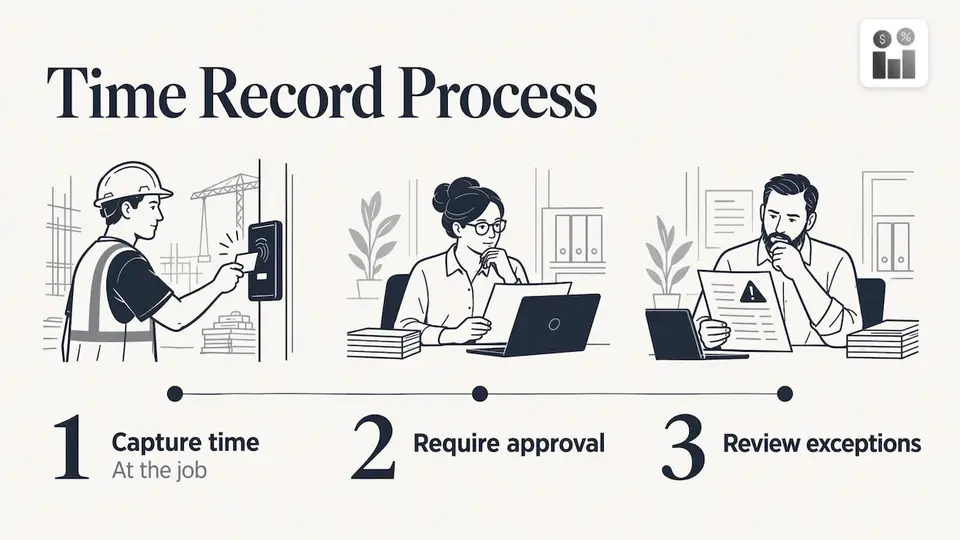
Inaccurate time is mostly a process problem. Rounding habits, late entries and unapproved edits cause more error than deliberate fraud. A good setup uses three layers: capture time at the job, require approval, and review exceptions. We lay out a 30-day pilot in our guide to time theft prevention.
For a business that tracks safety obligations alongside hours, keeping HSE compliance in the same platform means the record of who worked where sits next to the record of what safety checks were done.
Connecting attendance to payroll and the rest of your stack
The integration question decides how much admin you carry. Ask each vendor three things: which payroll or accounting tools it connects to, whether the connection is two-way, and what happens when an approved entry is edited after export.
If your business has unusual systems and needs custom integration work, a guide on choosing a development partner helps frame what to ask. For most service companies, removing the need for a bridge is simpler: use one platform where time, jobs and invoices share a record.
Rolling it out in your first month
- Week 1: import your employees and customers, and set up the jobs you run most often.
- Week 2: have a small crew log time in the mobile portal on real work orders.
- Week 3: managers approve time daily and compare it with the jobs completed.
- Week 4: extend to all crews, switch on leave tracking and send invoices from approved time.
Starting with a Free plan lets a small team work this way before paying anything. When you outgrow its limits, you move to Pro or Business.
Try Firmanager for time and attendance
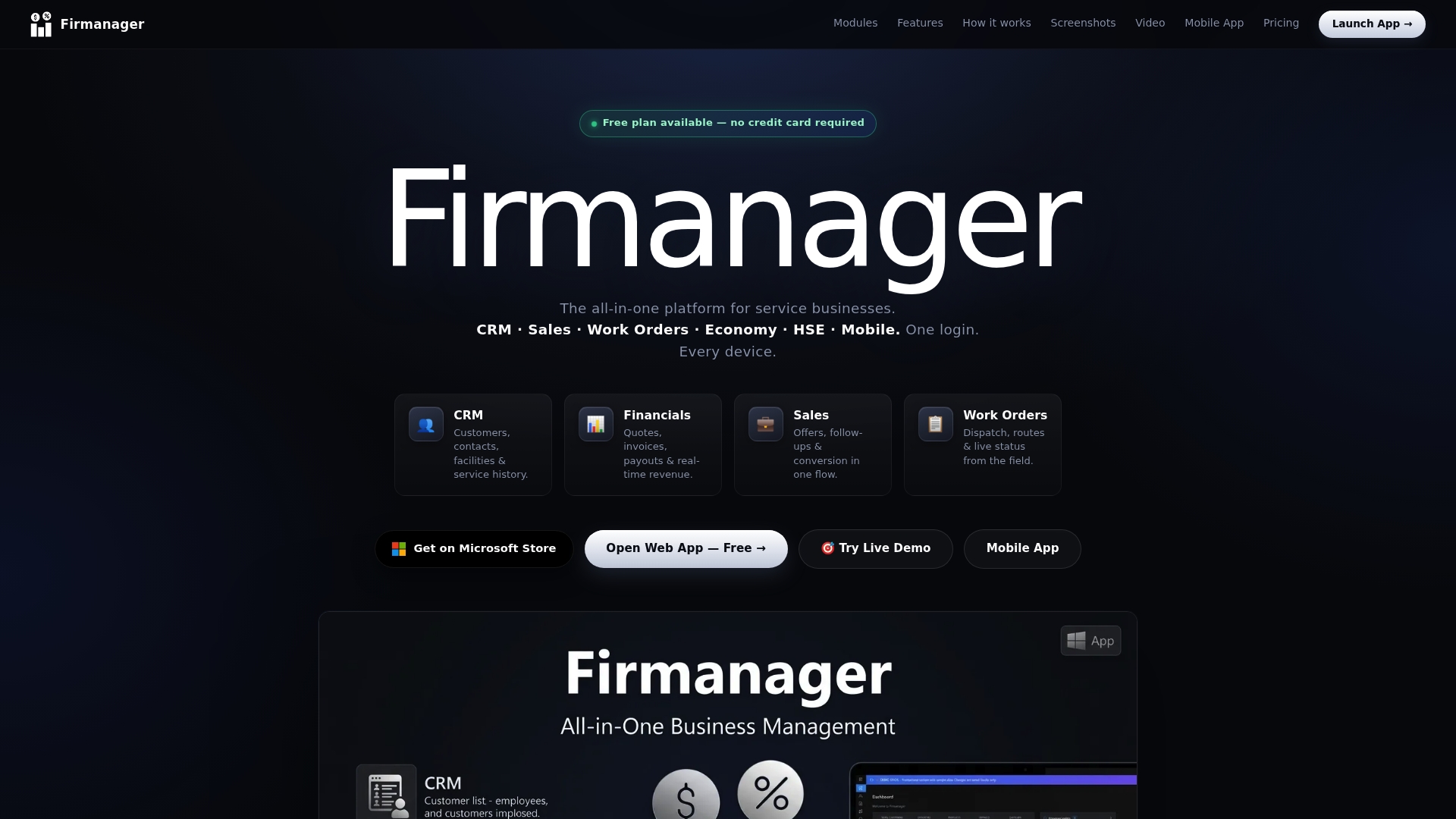
Firmanager puts time and leave tracking, work orders, dispatch and invoicing in one platform. Start on the Free plan at $0, or move to Pro at $19 per month or Business at $49 per month when your team needs more seats and usage. See the plans on the Firmanager site or sign in to the app.
If you manage new hires too, our comparison of employee onboarding software covers the step before the first clock-in.
Our perspective
We built Firmanager on one idea: the hours your people work are part of the job, not a separate administrative task.
When time lives in its own app, someone has to carry it to the work order, then to the invoice. That someone is usually the owner or the office manager, and that work adds up every week.
So our platform keeps CRM, work orders, HR, time and leave, dispatch and invoicing under one login, with real-time sync across devices. Technicians get a mobile portal with their job details. Managers get live data and reporting. Owners get invoices that start from recorded work.
The modular design means you adopt what you need first, often attendance and work orders, and add the rest when you are ready.
KaiosMedia
FAQ
What is the difference between time tracking and attendance tracking?
Attendance tracking records presence: who was at work, when they arrived and left, and who was absent. Time tracking records what the hours were spent on, such as a job or customer. Service businesses need both, because hours must be tied to work to be billed.
Do I need GPS in an attendance system for a field team?
It depends on what you need to know. Some tools, such as QuickBooks Time at its higher tier, offer geofencing and GPS. If your priority is hours tied to work orders and real-time job updates, look at how the tool records time against the job and how quickly the office sees changes.
Is there a free time and attendance option for a small service business?
Yes. Firmanager has a Free plan at $0 with time and leave tracking available inside the platform, and paid plans at $19 and $49 per month when you need more seats and usage. Check the pricing page for the current limits of each plan.
What records should I keep for employee hours in the US?
Federal rules under the Fair Labor Standards Act require records of hours worked each day and week for covered employees, per the Department of Labor. State rules can add to this. Confirm the details with your state labor office or an employment attorney.
Sources
- QuickBooks Time Review (2026), ERP Research
- Fact Sheet #21: Recordkeeping Requirements under the FLSA, U.S. Department of Labor
Recommended
Run your whole business in one place
CRM, quotes, work orders, invoicing, expenses, HR and HSE — one login, every device. Free-forever plan.
Start free →