GPS Tracking Consent: What U.S. Employers Need to Know

GPS Tracking Consent: What U.S. Employers Need to Know
In the United States, no federal statute specifically requires an employer to get consent before tracking employee locations. The rules come from a patchwork of state laws, and they depend on what you track: a vehicle your company owns, an employee’s personal car, or a phone. For company-owned vehicles, consent is usually not the legal test, but written notice and a clear policy are still the safest way to run a tracking program. This guide explains where consent matters, where notice is required by law, and how to document it.
Table of Contents
- TL;DR
- Consent, notice and policy: three different things
- Is there a federal law that requires consent?
- Company vehicles, personal vehicles and co-owned vehicles
- State rules that require written notice
- Does consent have to be in writing?
- Keep tracking to work hours
- What a GPS tracking policy should say
- What employees can do if they object
- A practical rollout for a field service team
- Our perspective
- Keep your records in one place with Firmanager
- FAQ
- Sources
TL;DR
- No federal law requires employee consent for GPS tracking, but state laws apply, so check the state where each employee works.
- Tracking company-owned or leased vehicles is generally the lowest-risk setup. Tracking a person’s own car or phone carries more legal exposure.
- Some states require written notice. New Jersey requires it for any vehicle an employee uses, with fines for violations.
- Track business use only, during work hours, and put scope, purpose, access and retention in a written policy employees acknowledge.
- Never track covertly. Transparency lowers both legal and trust risk.
This article is general information for business owners, not legal advice. For a specific situation, such as a multi-state team or a dispute with an employee, talk to an employment attorney in your state.
Consent, notice and policy: three different things
People search for “GPS tracking consent” as if there were one rule. There are really three separate ideas, and mixing them up causes most compliance mistakes.
- Consent is the person’s agreement to be tracked. Some statutes make it the test, especially when someone other than the owner of a vehicle is involved.
- Notice is telling people that tracking exists, what it collects and why. Some states require it in writing.
- Policy is your documented rules for the program. Even where no law demands it, a policy is what you point to if a worker objects or a dispute reaches a lawyer.
For most field service companies, the practical answer is to do all three: tell people, get an acknowledgment in writing, and keep the rules in a policy. It costs little and removes most of the argument later.
Is there a federal law that requires consent?
Not for ordinary employer tracking. A legal overview of employee location tracking notes that no federal statute specifically requires consent before an employer tracks location, and that state laws fill the gap. The American Bar Association’s technology publication makes the same point from the other side: state governments have privacy laws that protect individuals and the use of their information, and those laws shape what an employer can do with vehicle GPS.
There is one federal angle worth knowing. In 2024 the CFPB said that workers must consent when employers buy worker-tracking reports from a third party for use in employment decisions. It also said an employer that relies on those reports for an adverse action, such as firing or denying a promotion, must give the person a detailed explanation, and that the Fair Credit Reporting Act applies. This concerns purchased dossiers about workers, not your own fleet GPS data, but it shows regulators are watching how location and tracking data is used against employees.

Company vehicles, personal vehicles and co-owned vehicles
The type of vehicle is the biggest factor in whether you need consent.
Company-owned or leased vehicles
This is the easy case. Many state statutes that restrict electronic tracking carve out the vehicle’s owner. Illinois is a clear example: its law prohibits using an electronic tracking device to determine a person’s location, but exempts businesses tracking vehicles they own or lease when employees, affiliates or contractors drive them. California’s Penal Code 637.7 follows a similar structure: tracking a person without consent is barred, with an exemption for the vehicle’s registered owner, lessor or lessee.
The exemption covers the vehicle, not the person. Attorney Janae Ruppert of Holland & Hart advises employers to disclose company-vehicle tracking and to write the policy around the business purpose and the vehicle, not around covertly following the individual, because transparency can reduce privacy concerns and litigation risk.
Employees’ personal vehicles
Here the owner is the employee, so the owner exemption does not help you. Tracking a personal car without the owner’s agreement can run into the same statutes that protect individuals. New Jersey’s rule is explicit: employers must give written notice if they knowingly use a tracking device in a vehicle used by an employee, whether company-owned or personal. If you reimburse mileage and want location data from personal vehicles, get written agreement first, limit tracking to work hours, and give people a real way to log off.
Co-owned vehicles
When a vehicle has more than one owner, one owner’s okay may not be enough, and evidence from a device installed without every owner’s agreement can be challenged. Pickup trucks shared between a business partner and a spouse, or vehicles titled to two people, are the usual trouble spots. If ownership is anything other than a single company name, check the title and get written consent from every owner before installing anything.
Phones and apps
Phone-based tracking follows the person, not a vehicle, so there is no owner exemption to lean on. Treat it as the most sensitive option: use it only for work-related location, only when the employee is on shift, and only with a clear written notice. If employees use their own phones, say plainly what the app can and cannot see.
State rules that require written notice
A few states go further than the vehicle-owner logic and require notice outright. The list below is not exhaustive, and state law changes, so confirm current text with counsel before you rely on it.
| State | What the research shows | Applies to |
|---|---|---|
| New Jersey | Written notice required when an employer knowingly uses a tracking device in a vehicle an employee uses. Penalties up to $1,000 for a first violation and $2,500 for each later one, per the state statute. Certain government and public-transportation employers are excluded. | Company-owned and personal vehicles |
| Connecticut | Written notice of electronic monitoring, except for misconduct investigations, per a multistate statutory review. | Computers, telephones and other electronic devices |
| Delaware | Identified in the same review as requiring employers to give electronic-monitoring notice. | Electronic monitoring |
| Illinois | Tracking-device law exempts businesses tracking vehicles they own or lease. | Employer-owned or leased vehicles |
| California | Penal Code 637.7 bars tracking a person without consent, with an owner, lessor or lessee exemption. | Vehicles |
Two takeaways. First, notice requirements often live in statutes that are not about GPS specifically, such as general electronic-monitoring laws. Second, if you have employees in several states, write your policy to the strictest standard you face and use it everywhere. It is simpler than maintaining one version per state.
Our own guide to the steps U.S. employers must take on employee GPS tracking laws walks through this in a checklist format.
Does consent have to be in writing?
No single federal rule says so, but you should treat it as yes. Where a state requires notice in writing, as New Jersey and Connecticut do, the writing is the compliance. Where it does not, a signed or electronically acknowledged notice is your proof that the employee knew.
The employment law firm Fisher Phillips recommends informed consent and clear communication about the scope, purpose and duration of tracking. Informed means the person understands what is collected, not just that they clicked a box on day one.
A useful acknowledgment form is short. It should state:
- Which vehicles, devices or apps are tracked.
- What is collected, for example location, speed, stops and trip times.
- Why: dispatch, safety, customer arrival estimates, mileage, theft recovery, billing proof.
- When tracking is active, and that it is not active off shift.
- Who can see the data and for how long it is kept.
- Who to ask if the employee has questions or concerns.
File the signed copy in the employee record, and give the employee a copy.
Keep tracking to work hours
One rule runs through nearly every piece of guidance: do not track people when they are not working. Fisher Phillips advises that employers avoid monitoring outside working hours.
New York’s highest court shows why. In Matter of Cunningham v. New York State Department of Labor, the Court of Appeals held that GPS tracking of a car during the business day could fall within the workplace-search exception. But month-long tracking that included evenings, weekends and vacation was unreasonable on the facts. The lesson for a service business is practical: if a technician takes a van home, make sure the system or the policy limits what you collect after hours, or turns tracking off when the van is off duty.
For teams that do take vehicles home, address it in the policy: whether personal use is allowed, how it is logged, and what happens to location data collected during it.
What a GPS tracking policy should say
A written policy turns legal caution into daily practice. Guidance from Fisher Phillips points to a few core elements: what data is collected, why, who can access it and how long it is kept, along with clear documentation of scope, purpose and duration.

Here is a structure that works for a field service company.
1. Purpose
Name the business reasons. “Dispatching the nearest technician, giving customers accurate arrival windows, verifying time on site and protecting company vehicles” is specific. “Improving efficiency” is not.
2. Scope
List what is tracked (vehicle location, trip start and stop, job check-ins) and what is not (personal messages, off-shift location, anything inside a customer’s home).
3. Active hours
State when tracking runs. Tie it to shifts, job status or ignition-on for company vehicles.
4. Access
Name roles, not people: dispatcher, operations manager, owner. Employees should know who can see their location trail.
5. Retention
Choose a retention period and stick to it. Keeping location history indefinitely creates risk with no operational benefit.
6. Permitted use
Say how data may be used: dispatch, billing disputes, safety reviews, and any role in discipline. If you will use the data in performance decisions, say so up front.
7. Employee questions
Give a contact and a process for raising concerns or correcting a record that looks wrong.
Note that the partner guidance on GPS tracking software also stresses disclosure when employers use tracking tools to monitor workers, which fits this structure.
What employees can do if they object
Employees who are uneasy about tracking usually have three practical routes.
- Ask for the policy and the data scope. A well-run program can answer who sees what and for how long.
- Raise it internally. Many concerns, such as tracking during lunch or at home, are fixed by adjusting active hours.
- Seek legal advice. If tracking happens covertly, in a personal vehicle, or outside work hours, the employee can consult an employment attorney or their state labor agency.
If data from a third-party report is used to fire someone or deny a promotion, the CFPB’s position is that the employer owes the person a detailed explanation and must comply with the Fair Credit Reporting Act.
From the employer’s side, the lesson is simple. Employees who hear about tracking in a meeting, read it in a policy and sign it rarely become objectors. Employees who discover it by accident often do.
A practical rollout for a field service team
Here is a sequence that works for a team of 5 to 50 technicians.
- Map where employees work. List the states, since notice rules differ by state.
- Sort vehicles and devices. Separate company-owned or leased vehicles, personal vehicles and personal phones.
- Write the policy. Use the seven parts above. Keep it to one or two pages.
- Hold a short briefing. Explain why you track, what you do not track and who can see it.
- Collect acknowledgments. Store them with employee documents.
- Set the system to match the policy. If tracking is limited to shift hours, configure it that way.
- Review once a year. Laws, vehicles and staff change.
Time data is a close cousin of location data, and the same openness helps. If you are also tightening how you record hours on site, our guide on technician time tracking for managers shows how to close billable gaps without turning your team against the process.
Our perspective
We build Firmanager for owners and managers of service businesses, and in that work one pattern is clear: location information is most useful when it is part of how jobs get done, not a separate surveillance project.
Our platform is designed to bring work orders, route and dispatch management, time and leave tracking, HSE compliance, document handling and an employee self-service mobile portal into one login. That matters for consent for a simple reason. When employees see location and time data attached to the job they are doing, such as the work order, the customer and the arrival window, the purpose is obvious. Purpose is the foundation of every good notice.
We also think documentation belongs next to operations. A signed tracking acknowledgment is easier to keep in order when it sits in the same system as the employee’s other records, rather than in a folder nobody opens. Our modular design lets you use only the parts your business needs.
Our advice is to decide your purpose first, write it down, tell your team, and then choose tools that match what you wrote. Not the other way around.
KaiosMedia
Keep your records in one place with Firmanager
Once your policy is written, the work is keeping it consistent: who is assigned to which job, which hours were worked, and where the signed acknowledgments are stored. Firmanager is an all-in-one platform for service companies, covering CRM, work orders, route and dispatch management, time and leave tracking, document handling, invoicing with Stripe integration and an employee mobile portal, all under one login.
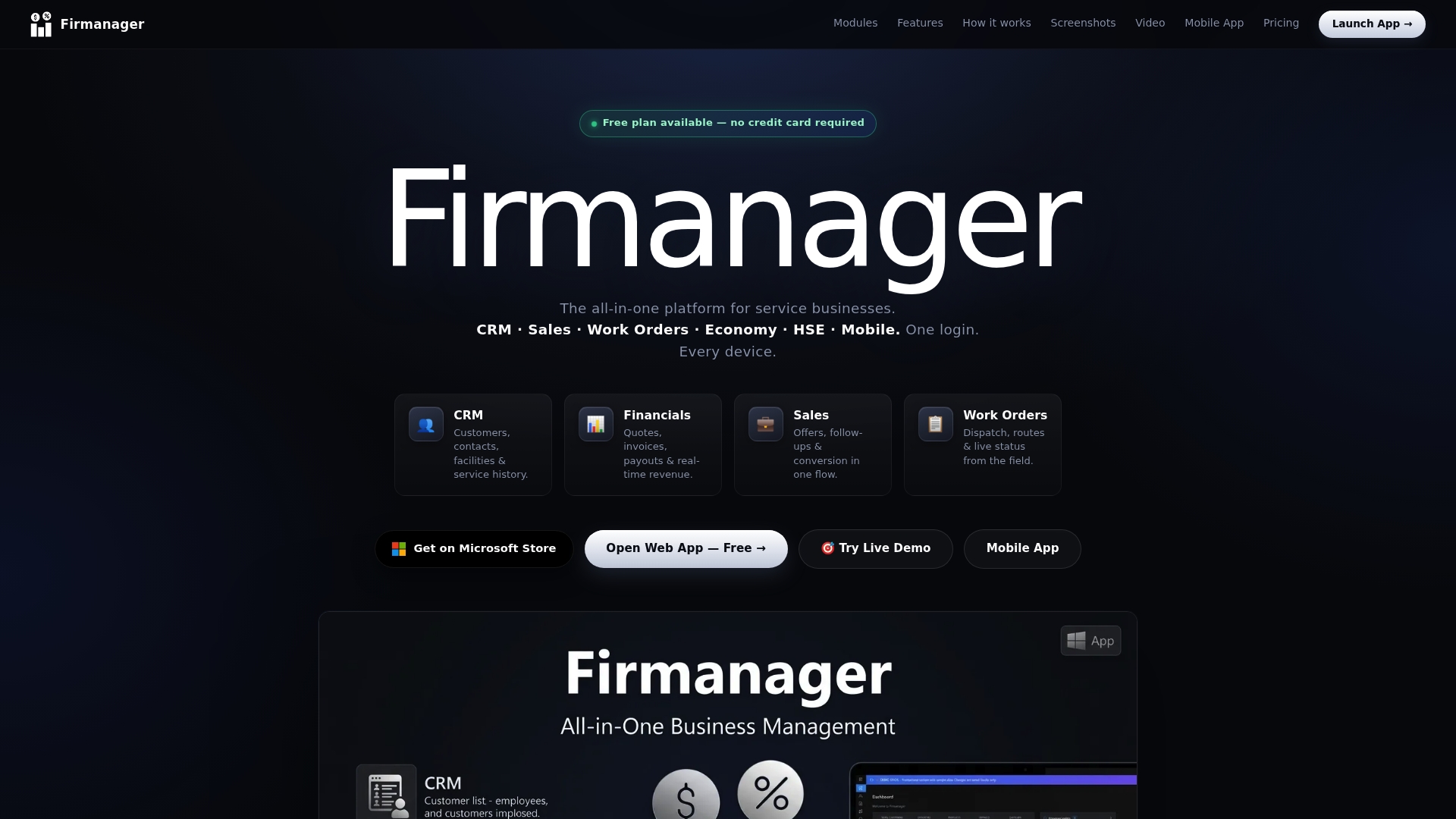
Plans start free. The Free plan is $0, Pro is $19 per month and Business is $49 per month. You can see the plans on our site or open the app and set up your team’s jobs and records in one place.
FAQ
Do I need employee consent to put GPS trackers on company vehicles?
Usually consent is not the legal test for vehicles your company owns or leases. Illinois, for example, exempts businesses tracking vehicles they own or lease. Some states still require written notice, though, and New Jersey does so for any vehicle an employee uses. Give notice and get a signed acknowledgment anyway.
Can I track an employee’s personal car or phone?
Only with clear written agreement, and with more care than for company vehicles. The owner exemption in tracking statutes does not cover a car the employee owns. New Jersey requires written notice for personal vehicles too. Limit tracking to work hours and tell the employee exactly what is collected.
Can I track employees outside work hours?
You should not. Fisher Phillips advises avoiding monitoring outside working hours, and New York’s Court of Appeals found month-long tracking that included evenings, weekends and vacation unreasonable in the Cunningham case. Tie tracking to shifts or to company-vehicle use.
What happens if I track without telling employees in New Jersey?
An employer that knowingly uses a tracking device in a vehicle used by an employee without written notice can face penalties of up to $1,000 for a first violation and $2,500 for each later one. Certain government and public-transportation employers are excluded. Confirm current requirements with an employment attorney.
How long should I keep location data?
There is no single number in the guidance we reviewed, but your policy should state a retention period and who can access the data. Pick the shortest period that supports dispatch, billing disputes and safety reviews, and follow it.
Sources
- Prepared Remarks of CFPB Director Rohit Chopra on worker tracking
- How to Track Employee Location: Legal Requirements
- Is it Legal to Track Employees with Vehicle GPS Tracking? (American Bar Association)
- 720 ILCS 5/21-2.5 (Illinois)
- Ask the Expert: Should I Disclose Tracking of Company Vehicles?
- New Jersey Joins the Trend of Increasing Privacy Protections for Employees’ Location (Littler)
- N.J. statute 34:6B-22, written notice for vehicle tracking device
- Statutory review of existing legislation in the 50 U.S. states
- 7 Best Privacy Practices for Employers (Fisher Phillips)
- Matter of Cunningham v New York State Dept. of Labor (2013)
Recommended
Run your whole business in one place
CRM, quotes, work orders, invoicing, expenses, HR and HSE — one login, every device. Free-forever plan.
Start free →