Mobile Workforce Management: A Practical Guide for Service Teams
Mobile workforce management means coordinating people who do their work at customer sites, in vehicles or across several locations instead of at one desk: scheduling them, assigning jobs, tracking time, collecting job data and billing for it. It works best when all of that lives in one system your crew can reach from a phone. That is the idea behind Firmanager, where CRM, work orders, invoicing, HR and compliance share one login and one set of real-time data, with a Free plan to start.
TL;DR
- A mobile workforce is any team whose work happens away from a fixed office. The job is to keep schedules, job details, hours and invoices connected for those people.
- Most field problems come from handoffs: a work order on paper, hours typed in at night, an invoice sent a week late. One shared record removes them.
- Travel between job sites counts as paid work time for nonexempt employees under U.S. federal guidance, so accurate time records protect you as well as your margins.
- Evaluate tools on five things: dispatch, mobile job access, time tracking, invoicing and reporting. Roll out in small steps and measure adoption.
- Firmanager covers these in one platform. Free is $0, Pro is $19 per month and Business is $49 per month.
Table of Contents
- What a mobile workforce is, and who counts
- Why it is hard to manage people you cannot see
- What an effective mobile workforce system includes
- What the numbers say about the payoff
- Worked example: a five-technician cleaning and maintenance company
- Time, pay and classification rules in the U.S.
- Location tracking and trust
- How to evaluate a mobile workforce platform
- Rolling it out without losing your crew
- Perspective
- Start with one login for your whole team
- FAQ
- Sources
What a mobile workforce is, and who counts
A mobile workforce performs its duties across changing locations rather than from one fixed workplace. That covers technicians traveling to customer sites, cleaners moving between buildings in a shift and staff who work away from an office while staying connected. TCW Global’s glossary points out that mobility describes where work happens, not employment status, so the group can include both employees and contingent workers.
For a maintenance, cleaning or technical services company, this is nearly everyone on the payroll. The office team sets up the work. The field team does it, and the two sides need the same facts at the same moment.
Why it is hard to manage people you cannot see
The core difficulty is dispersion. Academic research on location-based work found that a central challenge for companies is worker dispersion and a lack of knowledge of where workers actually are. In a service business, that shows up in ordinary ways:
- A manager calls three technicians to find out who is closest to an emergency call.
- A customer asks when the crew will arrive, and the office does not know.
- A technician finishes a job but the paperwork reaches the office two days later.
- Hours are reconstructed from memory at the end of the week.
- Invoices wait for someone to collect the details.
None of these is a people problem. They are information problems, and they cost money every day. The fix is a single system where office and field work from the same record.
What an effective mobile workforce system includes
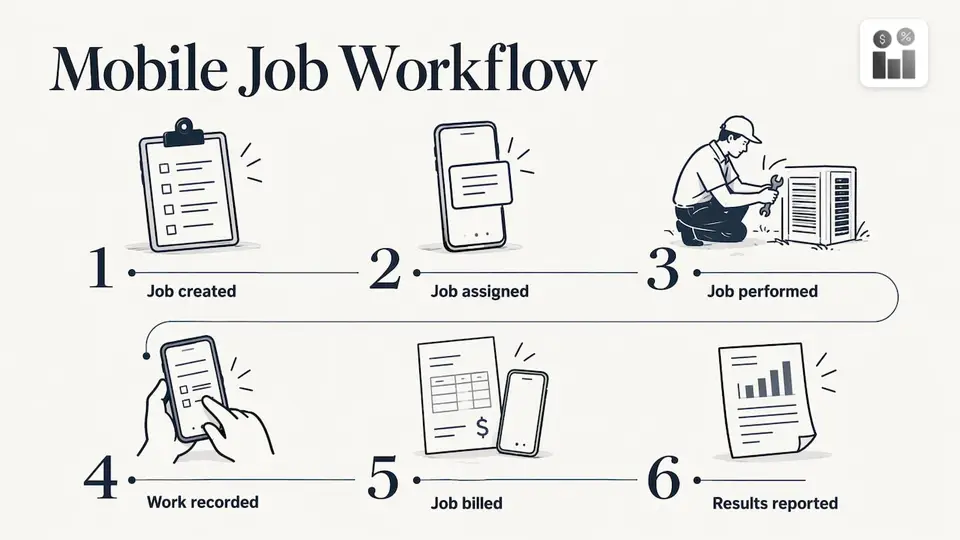
Think of the system as a loop: a job is created, assigned, performed, recorded, billed and reported. Every link in that loop should happen in the same place.
1. Scheduling and dispatch
Dispatch decides who goes where and in what order. Good dispatch takes skills, location, availability and job priority into account, and it tells the technician immediately. Our practical guide to technician dispatching walks through the routine. Firmanager includes route and dispatch management, so assignments and routes sit next to the work orders they belong to.
2. Job details in the technician’s pocket
A field employee needs the address, the customer history, the task list, notes and documents on a phone, not in a folder at the office. Firmanager offers an employee self-service mobile portal where staff see their job details, and work order and field service management that keeps each job’s status current. For the full routine, see our guide to mobile job management for field teams.
3. Time and leave tracking
Hours drive payroll, billing and compliance. Time tracking that happens at the job, rather than after it, removes the guesswork. Firmanager includes time and leave tracking, and our guide on technician time tracking shows how managers close billable gaps with it.
4. Invoicing and quoting
The faster a finished job becomes an invoice, the sooner you are paid. Firmanager connects the sales pipeline and quoting to invoicing with Stripe integration, so the details captured on the work order flow into the bill.
5. Inventory, suppliers and documents
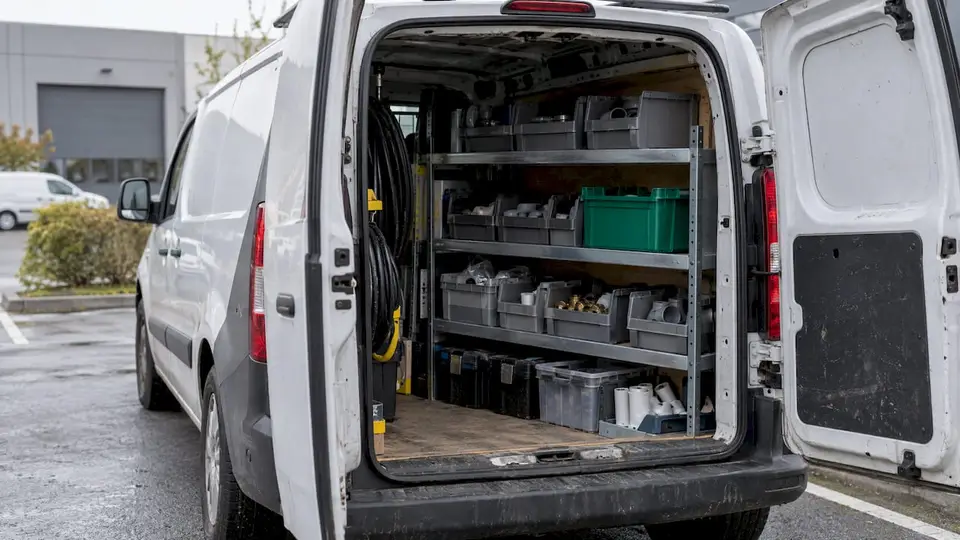
If technicians carry parts, stock moves with them. Firmanager has supplier and product management and document handling, and our vehicle trunk pilot for inventory tracking shows a 30-day way to start.
6. Notifications and reporting
Real-time notifications by SMS and email keep customers and staff informed. Financial management with real-time analytics gives managers a view of the business without chasing reports.
7. Safety and compliance
Field work carries safety obligations. Firmanager includes HSE (health, safety and environment) compliance tracking, so inspections and compliance records stay with the jobs and people they concern.
What the numbers say about the payoff
The evidence for connected field tools is substantial, though large studies use big organizations as their model. Forrester’s Total Economic Impact study of a field service platform modeled a composite company with 1,000 technicians. It reported up to 14% higher technician productivity, 12% of second-visit truck rolls avoided, 40% better dispatcher productivity and $2.8 million saved in accounts-receivable interest through faster invoicing. The same study says familiar mobile tools and less after-hours paperwork can improve employee experience and reduce attrition.
A case study of a UK water utility, where about 1,000 people, one in three employees, are mobile workers, reports around £1.2 million in financial benefits from removing manual processes and handoffs, lowering error risk and improving operational safety.
Your company is smaller, but the mechanics are the same: fewer repeat visits, less travel, quicker invoices and less paperwork. A small team feels those gains in the first month because every handoff you remove saves time on every job.
Worked example: a five-technician cleaning and maintenance company
Imagine a business with five technicians and one office manager. Before a shared system, the day looks like this: the manager texts addresses at 7 a.m., technicians write hours on paper, and the manager enters them on Friday and sends invoices the next week.
With a connected system, the same business creates each job as a work order, assigns it to a technician, and the technician sees it on a phone. The technician records time on the job and notes what was done. The office sees the status without calling. The invoice is built from the completed work order. The manager reviews the analytics on Monday instead of assembling them.
The gains are the ones you can count: no Friday data entry, no lost paper, and billing that closes within days of the work. Our technician time tracking guide describes a 30 to 90 day approach to closing billable gaps.
Time, pay and classification rules in the U.S.
Two rules matter to any U.S. employer with a mobile team. Both are general guidance, so confirm your specifics with an employment attorney or your state labor department.
Travel time. The Department of Labor’s guidance says that ordinary travel from home to work is not work time, but travel from job site to job site during the workday is work time and must be counted as hours worked. For a technician with six stops a day, those drive legs add up, and so do the overtime consequences. Time records captured per job make this visible.
Classification. Working outside an office does not make someone an independent contractor. Classification depends on tests such as the IRS control test or the FLSA economic-realities analysis, so decide it deliberately.
If your team also claims fuel and tool purchases, a clean process for employee expense reimbursements keeps the paperwork from piling up after travel-heavy weeks.
Location tracking and trust
Knowing where crews are helps dispatch. It can also feel like surveillance. The same academic research on delivery work describes GPS being experienced by workers as constant control. Teams adopt tools faster when they understand what the system is for.
Tell your crew plainly what you use the data for: assigning the nearest job, giving customers accurate arrival times, recording hours correctly. Tie it to benefits they feel, such as less paperwork and fewer phone calls. A practitioner roundtable on engaging deskless staff recommends varied communication methods and giving employees a voice. Ask your technicians what slows them down and fix that first.
How to evaluate a mobile workforce platform
Use this checklist when you compare options. Each row is a question to answer from your own daily routine.
| Need | What to look for | Firmanager module |
|---|---|---|
| Dispatch | Assign jobs and routes, update in real time | Route and dispatch management |
| Mobile access | Job details and tasks on a phone | Employee self-service mobile portal |
| Time | Hours and leave recorded per job | Time and leave tracking |
| Billing | Quote to invoice without retyping | Sales pipeline, quoting, invoicing with Stripe |
| Reporting | Live financial view | Financial management with real-time analytics |
| Compliance | Safety records tied to work | HSE compliance |
| Customer data | One record per customer and facility | CRM, customer and facility management |
A few further points matter more than feature counts:
- One login. When CRM, invoicing and HR are separate tools, someone retypes data between them. Firmanager runs all of it under a single login across devices.
- Cloud sync. Data that is current everywhere means the office and field never argue over which version is right.
- Modularity. Switch on what you need now and add more later, so a small team is not buried in options.
- Price against team size. Plans are priced by seats and usage limits, so match the plan to your headcount.
Rolling it out without losing your crew
Practitioners advise simple, attractive technology introduced in small steps, with adoption measured as it grows. A sensible sequence:
- Week 1: Load customers and facilities. Create work orders for one crew.
- Week 2: Have that crew view jobs and record time on phones.
- Weeks 3 and 4: Turn on invoicing from completed work orders and notifications to customers.
- Month 2: Add the remaining crews, recurring workflows and HSE checks.
- Ongoing: Review the reports weekly. Look at hours per job, time to invoice and repeat visits.
Measure two numbers from the start: how long a finished job takes to become an invoice, and how many hours are entered by the office rather than the field. Both should fall.
Perspective
We built Firmanager around a simple observation: service companies rarely lose money on the work itself. They lose it between the steps. A work order lives in one tool, hours in another, the invoice in a third, and the person who knows the truth is standing in a customer’s building.
That is why we put CRM, work orders, invoicing, HR and compliance behind one login with cloud-synced data. When a technician closes a job on a phone, the office, the invoice and the report all see it at once.
We also think software should fit the business, not the other way around. The modular design lets you start with the pieces you need, and the Free plan lets a small team begin without a commitment. Managing a mobile workforce well comes down to giving everyone the same current facts. That is what we design for.
KaiosMedia
Start with one login for your whole team
Firmanager brings CRM, work orders, route and dispatch, time tracking, invoicing and HSE compliance into a single platform your office and field staff reach from any device. You can begin on the Free plan at $0, move to Pro at $19 per month or choose Business at $49 per month as your team and usage grow.
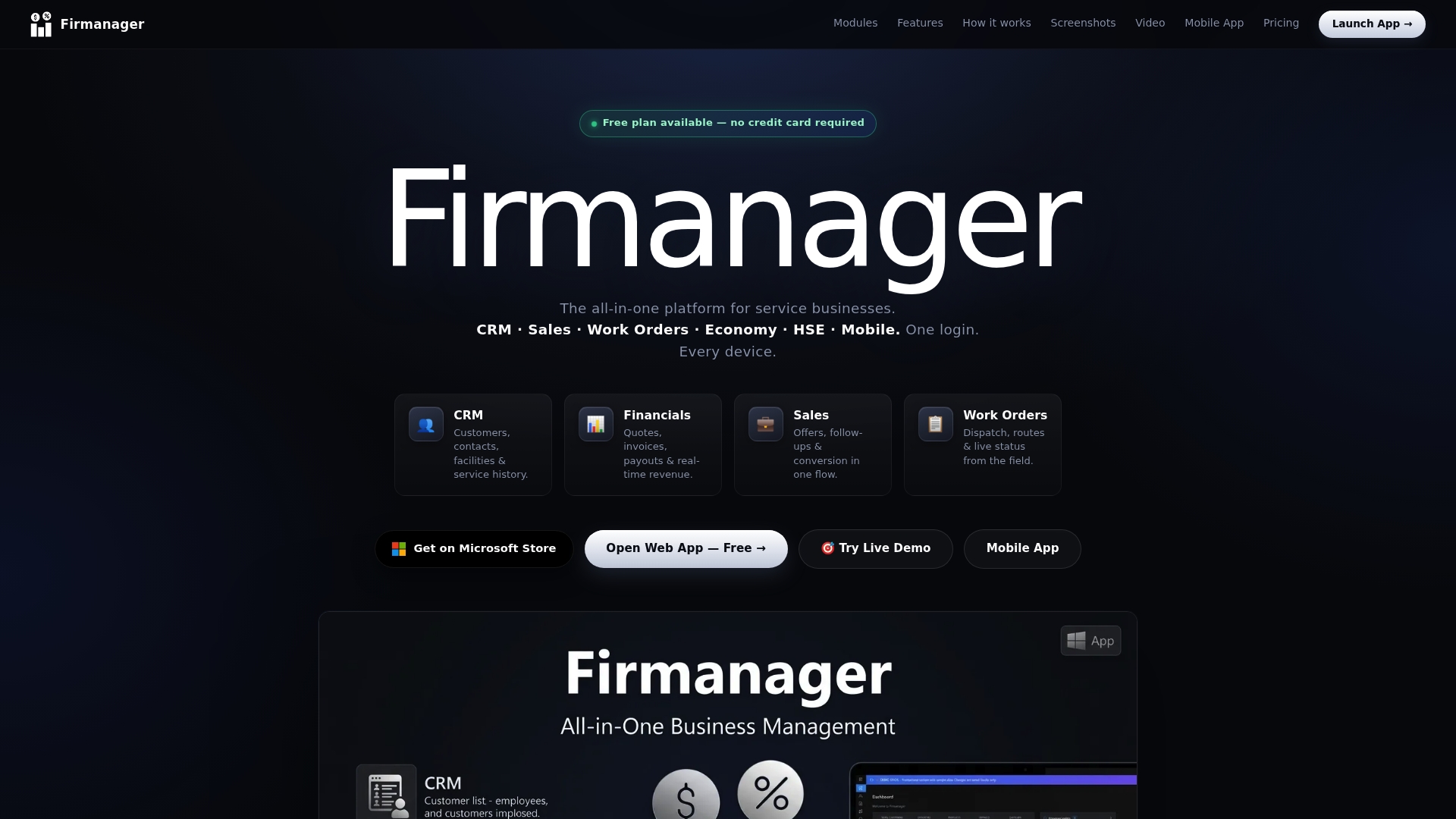
See the plans and set up your first work orders at Firmanager.
FAQ
What is the difference between mobile workforce management and field service management?
Field service management focuses on the jobs: work orders, dispatch and customer visits. Mobile workforce management is the wider practice of coordinating the people doing them, which adds time, leave, communication, compliance and pay. In Firmanager both sit in one platform, so jobs and people share the same record.
How do I keep track of a team that works at different sites?
Give every job a work order with an assignee, and let technicians update status and record time from their phones. Real-time notifications by SMS and email keep the office and customers informed. Dispatch and routing help you assign the right person to the next job.
Does travel between jobs count as work time?
For nonexempt employees, U.S. Department of Labor guidance says travel from one job site to another during the workday counts as hours worked, while ordinary commuting from home does not. Recording time per job gives you a clean basis for payroll. For a specific situation, check with an employment attorney or your state labor department.
What does mobile workforce software cost for a small service business?
Firmanager offers a Free plan at $0, Pro at $19 per month and Business at $49 per month. Plans scale by seats and usage limits, and you can pay monthly or annually. Start with the plan that matches your current headcount.
Sources
- TCW Global: Mobile workforce
- Heiland, Controlling space, controlling labour? (New Technology, Work and Employment, 2021)
- Forrester: Total Economic Impact of Microsoft Dynamics 365 Field Service
- Infosys: Northumbrian Water case study
- U.S. Department of Labor: Fact Sheet #22, Hours Worked Under the FLSA
- The HR Director: Engaging the deskless workforce
Recommended
Run your whole business in one place
CRM, quotes, work orders, invoicing, expenses, HR and HSE — one login, every device. Free-forever plan.
Start free →