Parts Inventory Control for Maintenance Teams

Parts Inventory Control for Maintenance Teams
Parts inventory control is the set of policies, processes, and tools that ensure the right spare parts are available at the right location when maintenance needs them. If your team is dealing with emergency procurement calls, technicians waiting on parts, or storerooms packed with slow-moving stock, three actions can shift that quickly:
- Audit critical spares. Walk your storeroom or pull a report and identify which parts are tied to your highest-priority assets. Missing one of these is a downtime event.
- Enable perpetual tracking for critical SKUs. Switch from scheduled counts to real-time stock updates using barcode scanning or a connected inventory management system.
- Turn on reorder automation for high-impact parts. Set reorder points and minimum quantities so replenishment triggers automatically before you hit zero.
Teams that take these three steps typically see fewer emergency shipments within 30–60 days and faster technician response times because parts are where they should be.
Key Takeaways
Effective parts inventory control requires perpetual tracking, accurate BOMs, and direct integration between parts data and work-order workflows.
| Point | Details |
|---|---|
| Start with data quality | Clean and standardize your parts catalog before configuring any system; duplicate SKUs break reorder automation. |
| Use ABC classification | Focus perpetual tracking and cycle counts on the top 20% of SKUs that drive the majority of consumption value. |
| Integrate with work orders | Parts consumption must post against work orders automatically to keep job costs and stock levels accurate. |
| Plan for intermittent demand | Spare parts have sporadic demand patterns; use criticality and lead time to set safety stock, not average demand alone. |
| Firmanager connects it all | Firmanager links parts tracking, work orders, mobile van stock, and supplier management in a single platform for field service teams. |
Table of Contents
- What is parts inventory control, and how does it differ from general inventory?
- Why good parts inventory control pays off for your operation
- What software features do maintenance teams actually need?
- How do you choose the right parts inventory control software?
- How to implement parts inventory control step by step
- Why service parts are harder to manage than standard inventory
- How Firmanager supports parts inventory control for field teams
- Real-world examples of parts inventory control done right
- What most teams get wrong about parts inventory control
- Firmanager gives field service teams a connected parts solution
- Sources
What is parts inventory control, and how does it differ from general inventory?
Parts inventory control covers spare parts, MRO (maintenance, repair, and operations) supplies, field kits, and vendor-managed spares. It is not the same as retail or finished-goods inventory. The parts sitting in your storeroom or service van are not there to be sold; they exist to keep assets running. That single distinction changes how you measure success, how you stock, and how you forecast.
Inventory control encompasses the activities, systems, and procedures used to optimize inventory levels. The two main approaches are periodic and perpetual tracking, and choosing between them has real operational consequences for maintenance teams.
| System | How it works | Best fit for parts inventory |
|---|---|---|
| Periodic inventory | Physical counts at scheduled intervals (weekly, monthly, quarterly) | Low-value, slow-moving consumables where a count gap is acceptable |
| Perpetual inventory | Every transaction updates stock in real time via scanning or system entry | Critical spares, high-value parts, and any SKU where a stockout causes downtime |
Most mature maintenance operations run a hybrid: perpetual tracking for critical and high-value parts, periodic counts for low-cost consumables. The goal is accuracy where it matters most, not uniform counting effort across every SKU.
Part master data quality underpins both systems. Consistent SKUs, accurate bills of materials (BOMs), and clear naming conventions prevent duplicate records and phantom stock. A part listed under three different names in your system is effectively invisible to reorder automation and BOM-linked work orders.
Why good parts inventory control pays off for your operation
The business case for tightening spare parts management is concrete. Effective spare parts inventory management reduces the risk of costly downtime and supports first-time-fix rates by linking parts, BOMs, and maintenance workflows. Here is what that looks like in practice:
- Improved asset uptime. Parts are available when a work order opens, so technicians fix the problem on the first visit rather than waiting for a shipment.
- Fewer emergency purchases. Reactive procurement is expensive. Reorder automation and accurate stock data cut the number of same-day or overnight orders.
- Lower carrying costs. Smarter stocking rules mean you hold less dead stock. You free up cash tied up in parts that rarely move.
- Higher first-time-fix rates. Technicians who arrive with the right parts close jobs faster, which directly affects customer satisfaction and contract performance.
- Better procurement leverage. Consolidated demand data lets you negotiate volume pricing with suppliers instead of buying reactively at spot rates.
Consider a commercial HVAC team managing 200 rooftop units across a city. Without perpetual tracking, a technician discovers a failed compressor contactor and the storeroom shows two in stock. In reality, both were consumed last week and never logged. The job stalls, a second truck rolls, and the customer waits. With real-time stock visibility and automated reorder points, that contactor is already on order before the technician even opens the work order.
Service parts inventory is distinct from standard inventory because it features high demand unpredictability, long product lifecycles, and criticality tied to installed asset populations. That means availability often takes priority over minimizing carrying cost, a trade-off that general inventory systems are not designed to handle.
What software features do maintenance teams actually need?
Not every inventory management system is built for field service and MRO environments. The feature set that matters to a retail buyer looks very different from what a maintenance operations manager needs. The table below maps key capabilities to why they matter in a service context.
| Capability | Why it matters for maintenance teams |
|---|---|
| Real-time / perpetual tracking | Stock levels update with every transaction, so technicians and planners always see accurate quantities |
| Barcode / RFID scanning | Reduces manual entry errors; speeds up receiving, issuing, and cycle counts |
| Multi-location and van stock | Tracks parts across storerooms, satellite locations, and technician vehicles simultaneously |
| BOM and asset linkage | Connects parts to specific assets and work orders, so the right parts are reserved for planned jobs |
| Reorder automation | Triggers purchase orders or replenishment requests when stock hits a defined minimum |
| Intermittent demand forecasting | Handles slow-moving and sporadic demand patterns common in spare parts catalogs |
| Serial and lot tracking | Supports warranty management, recall traceability, and compliance for regulated industries |
| Mobile access | Lets technicians check stock, request parts, and confirm receipts from the field |
| CMMS / work-order integration | Parts consumption posts automatically against work orders, keeping cost and history accurate |
| API availability | Enables data exchange with ERP, procurement, and asset management systems |
| Role-based security | Controls who can adjust stock, approve orders, or view cost data |
Start your evaluation with integrations and BOM links. A parts tracking system that does not connect to your work-order platform creates a data gap that technicians will fill manually, which means errors. Inventory control techniques like ABC analysis, safety stock, and reorder points only work when the underlying data is accurate and real-time.
Pro Tip: Prioritize systems that integrate natively with your work-order platform and support mobile van stock workflows. A technician who can check and request parts from their phone closes jobs faster and eliminates the phone-back-to-the-storeroom loop.
How do you choose the right parts inventory control software?
Choosing the wrong system costs more than the subscription fee. A poor fit means a painful data migration, low technician adoption, and months of manual workarounds. Use this checklist when evaluating vendors.
- Integration capabilities. Does it connect to your existing CMMS, ERP, or work-order system via API or native connector? Ask for a live demo of the integration, not a slide.
- Perpetual inventory support. Can it handle real-time stock updates from barcode scans and mobile transactions? Confirm this works for van stock, not just fixed storerooms.
- Forecasting for intermittent demand. Does the system handle slow-moving and sporadic parts, or does it assume steady demand? Most retail-oriented systems fail here.
- API and import/export. Can you get your data in and out without a custom development project? Locked-in data is a long-term risk.
- Mobile workflows. Test the mobile app yourself. If it is slow or requires too many taps to log a transaction, technicians will not use it.
- Security and roles. Can you restrict stock adjustments and cost visibility to authorized users?
- Onboarding and training. What does the vendor provide? Ask specifically about data migration support and how long a typical rollout takes.
- SLA and uptime commitment. For field service teams, system downtime means parts visibility goes dark. Ask for uptime figures and support response times.
What to budget for
Pricing for parts inventory and field service inventory management platforms typically follows one of three shapes: per-user monthly subscription, per-site or per-location fee, or a tiered plan based on transaction volume or SKU count. Implementation costs vary widely. Budget separately for data migration (cleaning and importing your existing parts catalog), any barcode hardware (scanners, label printers), and initial training time.
Red flags to watch for
- No API or only a paid API add-on
- Mobile app that is a stripped-down version of the desktop with no offline capability
- Hidden data-migration fees disclosed only after contract signing
- Zero references from field-service or MRO customers
How to implement parts inventory control step by step
A clean rollout follows a logical sequence. Skipping steps, especially data cleanup and classification, is the most common reason implementations stall.
Setup and data preparation. Export your existing parts catalog and clean it. Merge duplicates, standardize naming conventions, and assign consistent SKUs. Link parts to assets and BOMs where possible. This step takes longer than most teams expect, but it determines the quality of everything that follows.
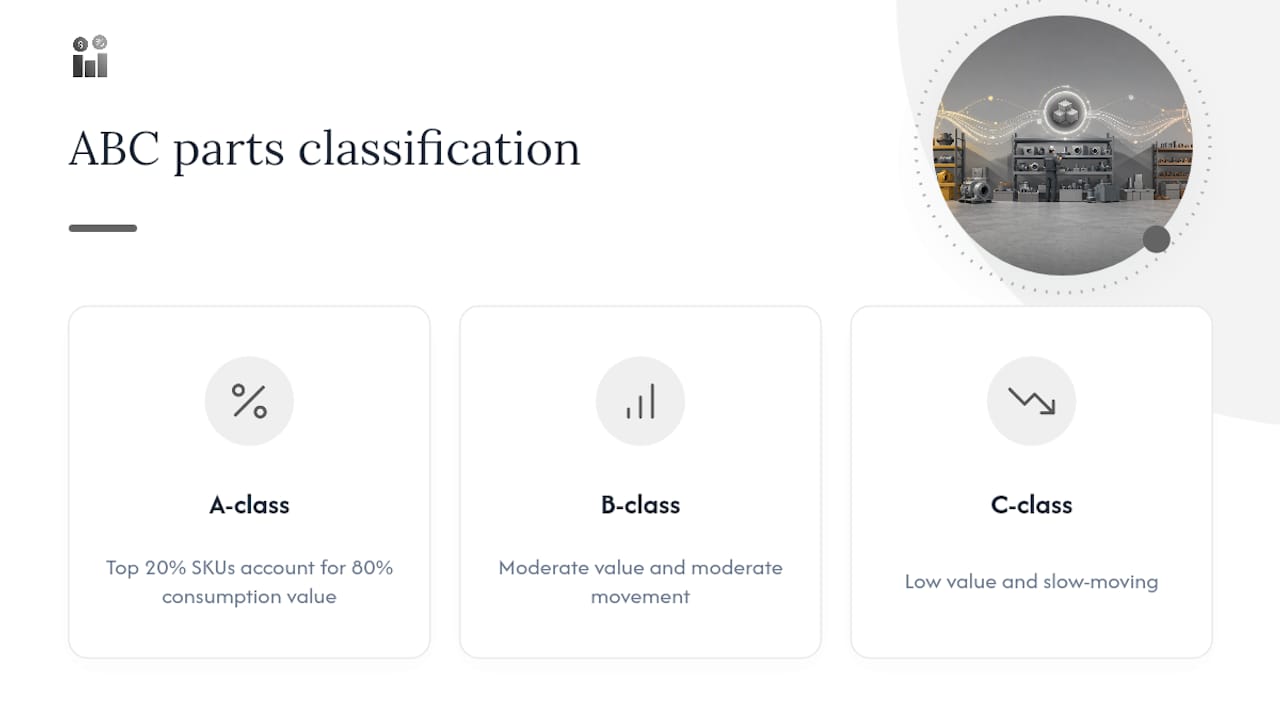
Classify parts using ABC and 80/20 analysis. Sort your catalog by annual usage value. The top 20% of SKUs typically account for 80% of consumption value. Label these as A-class. B-class parts are moderate value and moderate movement. C-class parts are low value and slow-moving. Apply your tightest controls and most frequent counts to A-class items first.
Configure the system and set thresholds. Define location hierarchies (warehouse, storeroom, van), bin locations, reorder points, and safety stock levels. Safety stock for a critical spare should factor in lead time variability and the cost of a stockout, not just average demand. For spare parts management, automated reorder points and accurate BOMs are foundational to reducing downtime risk.

Pilot with van stock and one storeroom. Run the new system in parallel with your existing process for 2–4 weeks. Confirm that transactions post correctly, reorder triggers fire, and mobile workflows function in the field.
Train technicians and parts staff. Focus training on the three or four daily tasks each role performs: receiving, issuing, cycle counting, and requesting parts. Keep it practical and short.
Transition to cycle counting. Replace annual physical counts with rolling cycle counts. Count A-class parts monthly, B-class quarterly, and C-class semi-annually. This approach catches discrepancies faster and distributes counting effort evenly across the year.
KPIs to monitor after rollout
| KPI | What it measures | Healthy signal |
|---|---|---|
| Fill rate | % of part requests fulfilled from stock on first request | High for critical parts |
| Stockout frequency | Number of times a requested part was unavailable | Trending down month over month |
| Carrying cost % | Inventory holding cost as a % of total inventory value | Declining without fill rate drop |
| Inventory turns | How many times stock cycles through in a year | Increasing for A-class parts |
| Days of supply | How many days of demand current stock covers | Aligned to lead time plus safety buffer |
| First-time-fix rate | % of jobs completed without a return visit for parts | High for most service teams |
Track these monthly for the first six months post-rollout. A rising fill rate alongside declining stockout frequency confirms the system is working. If carrying cost climbs without a fill rate improvement, your reorder points are set too high.
Why service parts are harder to manage than standard inventory
Spare parts do not behave like retail stock. Service parts inventory is distinct because of demand unpredictability, long product lifecycles, and criticality tied to installed asset populations. A part might sit untouched for 18 months and then be needed three times in a week because a batch of identical assets reaches end-of-life simultaneously. Standard demand forecasting models assume some regularity; spare parts often have none.
Academic research on intermittent demand forecasting confirms that specialized statistical approaches improve stocking decisions for slow-moving spare parts, and that model limitations should be considered when relying on automated forecasts. Croston’s method and its variants are designed for exactly this pattern, but even these require clean historical data and periodic recalibration.
When to move beyond rules-based stocking
Rules-based reorder points work well for most catalogs. But when your operation has a large parts catalog (thousands of SKUs), multiple stocking locations, high stockout costs, or frequent emergency buys despite having stock on hand, it is time to consider optimization tools. AI-driven MRO inventory optimization can recommend reorder points and stocking locations that account for intermittent demand, lead time, and criticality to balance cost and service levels simultaneously. Multi-echelon optimization goes further, identifying the optimal stocking level at each location in a networked service operation to meet service targets while reducing total inventory cost.
Service parts management platforms integrate service-level targets, BOMs, and forecasting to improve availability and reduce excess inventory across service networks. These tools are not necessary for every operation, but for teams managing hundreds of assets across multiple sites, the return on investment is clear.
Pro Tip: Score your parts catalog by criticality × demand intermittency × lead time. Parts that score high on all three are your best candidates for advanced forecasting or manual safety stock review. Start there before applying optimization tools to the full catalog.
How Firmanager supports parts inventory control for field teams
Firmanager is built for service businesses, and its supplier and product management module connects directly to work orders, field dispatch, and financial reporting in a single platform. The table below maps key inventory capabilities to how Firmanager implements them.
| Capability | How Firmanager delivers it |
|---|---|
| Work-order integration | Parts consumption links directly to work orders, keeping job costs and stock levels accurate in real time |
| Perpetual tracking | Stock updates with every transaction across all locations, giving planners and technicians current quantities |
| Supplier and product management | Manage supplier records, product catalogs, and pricing in one place, connected to procurement workflows |
| Reorder automation | Set minimum stock thresholds; the system flags or triggers replenishment before stock runs out |
| Multi-location visibility | Track parts across storerooms, sites, and field kits from a single dashboard |
| Mobile access | Technicians use the employee self-service mobile portal to check stock, request parts, and confirm receipts from the field |
| Real-time analytics | Financial and operational dashboards show carrying costs, consumption trends, and supplier performance |
| API and integrations | Open API supports data exchange with external ERP, CMMS, and procurement systems |
| Document management | Store BOMs, spec sheets, and compliance documents alongside product records |
Onboarding follows a structured path: discovery and data import, system configuration (locations, thresholds, BOM links), a pilot with one team or storeroom, and then a full rollout with training. Most service teams are operational within a few weeks. Firmanager provides onboarding support and training resources to reduce the learning curve for both managers and technicians.
You can explore work-order and inventory integration in more detail to see how connected workflows reduce parts errors and improve first-time-fix rates. For teams managing supplier relationships alongside inventory, supplier management software built into the same platform removes the need for separate tools.
Real-world examples of parts inventory control done right
Commercial facilities team, multi-site HVAC. A facilities management company running preventive maintenance across 40 commercial buildings struggled with technicians ordering parts ad hoc from local suppliers. After implementing perpetual tracking and linking parts to recurring work orders, the team reduced emergency purchases by consolidating demand and setting reorder points based on actual consumption history. Technicians stopped carrying excess stock in their vans because the system showed what was already available at the nearest storeroom.

Industrial equipment service provider. A service organization supporting manufacturing clients had a catalog of over 3,000 SKUs, many of them slow-moving. After applying ABC classification, the team identified that roughly 15% of SKUs accounted for the majority of consumption value. They focused cycle counting and reorder automation on that top tier, reduced their physical count frequency for C-class parts, and freed up significant storeroom space by liquidating obsolete stock that had accumulated over years without a formal review process.
Field service team, medical equipment. A biomedical equipment service team needed serial and lot tracking for regulatory compliance alongside standard stock control. By connecting parts records to asset histories and work orders, the team could trace which specific component was installed in which device, supporting both warranty claims and recall management. The inventory management system examples that work best in these environments share one trait: parts data is inseparable from asset and work-order data.
The common thread across these examples is integration. Parts data that lives in a spreadsheet or a standalone system disconnected from work orders, assets, and procurement will always lag behind reality.
What most teams get wrong about parts inventory control
The conventional wisdom says the hard part of spare parts management is choosing the right software. After watching operations teams implement and abandon systems, the harder problem is almost always data and process, not technology.
Teams invest in a new inventory management system, import a messy parts catalog full of duplicates and inconsistent naming, and then wonder why reorder automation fires incorrectly or why technicians distrust the stock quantities they see on screen. The system is not broken. The data is. Practical implementation success relies on integrating parts data with work-order systems and maintaining accurate BOMs and part taxonomy. Technical fixes alone rarely solve poor data or process problems.
The second thing teams underestimate is mobile adoption. A parts tracking system that requires technicians to return to a desktop to log transactions will not get used in the field. Stock records drift, counts become unreliable, and within six months the team is back to spreadsheets. Mobile-first design is not a nice feature; it is the difference between a system that works and one that gets bypassed.
Three quick wins that operations teams can act on in 30–90 days: standardize your SKU naming convention before touching any software, start cycle counts on your top 20% of parts by consumption value, and enable mobile kit replenishment so technicians can request restocking from their phones. Two pitfalls to avoid: ignoring BOM accuracy during setup (it will haunt every work-order cost report), and choosing a system without a real API or genuine mobile support (you will feel that gap within the first month).
Firmanager addresses both of these directly. Its mobile portal gives technicians real-time stock access and request capability in the field, and its open API keeps parts data synchronized with the rest of your operation.
Firmanager gives field service teams a connected parts solution
Maintenance and field service teams need more than a standalone stock tracker. They need parts data connected to work orders, supplier records, mobile workflows, and financial reporting in one place. Firmanager delivers exactly that.

Where point solutions leave gaps between your storeroom, your technicians, and your procurement process, Firmanager closes them. Parts consumption posts against work orders automatically. Reorder thresholds trigger replenishment before stockouts happen. Technicians check and request stock from their phones without calling back to the office. And your operations dashboard shows carrying costs, consumption trends, and supplier performance in real time.
Getting started is straightforward. Firmanager’s onboarding team guides you through data import, system configuration, and a pilot rollout. Training resources are built in, so your team is productive quickly without a long implementation project. A free plan is available, and paid tiers scale with your team size and usage.
Start with a free trial or request a demo to see how Firmanager connects parts inventory control to every other part of your service operation.
Sources
The references below support the key claims in this article and offer additional depth for teams researching parts inventory control methods and software.
- Service parts inventory — AccountingTools
- What is inventory control? | ASCM
- What Is Spare Parts Inventory Management? | NetSuite
- Inventory Optimization for Spare Service Parts | PTC
- PMC article on inventory/forecasting techniques — NCBI PMC
Recommended
Run your whole business in one place
CRM, quotes, work orders, invoicing, expenses, HR and HSE — one login, every device. Free-forever plan.
Start free →