How to Protect Customer Information in a Service Business
To protect customer information, know exactly what you hold and where it lives, collect and keep less of it, restrict who can open it, secure every device your team uses, back it up, delete it when you no longer need it, and have a plan for the day something goes wrong. This guide walks through each step for service companies, where customer names, addresses, access codes and payment details travel between an office, a phone and a van.
TL;DR
- Start with an inventory: list every place customer data sits (software, phones, laptops, paper files, cloud storage) and who can reach it.
- Collect only what the job needs, and keep it only as long as you have a reason to.
- Give each person access to their own role’s records and nothing more. Remove access the day someone leaves.
- Encrypt devices, use two-factor authentication, keep tested backups, and shred or wipe what you retire.
- Write down your incident plan before you need it. Breach rules differ by state and country.
Table of Contents
- What counts as customer information in a service business
- Why it matters to your business
- Step 1: Take stock of what you hold
- Step 2: Consolidate records into one place
- Step 3: Collect and keep less
- Step 4: Control who can see what
- Step 5: Secure the devices your field team carries
- Step 6: Back up, and test the restore
- Step 7: Delete what you no longer need
- Step 8: Plan for an incident
- A 30-day plan to get started
- Our perspective
- Put your records in one place with Firmanager
- FAQ
- Sources
What counts as customer information in a service business
Most owners think of credit cards first. The real list is longer. According to the European Data Protection Board, personal data can include names, client numbers, booking references, email addresses, location data, purchase history, receipts, preferences, photos, videos and audio recordings. Special categories, such as health information, get stronger protection.
Now translate that to a maintenance, cleaning or technical services company:
- Customer names, phone numbers, emails and billing addresses.
- Site addresses, gate codes, alarm instructions and key locations.
- Photos taken on a job, which may show a customer’s home or belongings.
- Quotes, invoices and payment records.
- Equipment and service histories tied to a named customer.
- Notes from technicians, which sometimes mention health or family circumstances.
The UK government’s business data protection guidance adds financial information, communications and recordings to the list whenever they can identify a living person. Site access codes are not a legal category, but they deserve the same care. They let a stranger walk into someone’s building.
Why it matters to your business
The US Federal Trade Commission warns that exposed names, government identifiers, credit-card details or account data can lead to fraud and identity theft for your customers. A breach can also damage trust and bring litigation. For a service company that lives on repeat work and referrals, trust is the asset at risk.
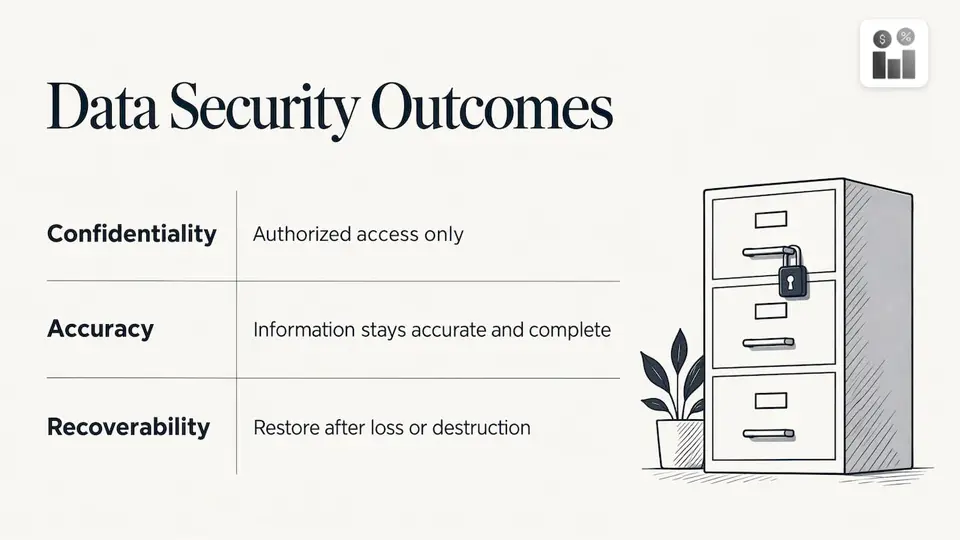
The UK Information Commissioner’s Office frames the goal as three outcomes. In its guide to data security, information must stay confidential (only authorized people can access, change or delete it), accurate and complete, and recoverable after loss or destruction. ISO’s ISO/IEC 27001 standard takes the same view, covering people, policies and technology together. Use those three goals as a checklist for everything below.
Step 1: Take stock of what you hold
You cannot protect records you cannot find. The FTC’s business guide recommends inventorying personal information by type and location, tracing how it enters the business and moves through it, and identifying who has or could have access.
Its list of places to check is wider than most owners expect: computers, laptops, mobile devices, removable media, digital copiers, cloud services, paper files and home-working locations. For a field team, add the technician’s personal phone, the photo folder on it, the clipboard on the dashboard and the spreadsheet a dispatcher emailed to themselves.
The Australian Cyber Security Centre suggests a standardized register of what customer personal data exists and where it is stored. A simple version is a table:
| Data type | Where it lives | Who can access it | Why we keep it | Keep for |
|---|---|---|---|---|
| Customer contact details | CRM | Office staff, assigned technicians | Scheduling and billing | Length of relationship plus your retention period |
| Site access codes | Work order notes | Assigned technician only | Entering the site | Until the job ends |
| Job photos | Phone gallery, shared drive | Technicians, supervisors | Proof of work | Set by policy |
| Invoices and payments | Invoicing system | Finance | Tax and records | Set by law and policy |
Fill in the last column honestly. If nobody can say why a data type is kept, that is your first deletion candidate.
Step 2: Consolidate records into one place
The more places a customer’s details are copied, the more places they can leak from. The Australian Cyber Security Centre advises consolidating repositories and deleting information the business no longer uses. The ICO also recommends clear, consistent document names so staff can find and handle the right file.
This is also the answer to how to organize customer records. Pick one system of record for contacts, sites, work orders and invoices, and retire the side spreadsheets, text threads and paper copies. In practice:
- Choose the one system where a customer record is created and edited.
- Import the data from spreadsheets and email folders into it.
- Agree on naming rules for customers, sites and documents.
- Delete or archive the old copies once the import is checked.
- Make it a rule that new customer data goes in the system first, never in a personal note or chat.
If you are connecting a CRM to accounting, our guide to CRM and accounting integration shows how to map one flow first so data moves between systems without extra copies.
Step 3: Collect and keep less
The FTC’s five-part plan includes scaling down: keep only what you need for the business. Its guidance is specific about card data: do not retain credit-card numbers and expiration dates unless there is an essential business need, because retention increases fraud and identity-theft risk.
When you review your intake forms and work order templates, ask three questions about every field:
- Do we need this to do the job or invoice for it?
- Can we get it later, only when needed?
- Can we store a reference instead of the raw detail?
For payments, use a payment processor so card numbers never sit in your own files. Firmanager’s invoicing works with Stripe for this reason: invoices can be paid online without staff handling card details by phone and writing them down.
Step 4: Control who can see what
The FTC recommends least privilege: give people access only to what their job requires, and end access when employees leave or change roles. The Australian Cyber Security Centre adds that administrators and anyone who can alter backups need particular restrictions.
A workable access model for a service company looks like this:
- Technicians: their assigned work orders, site details and checklists. No view of invoicing or other customers.
- Dispatchers: schedules, routes and customer contact details.
- Finance: invoices, payments and financial reports.
- Managers: reporting across teams.
- Owner or admin: settings, user management and exports. Keep this group small.
Then build an offboarding habit. The day an employee or subcontractor leaves, disable their login, collect or wipe their devices, and change any shared passwords or codes they knew. For a deeper look at designing roles, see our guide to role-based access.
Step 5: Secure the devices your field team carries
Customer data is most exposed on phones and laptops that leave the building. The research from official bodies points to a short list of habits:
- Encrypt customer data on devices and in transit, and set rules for bring-your-own-device use (Australian Cyber Security Centre).
- Use strong passwords and two-factor authentication on mobile devices, and handle paperwork securely (ICO).
- Log and monitor access so you can see who opened what and when.
- Train staff, keep a clear-desk policy and set remote-working rules, as the ICO recommends.
- Be ready to wipe. The ICO suggests remotely wiping stolen devices where possible, so enable that capability before a phone is lost.
A practical rule for technicians: customer details belong in the work order app, not in text messages, personal email or the phone’s photo roll. When the job app is where photos, notes and signatures are captured, there is less to clean up later.
Step 6: Back up, and test the restore
Backups protect the integrity and availability side of security. The Australian Cyber Security Centre says backups help you recover from loss, physical damage and ransomware, that they should be secure and resilient, and that restoration should be tested regularly. It also advises against paying ransoms.
A backup you have never restored is a hope, not a plan. Once a quarter, pick a customer record and restore it from backup to confirm it works. Restrict who can change or delete backups, as noted above.
Step 7: Delete what you no longer need
Keeping data forever is a liability. The FTC advises a written retention policy stating what must be kept, why, how it is secured, how long it is retained and how it is disposed of. If you need a template for thinking it through, this guide to writing a client data retention policy covers how to make one hold up.
Retention periods depend on your tax, contract and industry obligations, so confirm them with your accountant or attorney. Australia’s privacy regulator makes the principle plain: covered entities must take reasonable steps to destroy or de-identify personal information once it is no longer needed, unless a law or court order requires keeping it.
Disposal has to be real:
- Paper: the OAIC says records should be made irretrievable by pulping, burning, pulverizing, disintegrating or shredding.
- Electronics: hardware should be properly sanitized before it is sold, recycled or thrown away. A hardware disposal policy helps you track retired laptops, phones and tablets so none leave with customer data on them.
- Copies: consider whether backups and cloud copies can also be destroyed.
Step 8: Plan for an incident
Even careful businesses have bad days: a lost phone, a phishing email, a misdirected invoice. The FTC recommends appointing a senior incident lead, disconnecting a compromised computer, investigating promptly, closing vulnerabilities and deciding whom to notify. State and federal rules may also apply to breaches, so talk to an attorney.
The New York Attorney General’s small business guide adds taking affected equipment offline, monitoring entry and exit points, replacing compromised systems where possible, and changing credentials that may have been stolen.
The ICO suggests starting an incident log even when reporting may turn out not to be required. Record the cause, what happened, the data affected, the impact, the steps taken and the reasoning behind any decision not to report. Reviewing the log reveals patterns in training and process gaps, so near misses become improvements.
Reporting duties depend on where your customers live
Breach laws are not universal. In the US they vary by state, so ask an attorney which apply to your customers. If you serve people in the EU, GDPR may apply when you offer services to people there. Under the EDPB’s breach guidelines, a controller must notify the supervisory authority without undue delay and, where feasible, within 72 hours of becoming aware, unless the breach is unlikely to risk people’s rights. Affected individuals must be told without undue delay when the risk to them is high.
The EDPB’s basics guidance lists the GDPR principles: lawful, fair and transparent processing, specified purposes, minimization, accuracy, limited storage and security. Those principles are a sound standard even where you are not legally bound by them.
A 30-day plan to get started
| Week | Focus | Output |
|---|---|---|
| 1 | Inventory | A register of data types, locations and access |
| 2 | Consolidate and trim | One system of record, old copies archived or deleted |
| 3 | Access and devices | Role-based permissions, two-factor authentication, wipe capability |
| 4 | Retention and incidents | Written retention policy, incident log template, tested restore |
If you are moving to new software at the same time, our 90-day field service implementation guide shows how to roll it out without a second project. For service history records specifically, see the five required fields for an audit-proof equipment log.
Our perspective
Most data problems we see in service businesses are not sophisticated attacks. They are scattered copies: a customer’s address in a spreadsheet, a gate code in a text thread, a photo on a personal phone, an invoice in an inbox.
That is why we built Firmanager as one platform with one login. CRM, customer and facility records, work orders, invoicing, HR and HSE compliance share the same data, so your team works from one record instead of making copies. The employee self-service mobile portal gives technicians the job details they need on the go, and the cloud-synced design means the office and the field see the same current information.
Our modular design lets you switch on what your business needs and keep each person focused on their own tasks. We believe fewer places to store customer data, plus clear roles, is the most practical protection a growing service company can adopt.
KaiosMedia
Put your records in one place with Firmanager
If your customer records are spread across spreadsheets, inboxes and phones, consolidating them is the highest-impact step in this guide. Firmanager brings CRM, customer and facility management, work orders, invoicing with Stripe, document handling, time and leave tracking and HSE compliance into one cloud platform, accessible from any device with a single login.
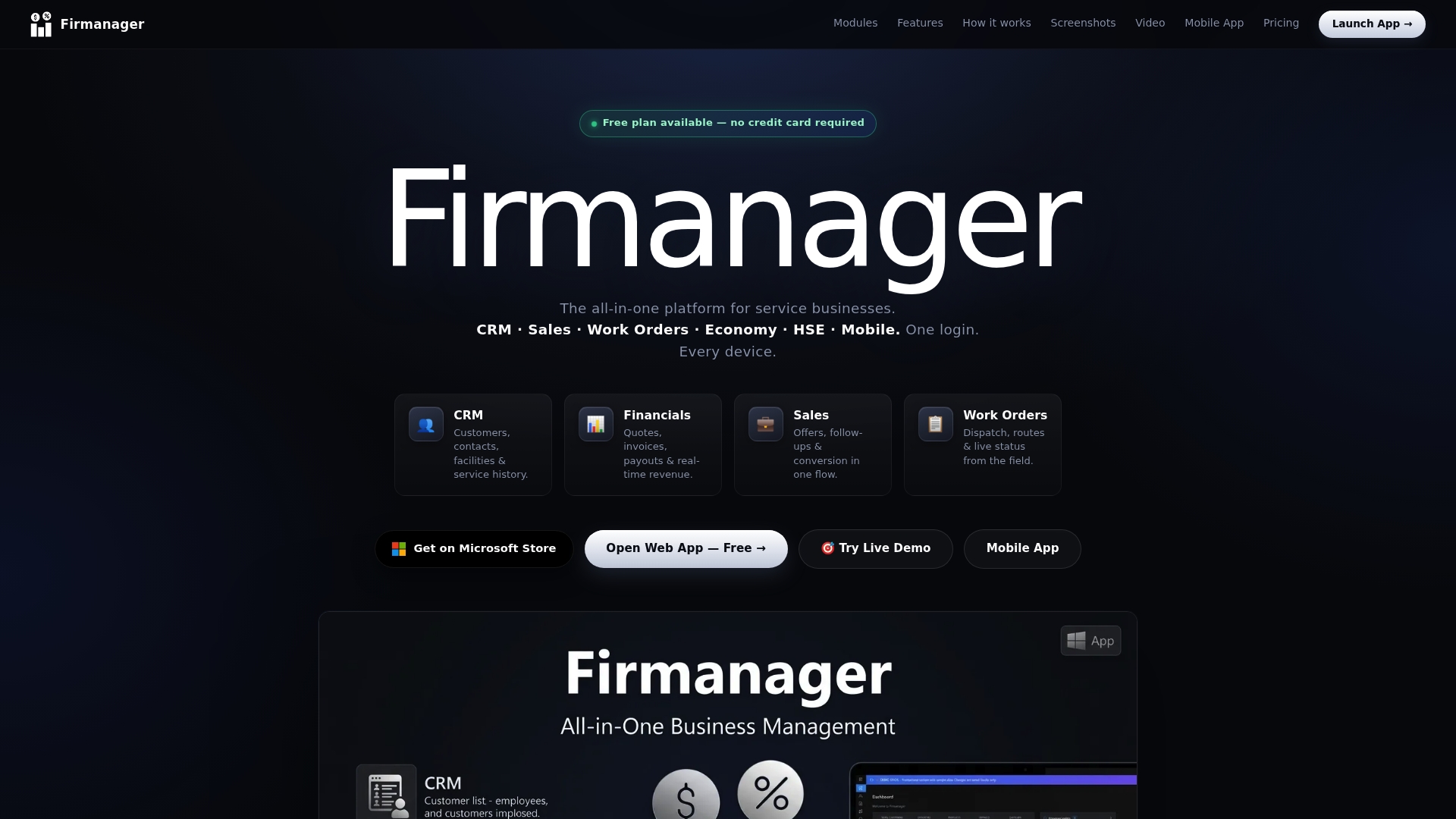
Plans are published on our site: Free at $0, Pro at $19 per month, and Business at $49 per month. You can open the app and start organizing your customer records today.
FAQ
How can I protect my customers’ information on a small budget?
Most of the effective steps cost little: take an inventory, delete what you do not need, use strong passwords with two-factor authentication, restrict access by role and keep a tested backup. The FTC’s five-part plan of taking stock, scaling down, locking down, disposing and planning for incidents is a good order to work in.
What is sensitive personal information?
It is information that could cause serious harm if exposed. Under GDPR, the EDPB lists special categories such as health, biometric or genetic data, racial or ethnic origin, religious beliefs and trade-union membership. In the US, the FTC highlights names combined with government identifiers, credit-card details and other account data as the kind that leads to fraud and identity theft.
How long should I keep customer records?
Only as long as you have a business or legal reason. The FTC recommends a written policy that states what you keep, why, and for how long. Ask your accountant or attorney about tax and contract requirements, then delete or de-identify records once those periods end.
What should I do first if customer data may have been exposed?
Contain it: disconnect the affected computer, change credentials that may be stolen and appoint one person to lead. Start an incident log, then ask an attorney which state, federal or foreign notification rules apply to the customers involved.
Sources
- Protecting Personal Information: A Guide for Business (FTC)
- Protecting Personal Information: A Guide for Business (FTC, PDF)
- Data protection basics (EDPB)
- Guidelines 9/2022 on personal data breach notification (EDPB)
- Data protection in your business (Business.gov.uk)
- A guide to data security (ICO)
- How to minimise the risk of personal data breaches (ICO)
- 72 hours: how to respond to a personal data breach (ICO)
- How well could you respond to a personal data breach? (ICO)
- ISO/IEC 27001:2022 (ISO)
- Securing customer personal data (Cyber.gov.au)
- Guide to securing personal information (OAIC)
- Small Business Guide to Cybersecurity in New York State (NY Attorney General)
- Client Data Retention Policy: How to Write One That Holds Up
- Audit Ready Hardware Disposal Policy in 4 Steps
Recommended
Run your whole business in one place
CRM, quotes, work orders, invoicing, expenses, HR and HSE — one login, every device. Free-forever plan.
Start free →