Stop Billing Errors: 5-Step Quote to Invoice Workflow for SMB Finance
Stop Billing Errors: 5-Step Quote to Invoice Workflow for SMB Finance
The moment a client accepts a quote, convert it into a draft invoice immediately, using the same underlying record rather than rebuilding it from scratch. Preserve every line item, tax setting, deposit amount, payment term, and the acceptance timestamp itself. That single habit eliminates most transcription errors and gets your first invoice out the same day, instead of three days later.
TL;DR:
- Converting an accepted quote into a draft invoice automatically preserves line items, taxes, deposits, and custom fields, avoiding transcription errors.
- Using e-signature acceptance methods timestamps client approval, providing proof for disputes and ensuring accurate payment due dates based on acceptance timing.
- Automating the quote-to-invoice process with software treats both documents as interconnected records, significantly reducing manual entry and speeding up billing.
- Implementing a structured workflow with clear roles and timing targets can cut invoice turnaround time from days to hours and improve accuracy.
- Platforms like Firmanager facilitate seamless quote conversion, integrated payments, and governance enforcement, enabling teams to operate efficiently and on autopilot.
Table of Contents
- What Is the Quote to Invoice Process, Exactly?
- Where Quote to Invoice Conversions Go Wrong
- How Automation Closes the Gap Between Sales and Finance
- A Copy-Ready Workflow for Your Team
- What Actually Changes When You Fix This Process
- Put This Workflow on Autopilot With Firmanager
- Where to Learn More
- Sources
What Is the Quote to Invoice Process, Exactly?
Quote to invoice is the narrower, billing-focused half of what’s often called the quote to cash process, or Q2C. Quote to cash covers the entire arc from pricing a job to collecting payment and recognizing revenue, while Shopify’s Q2C guide frames it as everything from product configuration through contract, fulfillment, invoicing, and payment collection. Quote to invoice is the specific handoff inside that arc: turning an accepted quote into a billable document without losing data along the way.
The distinction matters because a quote and an invoice serve different legal purposes. PandaDoc’s comparison puts it plainly: a quote estimates cost before work happens, and an invoice requests payment after delivery. Treating them as two disconnected documents, typed twice into two different tools, is where most SMB billing problems start.
Step-by-step: converting a quote into an invoice
Here’s the sequence that keeps data intact from acceptance to payment:
- Prepare the quote with complete fields. Every quote should carry the client record, itemized line items with SKU or product codes, the correct tax category, any deposit amount, payment terms, and relevant custom fields. Minimal-field templates like the one from Invoice Generator show what “complete” looks like for a small business: line items, totals, and terms, nothing missing.
- Send it for acceptance the right way. An e-signature, a public acceptance link, or a signed PDF all work, but the method needs to log a timestamp automatically. That timestamp becomes your proof of when terms were agreed, which matters if a client later disputes pricing or scope.
- Convert the accepted quote to a draft invoice. Xero’s product documentation shows this pattern clearly: converting an accepted quote generates a draft invoice that stays fully editable before you send it. Set the invoice date to the day of conversion, and set the due date based on your payment terms, net 15, net 30, or whatever you’ve agreed.
- Verify before sending. Confirm the total, tax calculation, any discount applied, deposit carryover, and accepted payment method all match what the client agreed to.
- Send immediately and follow up. Enable card or ACH payment on the invoice itself, and schedule a reminder for a few days before the due date.
Pro Tip: Set your invoice due date from the acceptance date, not the quote creation date. Clients remember when they said yes, not when you first sent the estimate, and disputes over payment terms usually trace back to this exact mix-up.
Where Quote to Invoice Conversions Go Wrong
Most billing delays trace back to a handful of repeatable mistakes, and nearly all of them happen at the handoff between sales and finance.
Double entry is the biggest offender. Stripe’s research on quote-to-cash identifies this directly: rebuilding a quote inside a separate invoicing system introduces transcription errors and slows everything down. If your quote and invoice aren’t the same record, you’re retyping numbers by hand, and hand-typed numbers drift.
Other recurring issues:
- Mismatched terms. A negotiated discount or deposit agreed verbally never makes it onto the invoice, so finance sends a bill that contradicts what the client signed.
- Tax and unit errors. A product taxed differently than assumed, or a unit count that doesn’t match the delivered quantity.
- Uncontrolled scope changes. Work expands after acceptance, but nobody re-runs approval before invoicing the new total.
Tekst’s operations research found that revenue leakage concentrates almost entirely at the sales-to-finance handoff, where negotiated terms fail to propagate into the billing system. Before sending any invoice, run through a quick check: client name and address, every line item against the quote, tax rate, deposit already applied, and the payment method the client actually agreed to.
How Automation Closes the Gap Between Sales and Finance
“One-click conversion” means exactly what it sounds like: the accepted quote becomes the invoice with a single action, no rebuilding required. This works because the software treats the quote and invoice as the same underlying record rather than two separate documents that happen to share numbers. That’s the core fix for the double-entry trap Stripe describes, and it’s the single biggest lever for speeding up your first bill.
Public acceptance links add a second benefit beyond convenience: they timestamp acceptance automatically, giving you an audit trail if a client later questions when terms were locked in.
A full quote-to-invoice setup typically connects four points: CRM record, quote, invoice, and payment processing, often through Stripe, with reconciliation closing the loop. Firmanager builds this chain natively. Line items and custom fields carry over untouched during conversion, deposit invoices split correctly, draft invoices stay editable before sending, and Stripe integration lets clients pay by card without a separate portal. Because the platform is cloud-synced, whoever converts the quote, whether they’re in the office or on a job site, sees the same live record.
- Line items, taxes, and custom fields transfer automatically, nothing retyped
- Deposit amounts carry into the invoice instead of being recalculated by hand
- Draft invoices remain editable for due dates or partial payments before sending
Pro Tip: Automation only helps if what goes into the quote is already correct. A locked pricing catalog with pre-approved discount ranges, as Tipalti’s guide on quotes versus invoices recommends, stops what’s known as a “dirty deal,” an accepted quote that finance can’t actually bill without manual cleanup.
A Copy-Ready Workflow for Your Team
Paste this into your internal playbook and assign it today.
Roles:
- Sales creates the quote using approved pricing and discount rules.
- Sales ops verifies line items and terms before sending for client acceptance.
- Finance converts the accepted quote to invoice and sends it.
- Accounts receivable reconciles payment against the invoice record.
Timing targets:
- Convert as quickly as possible after acceptance
- Send the invoice immediately after conversion
- Reconcile payment within 2 business days of receipt
Pre-send checklist: client details correct, line items match the quote, tax rate confirmed, deposit applied correctly, payment terms match what the client accepted.
A short acknowledgment email on acceptance (“Thanks, your quote is confirmed, invoice to follow shortly”) followed by the invoice itself, sent the same day, keeps clients from wondering where their bill went.
What Actually Changes When You Fix This Process
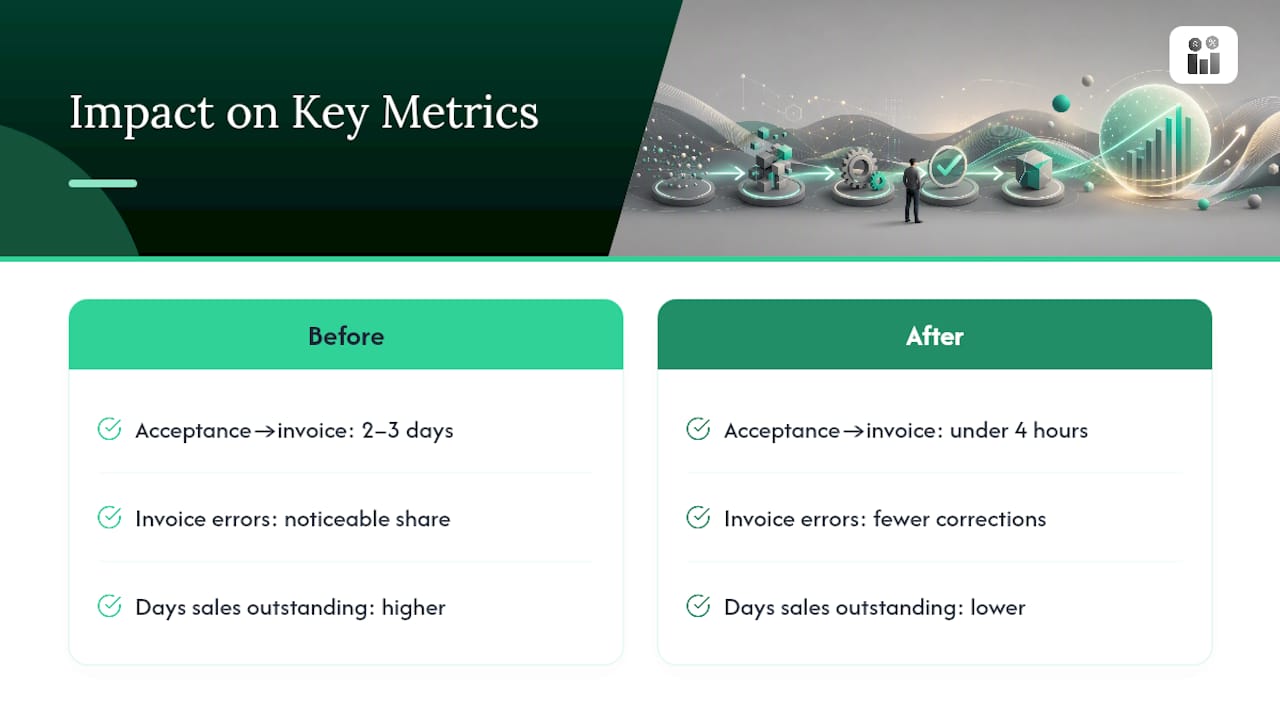
Most owners underestimate how much a slow quote-to-invoice handoff costs until they measure it. Three numbers are worth tracking before and after tightening this process: time from acceptance to invoice sent, error rate on invoices requiring correction, and days sales outstanding. A service business converting quotes manually often sees invoices sent two or three days after acceptance, with a noticeable share needing correction after the client flags a mismatch.
The fix isn’t complicated, but it does require discipline. Lock down your pricing catalog so sales can’t quote outside approved ranges, run a brief training session so everyone on the sales-to-finance chain understands the handoff, and enforce the pre-send checklist without exception for the first few months. One field service operator we’ve seen described in industry case studies cut invoice turnaround from three days to under four hours simply by converting quotes the same day they were accepted rather than batching them weekly. The process didn’t get more complex. It just stopped losing time at the handoff.
— KaiosMedia
Put This Workflow on Autopilot With Firmanager
Reading the checklist above is one thing. Running it every single day without a dropped field or a missed deadline is another, and that’s the gap Firmanager closes for service businesses tired of rebuilding quotes by hand.

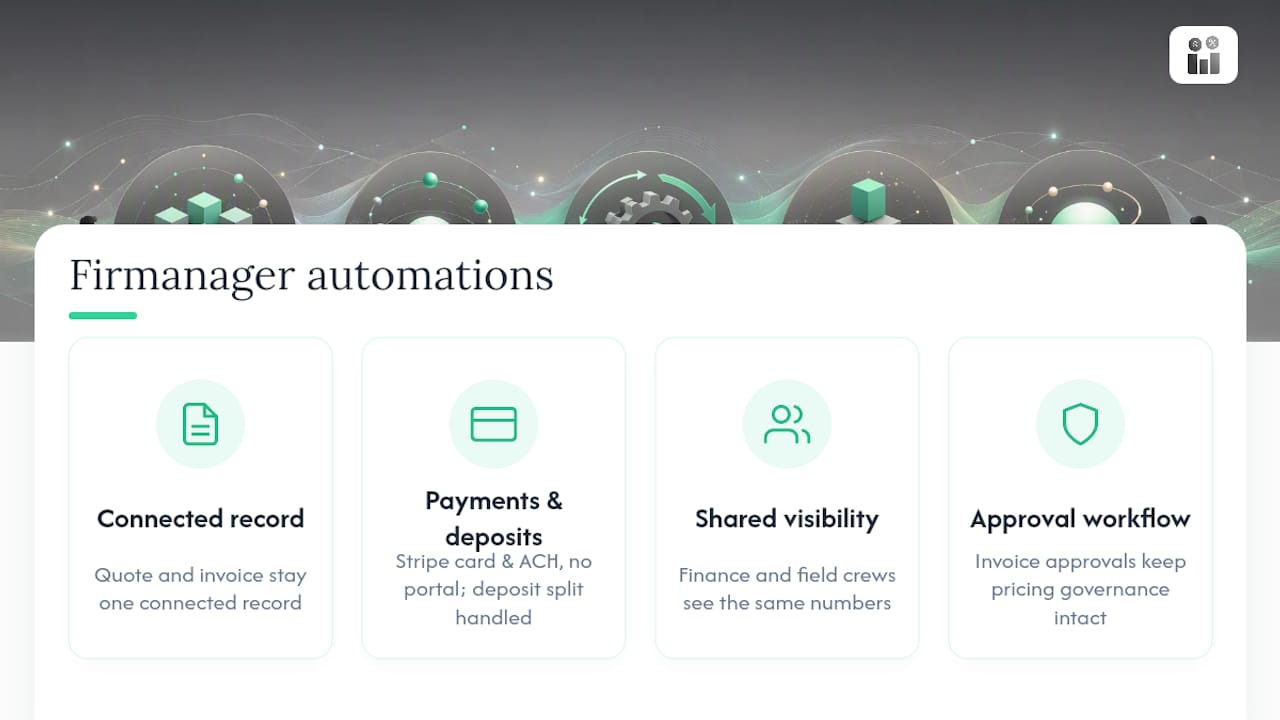
Firmanager keeps your quote and invoice as one connected record from the moment a client accepts. Line items, deposit amounts, and custom fields carry straight through, Stripe handles card and ACH payments without a separate portal, and because everything’s cloud-synced, your finance team and your field crews see the same numbers whether they’re at a desk or on-site. If deposits are part of how you bill, Firmanager’s deposit invoice tools handle the split automatically, and its invoice approval workflow keeps pricing governance intact so quotes never go out below approved margins. If you’re still deciding what quoting features actually matter for your business, this guide to quoting software is worth a look before you commit to a stack.
Start a free trial of Firmanager and convert your next accepted quote in one click instead of three separate steps.
Where to Learn More
For deeper reading beyond this workflow: Xero central covers the exact UI mechanics of quote conversion, Shopify’s Q2C guide maps the full quote-to-cash stages, Stripe’s resources explain the double-entry trap in depth, and Tipalti breaks down quote-versus-invoice governance.
Sources
- Create an invoice from a quote (Xero central)
- What is quote-to-cash? (Stripe resources)
- What Is Quote-To-Cash? A Step-by-Step Q2C Guide (2026) - Shopify
- Invoice vs Quote: Key Differences and How to Use Them - PandaDoc
Recommended
Run your whole business in one place
CRM, quotes, work orders, invoicing, expenses, HR and HSE — one login, every device. Free-forever plan.
Start free →