Procurement Teams: Activate Suppliers in 90 Days With Onboarding
Procurement Teams: Activate Suppliers in 90 Days With Onboarding
Supplier onboarding is the process of qualifying, registering, verifying, and activating a new vendor so they can transact compliantly inside your procurement and ERP systems. The single priority that determines success: enforce operational commitments, not just collect documents. That means gating tax forms, insurance certificates, and bank verification behind a formal approval workflow, then confirming the vendor can actually deliver through a trial order before full ERP activation. Platforms like Firmanager exist to make that sequence trackable instead of scattered across email threads.
TL;DR:
- Requiring a validated first order and ongoing performance tracking are essential to move from onboarding to continuous supplier management.
- Automating document verification and sanctions screening significantly reduces onboarding cycle times, often to under two weeks for standard-risk suppliers.
- Making “approved supplier” status a strict prerequisite for purchase orders prevents unverified vendors from bypassing the onboarding process.
- Using a centralized platform like Firmanager ensures real-time status updates, role-based access, and compliance enforcement across all onboarding phases.
- Regular renewal reminders and quarterly reviews of supplier records help maintain data accuracy and prevent compliance failures over time.
Table of Contents
- What does the supplier onboarding process actually cover?
- What are the key steps in a supplier onboarding process?
- Supplier onboarding checklist you can copy today
- How do you connect PO approvals to onboarding status?
- Which systems and automations actually speed onboarding?
- How do you keep onboarding data accurate after go-live?
- How Firmanager fits into the onboarding workflow
- Three shifts procurement teams should make in the next 90 days
- Put this onboarding process on one platform with Firmanager
- Sources
What does the supplier onboarding process actually cover?
Supplier onboarding, sometimes called vendor onboarding, is the structured process of qualifying, registering, and activating a new supplier so they can legally and operationally transact with your business. It sits between “we found a vendor we like” and “we’re placing recurring purchase orders with confidence.”

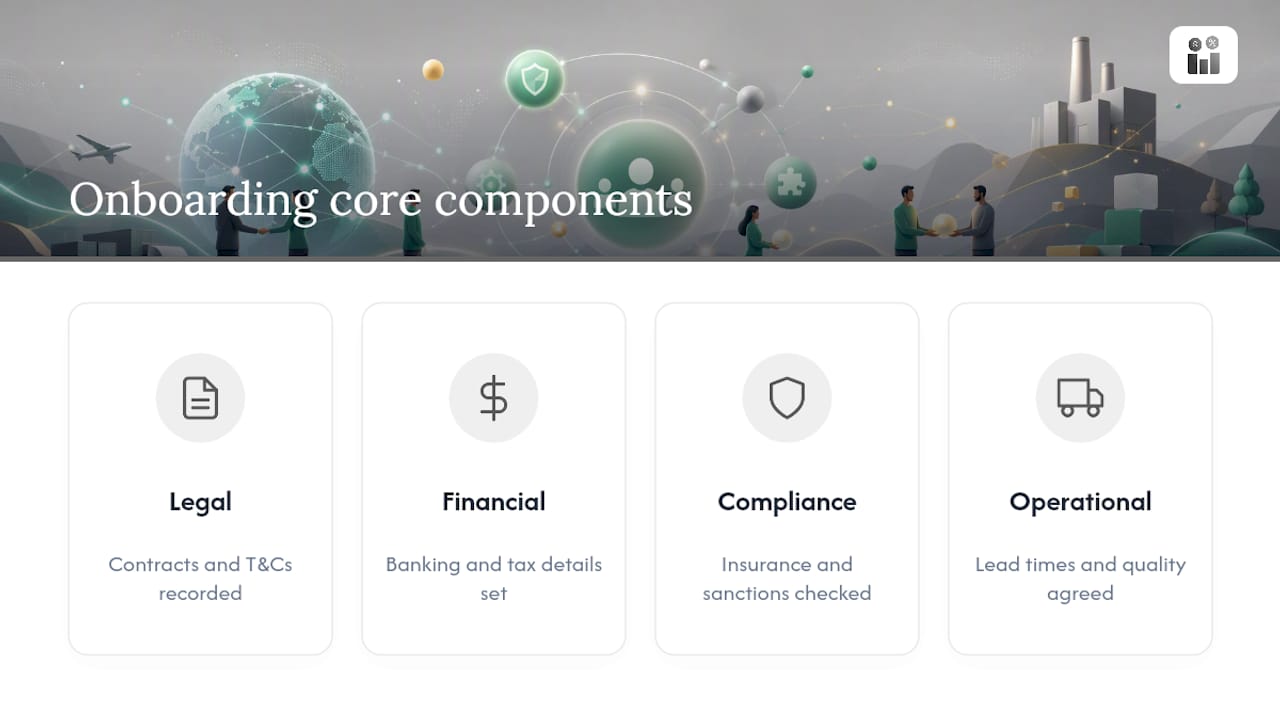
The scope is broader than most teams assume. It includes legal commitments (contracts, terms and conditions), financial setup (banking, tax status, payment terms), compliance documentation (insurance certificates, sanctions screening, industry certifications), and operational agreements (lead times, quality standards, communication protocols). A supplier who has signed a contract but never confirmed their banking details or delivery lead times is not onboarded. They’re half onboarded, and that gap is exactly where later problems start.
Where does onboarding end? The clearest marker is ERP activation paired with a validated first order. Once a supplier’s master data is live in your system and a trial purchase order has cleared without exceptions, you’ve moved from onboarding into ongoing supplier management. Anything after that (performance scorecards, contract renewals, spend consolidation) belongs to a different discipline.
This distinction matters because onboarding programs frequently collect data without enforcing the commitments behind it. A supplier can hand over a certificate of insurance and still fail to meet a delivery window on their first real order. Good onboarding tests behavior, not just paperwork, which is a point worth building the entire vendor approval process around.
What are the key steps in a supplier onboarding process?
A dependable new supplier setup process follows a sequence, not a checklist you complete in a random order. Skipping steps or running them in parallel is how procurement teams end up with vendors in the ERP who never passed a sanctions check.
-
Qualification and risk tiering. Before you send a single form, decide what tier this supplier falls into. Criteria typically include annual spend, whether they touch regulated goods, geographic risk, and single-source dependency. A supplier providing $500 worth of office snacks does not need the same scrutiny as one supplying a safety-critical component. Tiering upfront prevents over-processing low-risk vendors and under-processing high-risk ones.
-
Registration through a supplier portal. Self-service registration cuts down on the back-and-forth email chains that eat weeks. A well-built supplier portal captures company legal name, tax ID (W-9 or international equivalent), banking details, primary contacts, and product or service categories in one submission.
-
Document verification and screening. This is where sanctions checks, certificate validation, and bank account verification happen. A five-step onboarding model built around identification, portal registration, compliance verification, approval, and ERP activation keeps this stage from becoming an audit liability later.
-
Contract execution and ERP master-data activation. Once documents clear, the supplier record moves into your ERP with approved status, payment terms, and category codes locked in.
-
Trial order validation. Before you commit to recurring purchase orders, run one low-stakes trial order. Confirm it arrives on time, matches spec, and invoices correctly. This single step catches execution problems that paperwork never reveals.
-
Handoff to governance. Assign a named owner (category manager or buyer) responsible for that supplier relationship going forward, with a documented re-verification date.
Pro Tip: Set your trial order threshold low enough that a failure costs you nothing more than a delayed shipment, not a stalled production line. That way, the test actually tests something.
Skipping the trial-order step is one of the more common shortcuts teams take under deadline pressure, and it’s the one most likely to backfire when a new supplier’s first real order goes sideways.
Supplier onboarding checklist you can copy today
A working supplier onboarding checklist organizes by phase so nothing gets missed when volume picks up.
Qualification phase
- Confirm business need and category fit
- Assign risk tier (low, medium, high)
- Check for existing relationship or duplicate vendor record
Registration phase
- Legal business name and tax ID (W-9 for US suppliers)
- Banking details for ACH/wire verification
- Primary and billing contact information
- Product/service category codes
Compliance and verification phase
- Certificate of insurance (general liability, workers’ comp where applicable)
- Industry certifications (ISO, safety, or sector-specific)
- Sanctions and denied-party screening
- Bank account ownership verification
Approval and activation phase
- Contract or purchase agreement signed
- Payment terms confirmed and entered
- ERP master-data record created and marked “approved”
Validation phase
- Trial order placed and delivered
- Invoice matched to PO without exception
SLA targets keep this moving instead of stalling: aim for document verification within a few business days and full activation within a couple of weeks for standard-risk suppliers. Manual, spreadsheet-driven processes routinely stretch onboarding timelines to a month or more, largely because verification and legal review sit in someone’s inbox instead of a tracked workflow.
How do you connect PO approvals to onboarding status?
The most effective way to make onboarding stick is to make “approved supplier status” a hard precondition for issuing a purchase order. If procurement can cut a PO to a vendor who hasn’t cleared verification, the entire onboarding process becomes optional in practice, no matter how thorough it looks on paper.
Structure the gate with different routing depending on vendor maturity:
- New vendors route through mandatory finance review regardless of dollar amount, at least until they’ve completed one validated order. This isn’t overkill. A purchase approval workflow that skips finance review for a first-time low-dollar PO is exactly how fraudulent or duplicate vendor records slip through.
- Established, approved vendors can use auto-approve guardrails below a set dollar threshold, since the risk profile is already known.
- Delegation rules should specify a backup approver for every role, so one person’s vacation doesn’t stall every PO in the queue.
- Exception paths (a changed dollar amount, a substituted vendor, an approver who’s out of office) need to be built as first-class routes in the workflow, not handled as ad hoc email overrides. Well-designed approval workflows treat exceptions as a documented decision, not a workaround.
Every approval should log the approver’s identity and a timestamp against the PO record itself, not in a side conversation. That’s the difference between an audit trail an auditor can actually follow and one that requires you to reconstruct events from memory six months later.
One practical guardrail worth stating plainly: never let a PO route to auto-approval for a vendor whose onboarding file is incomplete, even if the dollar amount is small. Small-dollar leakage from unverified vendors adds up fast, and it’s the easiest failure mode to prevent with a single system rule.
Which systems and automations actually speed onboarding?
Not every automation investment pays off equally. Applying automation to document verification, sanctions screening, and bank-account validation first produces the biggest reduction in cycle time, because those are the steps most likely to sit untouched in someone’s inbox for days.
A few patterns worth prioritizing:
- Supplier portal validation rules. Build mandatory-field enforcement into the registration form itself (tax ID format checks, required document uploads) so incomplete submissions never reach a human reviewer.
- ERP integration for master-data writeback. Once a supplier clears verification, activation APIs should push the record into your ERP automatically rather than requiring manual re-entry, which is where transcription errors creep in.
- Automated sanction screening. Batch or API-based screening against denied-party lists removes the slowest manual step in compliance verification.
- Orchestration layers vs. native ERP workflows. If your ERP’s native approval workflow handles routing well, use it. Reach for a separate orchestration layer only when you need to coordinate across multiple systems (ERP, e-signature, banking verification) that don’t talk to each other natively.
A sensible rollout order: automate document collection and validation first, then sanctions screening, then ERP writeback, and finally PO-gating logic. Centralized supplier records and automated intake genuinely shorten activation times, but automation alone doesn’t guarantee a supplier will meet their delivery commitments. That still requires the trial-order step and ongoing performance tracking. For a broader look at how automation reshapes onboarding governance, EasyFlow’s guide to onboarding best practices is worth a read.
How do you keep onboarding data accurate after go-live?
Onboarding data decays. Certificates expire, bank details change, and contacts move on, so treating the process as “done” after activation guarantees stale records within a year.
Track a small set of metrics that actually predict trouble:
- Time-to-activate, measured from first registration to ERP activation
- Percent of complete records, meaning every mandatory field and document is present and current
- First-order failure rate, tracking how often trial or early orders miss spec or delivery windows
- Certificate expiry alerts, flagged 30 to 60 days ahead of expiration
Enforcement needs teeth. Block PO issuance automatically when a certificate lapses, send SLA reminders to the assigned owner at fixed intervals, and run a quarterly supplier scorecard review. Stale master data and missing owner assignment are consistently cited as root causes of onboarding failures long after the initial setup looked complete.
Pro Tip: Pull a random sample of five recently onboarded suppliers each quarter and trace their first three POs end to end. If two or more show a mismatch between what was documented and what actually happened, your verification step needs tightening, not your paperwork.
How Firmanager fits into the onboarding workflow
Firmanager maps directly onto the phases above. Supplier and product management features track registration data and document status, while role-based access controls determine who can approve a supplier record before it reaches ERP-style activation. Cloud sync means a document uploaded from the field shows up instantly for the office team reviewing it, cutting the delay that a shared spreadsheet or email chain typically introduces.

When evaluating any platform for this job, including Firmanager, ask these questions during a demo: Can the portal enforce mandatory fields before submission? Does the approval workflow log approver identity and timestamp automatically? Can you configure different routing for new versus established suppliers? Firmanager’s supplier management capabilities are worth walking through against that exact list.
Three shifts procurement teams should make in the next 90 days
Most onboarding programs already collect enough paperwork. The gap is enforcement. Move your process from “we have the certificate on file” to “we tested whether this supplier actually performs,” starting with a mandatory trial order for every new vendor above a set spend threshold.
Automate the two steps causing the most delay: document verification and sanctions screening. Everything else can wait.
Finally, put governance on a calendar. A quarterly review of supplier records, expiring certificates, and PO exception logs catches decay before it becomes a compliance incident. Waiting for an audit to surface the gap is the expensive way to learn this lesson.
— KaiosMedia
Put this onboarding process on one platform with Firmanager
Firmanager replaces the spreadsheet-and-email version of supplier onboarding with a single system where registration, document tracking, approval routing, and supplier records live under one login. Instead of chasing certificates across inboxes, your team sees onboarding status, expiring documents, and approval history in one place, with role-based access controlling who can push a supplier to “approved.”

If you’re evaluating a platform for this, ask three questions during any demo: can the portal enforce required fields at registration, does the approval workflow log who approved what and when, and how easily does supplier data sync with your existing invoicing and work order records? Firmanager’s supplier and workflow management tools are built to answer yes to all three. Start a trial and run one real supplier through the full sequence, from registration to a validated first order, before you commit to switching your process over.
Sources
For deeper technical detail beyond this guide, the five-step compliance model from LeanLinking breaks down portal and verification design. Microsoft’s purchase approval workflow walkthrough is a solid reference for routing and approver configuration, and FlowRunner’s breakdown of where PO approvals break is worth bookmarking for audit-trail design.
- Supplier Onboarding: Process, Checklist and Where It Breaks Down
- Supplier Onboarding: 5 Steps to Compliance & Qualification
- Walkthrough: setting up and using a purchase approval workflow
Recommended
Run your whole business in one place
CRM, quotes, work orders, invoicing, expenses, HR and HSE — one login, every device. Free-forever plan.
Start free →