SLA Tracking for Service Managers: A Practical Guide
SLA Tracking for Service Managers: A Practical Guide
SLA tracking is the ongoing practice of converting contract promises into measurable indicators, instrumenting them for real-time alerts, and running a quarterly review cycle to recalibrate targets. According to Training Camp’s SLA tracking glossary, this means timestamping every alert, calculating monthly compliance rates, and generating evidence your team can present during audits or renewal negotiations. The lifecycle runs in three steps: define your SLOs and SLIs, instrument and automate monitoring with alerts, then review and recalibrate every quarter.
Your immediate next step: pick one priority SLI this week, instrument it, and set a near-breach alert at 75% of elapsed time.
Quick-start checklist:
- Identify the one SLI with the highest breach risk today
- Confirm the measurement formula and clock start/stop rules
- Connect it to your ticketing or work-order system
- Set a threshold alert before the SLA window closes
- Schedule a 30-minute internal review for 30 days out
Pro Tip: Start with first response time on your highest-priority ticket tier. It is the easiest SLI to instrument, the one customers notice first, and the fastest win to show stakeholders.
Table of Contents
- Why consistent SLA monitoring protects your business
- The 8 SLA metrics every service manager should monitor
- How to translate business requirements into SLOs and SLIs
- How to monitor SLA compliance in practice
- Automation and integrations that reduce manual SLA work
- SLA reports, review cadence, and what to examine quarterly
- Common SLA tracking mistakes and how to fix them
- 2026 trends: adding experience-based metrics to your SLA scorecard
- Key Takeaways
- What practitioners get wrong about SLA programs
- Firmanager gives service businesses a complete SLA tracking foundation
- Useful sources
Why consistent SLA monitoring protects your business
Tracking SLAs consistently produces two categories of outcomes: operational and contractual.
On the operational side, real-time monitoring surfaces breach risks before they become actual breaches. Teams that catch a ticket at 75% of its SLA window still have time to escalate, reassign, or communicate proactively. That early warning loop shortens mean time to resolution and reduces repeat incidents because root causes get documented rather than buried.
The contractual case is equally direct. Every SLA report you generate is evidence. When a customer disputes service quality at renewal, you can produce timestamped compliance data rather than relying on memory. When a vendor misses their commitments, you have the audit trail to apply service credits. Consistent SLA measurement reduces disputes and strengthens your position in both directions.
Business impact at a glance:
- Fewer outages through proactive alerting and faster escalation
- Predictable capacity planning when trend data reveals seasonal demand patterns
- Stronger renewal negotiations backed by measurable performance history
- Audit-ready evidence for compliance reviews and contractual disputes
Focused metrics and automation can move compliance from 80% to 92% within 30 days in certain implementations, according to vendor case examples from EasyDesk, by surfacing breach risks early rather than discovering them after the fact.
The 8 SLA metrics every service manager should monitor
IBM’s SLA metrics taxonomy and Front’s customer-service SLI guide converge on a core set of eight indicators that belong on every SLA dashboard. Here they are in priority order, with formulas and typical targets.
1. Availability / uptime Percentage of time the service is operational within the measurement window. Formula: (total minutes in period − downtime minutes) ÷ total minutes × 100. Typical target: 99.9% monthly. Primary stakeholders: operations, customers, executives.
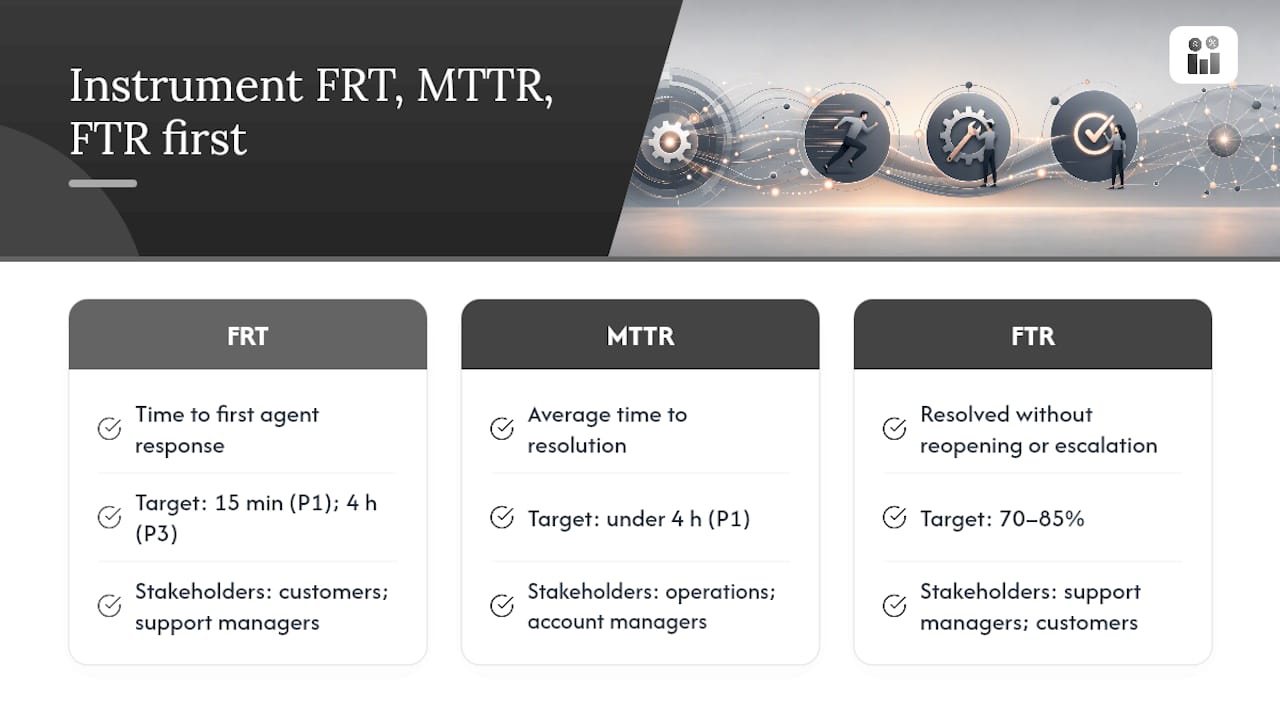
2. First response time (FRT) Time from ticket creation to first substantive agent response. Formula: response timestamp − creation timestamp. Typical target: 15 minutes for P1, 4 hours for P3. Primary stakeholders: customers, support managers.
3. Mean time to resolution (MTTR) Average time from incident creation to confirmed resolution across all tickets in a period. Formula: sum of resolution times ÷ ticket count. Typical target: under 4 hours for P1. Primary stakeholders: operations, account managers.
4. First-time resolution rate (FTR) Percentage of tickets resolved without reopening or escalation. Formula: tickets resolved on first contact ÷ total tickets × 100. Typical target: 70–85%. Primary stakeholders: support managers, customers.
5. Tickets resolved within SLA Percentage of tickets closed before their SLA deadline expires. Formula: tickets closed within SLA window ÷ total tickets × 100. Typical target: 90%+. Primary stakeholders: all.
6. Escalation rate Percentage of tickets escalated to a higher tier. Formula: escalated tickets ÷ total tickets × 100. A rising escalation rate often signals a training gap or an understaffed first tier. Primary stakeholders: support managers, workforce planners.
7. Self-serve resolution rate Percentage of issues resolved through knowledge base or automated tools without agent involvement. Formula: self-serve resolutions ÷ total support contacts × 100. Primary stakeholders: product, support operations.
8. Error / incident rate Number of incidents or errors per unit of time or transaction volume. Formula: incidents in period ÷ total transactions or hours. Primary stakeholders: engineering, operations.
Pro Tip: Pause rules matter as much as the metrics themselves. When a ticket is waiting on the customer for information, pause the SLA clock. When maintenance is scheduled, exclude that window from uptime calculations. Failing to define these rules is the single most common source of false breaches and disputed reports.
GivaInc’s help-desk metric guide notes that first response time, average resolution time, and first contact resolution directly affect customer retention and renewal conversations, making them the three metrics to instrument first if you are starting from scratch.
How to translate business requirements into SLOs and SLIs
Vague commitments like “we respond quickly” are untrackable. The goal of this step is to convert every contractual promise into a specific, measurable SLI with a defined target and clear clock rules.
Reusable SLO/SLI template:
| Field | Description | Example |
|---|---|---|
| Service | The service or product covered | Field technician dispatch |
| SLI name | The indicator being measured | On-site response time |
| Measurement rule | How and when the clock starts/stops | Clock starts at ticket creation; stops at technician check-in |
| Window | Measurement period | Per incident; monthly aggregate |
| Target | The SLO value | 4 hours for P1, 8 hours for P2 |
| Maintenance exclusion | What pauses or stops the clock | Scheduled maintenance windows, customer-hold status |
| Owner | Who is accountable for this SLI | Field operations manager |
Step-by-step checklist for defining SLAs:
- Involve stakeholders from operations, sales, and the customer to align on what “good” looks like.
- Measure your current baseline for at least 30 days before setting targets.
- Set targets that are achievable at baseline plus a realistic improvement margin.
- Tier SLAs by priority level (P1–P4) and by customer segment if contracts differ.
- Define explicit clock start and stop rules in writing, including pause conditions.
- Exclude scheduled maintenance windows from uptime and response calculations.
- Document all pause rules and store them with the SLA contract for audit purposes.
Store your SLA templates alongside your contracts using a document management system so every stakeholder references the same version.
Pro Tip: Never apply a single response-time target across all ticket types. A blanket “respond within 2 hours” policy will overwhelm your team during peak periods and create false breaches for low-priority tickets. Use multi-tier policies: tighter windows for P1, wider for P3/P4. This single change reduces false breach noise by a significant margin.
How to monitor SLA compliance in practice
Monitoring is where definitions become data. The goal is a live view of every active SLA, with automated alerts that fire before a breach, not after.
Core monitoring elements to instrument:
- Health checks and probes: automated pings or synthetic transactions that verify service availability at regular intervals (every 1–5 minutes for critical services)
- Ticketing integration: connect your ticketing or work-order system so SLA clocks start automatically at ticket creation
- Real user monitoring (RUM): capture actual user-experienced latency and error rates, not just synthetic checks
- Maintenance window registry: a calendar-linked list of scheduled windows that automatically pauses SLA timers and excludes those periods from compliance calculations
What every SLA dashboard needs:
- Live risk panel: tickets currently within 25% of their SLA deadline, color-coded by priority
- Breached SLAs: count and list of tickets that have already exceeded their window, with time-over-SLA displayed
- Near-breach timers: countdown for tickets approaching their deadline
- Trending graphs: compliance rate over the past 7, 30, and 90 days by SLI
- Owner and customer filters: ability to slice the view by team, technician, or customer account
Alerting playbook:
- At 50% of SLA elapsed: notify the assigned agent
- At 75% of SLA elapsed: notify the team lead and flag in the dashboard
- At 90% of SLA elapsed: auto-escalate to the next tier and send a customer status update
- At breach: trigger incident record, log breach reason, and initiate credit calculation if applicable
Real-time alerting strategies show that teams who configure multi-threshold alerts consistently catch more breach risks than those relying on a single end-of-window notification. The difference is acting at 75% versus reacting at 101%.
Freshworks’ SLA monitoring guide recommends centralizing data in a unified dashboard, automating threshold alerts, and scheduling periodic reviews as the three non-negotiable elements of accurate SLA measurement.
Pro Tip: Build your maintenance window registry before you go live with monitoring. A single unregistered maintenance event will generate false breach alerts that erode trust in your data. Treat the window registry as a first-class operational artifact, not an afterthought.
Automation and integrations that reduce manual SLA work
Manual SLA tracking is error-prone. An agent forgets to log a timestamp, a ticket sits in the wrong queue, or a maintenance window goes unregistered. Automation removes those failure points.
Key integration patterns:
- Ticketing ↔ monitoring probes: when a probe detects a service degradation, it automatically creates a ticket and starts the SLA clock, with no human step required
- Calendar/maintenance system ↔ SLA pause rules: scheduled maintenance entries automatically pause active SLA timers for affected services
- CRM ↔ per-customer SLA policies: your customer management platform stores each account’s contracted SLA tier, and the ticketing system reads that tier to apply the correct response window at ticket creation
- Supplier systems ↔ vendor SLA tracking: supplier management integrations let you track vendor-side SLA performance alongside your own
Automation patterns that matter most:
- Automated incident creation from probe failures, with SLA clock started at detection time
- Auto-escalation rules that reassign tickets when threshold alerts fire
- Automated pause and resume of SLA timers when ticket status changes to “waiting on customer”
- SLA credit calculation triggered automatically when a breach is confirmed and logged
Automation reduces manual errors by starting and stopping SLA timers automatically, pausing during customer delays, and flagging near-breach tickets for escalation. The SLA Monitor open-source project demonstrates a self-hosted implementation pattern with probes, an incident registry, maintenance windows, and automated SLA report generation — showing that full-stack SLA monitoring is achievable without heavy licensing costs.
Implementation considerations:
- Synchronize clocks across all systems to a single NTP source to prevent timestamp drift
- Standardize on UTC internally; convert to local time only for customer-facing reports
- Map every customer account to its contracted SLA tier before go-live
- Use webhooks to push SLA status changes to downstream tools (Slack, PagerDuty, email) in real time
The operational cost of manual SaaS work compounds quickly: every manually logged timestamp is a potential error, and errors in SLA data undermine the audit trail you need for credits and renewals.
SLA reports, review cadence, and what to examine quarterly
Monitoring tells you what is happening now. Reporting tells you what happened, why, and what to change. Both serve different audiences on different timelines.
Standard SLA report fields:
| Field | Purpose |
|---|---|
| Reporting period | Defines the measurement window (e.g., March 1–31) |
| SLIs measured | Lists every indicator tracked in the period |
| Compliance rate per SLI | Percentage of time each SLI met its target |
| Breach count and root cause | Number of breaches with documented cause for each |
| Customer impact | Affected accounts, ticket volume, and severity |
| Service credits applied | Dollar value or percentage credits triggered by breaches |
| Trend vs. prior period | Compliance rate change from the previous reporting window |
Reporting cadence:
- Real-time: operations team monitors live dashboard for active breach risks
- Daily: incident team reviews overnight tickets and any near-breach items from the prior day
- Weekly: managers review compliance rates, escalation trends, and open breach investigations
- Quarterly: stakeholders review strategic performance, recalibrate targets, and align SLAs with business changes
Freshworks recommends tracking operational metrics daily, weekly trend metrics for pattern detection, and using monthly or quarterly reports for strategic planning and SLA recalibration.
Quarterly review agenda:
- Review all breaches from the quarter: root cause, frequency, and whether corrective actions worked
- Analyze compliance trends: improving, stable, or declining per SLI
- Adjust targets for capacity changes, new service lines, or seasonal demand patterns
- Align SLA targets with customer feedback: CSAT and NPS data from the same period
- Confirm ownership: verify each SLI has a named owner and an escalation path
- Approve any SLA amendments and update contract documentation
Roles and ownership:
- Operations manager owns real-time and daily reporting
- Support manager owns weekly summaries and escalation analysis
- Account manager presents quarterly reports to customers
- Service director approves SLA target changes and signs off on amendments
Common SLA tracking mistakes and how to fix them
Most SLA programs fail not because of bad intentions but because of avoidable setup errors. Here are the most frequent pitfalls and their fixes.
1. Blanket response-time targets Setting one response window for all ticket types overwhelms teams during peak periods and generates false breaches for low-priority items. Fix: implement multi-tier SLA policies by priority level (P1–P4) and by customer segment.
2. Not pausing clocks for maintenance or customer holds Every unregistered maintenance window generates a false breach. Fix: build a maintenance window registry before go-live and configure your ticketing system to pause SLA timers automatically when ticket status is “waiting on customer.”
3. Data overload from too many metrics Tracking 20 SLIs at launch creates noise and analysis paralysis. Fix: start with three to five well-instrumented metrics, prove the process works, then expand. A small set of well-instrumented metrics plus automation yields faster compliance improvements than measuring everything.
4. Inconsistent clock start/stop rules When different team members interpret “response” differently (first reply vs. first substantive reply), your data is unreliable. Fix: document the exact definition of each clock event in writing and enforce it through ticketing system configuration, not team convention.
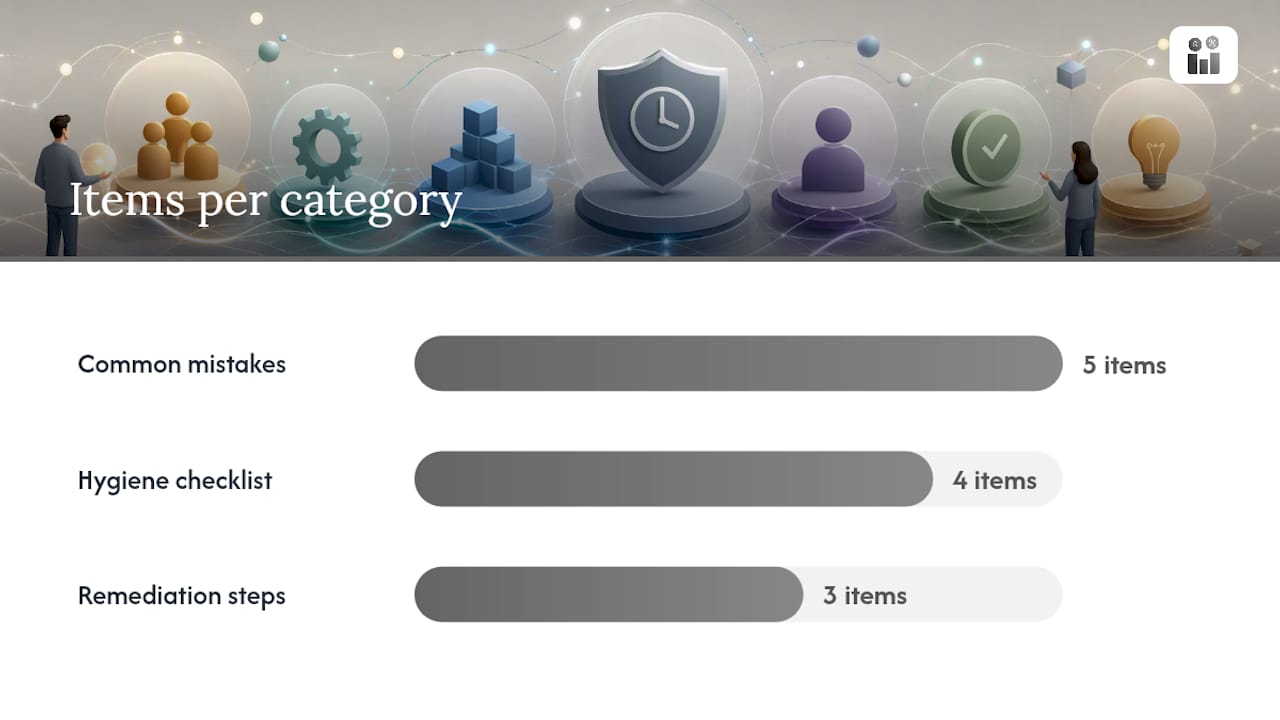
5. Siloed tools with no shared data When your monitoring tool, ticketing system, and CRM do not share data, SLA timers start late, pause rules fail, and reports require manual reconciliation. Fix: integrate systems via API or webhook so data flows automatically.
Measurement hygiene checklist:
- Use consistent UTC timestamps across all systems
- Maintain audit logs for every clock start, pause, resume, and stop event
- Review audit logs monthly for anomalies before generating customer-facing reports
- Version-control your SLA definitions so you can reconstruct the rules that applied during any historical period
Quick remediation steps for the most common failures:
- False breach from maintenance: add the window to the registry retroactively and recalculate the affected period
- Missing timestamps: identify the gap in your ticketing workflow and add a required field or automation trigger
- Disputed compliance rate: pull the audit log, walk through each clock event with the customer, and agree on the corrected calculation
2026 trends: adding experience-based metrics to your SLA scorecard
The most significant shift in SLA management heading into 2026 is the move from purely operational metrics to experience-based indicators. IBM’s SLA metrics analysis identifies this as a structural change: customers increasingly evaluate service quality by how interactions felt, not just whether uptime hit 99.9%.
The practical implication is that CSAT and NPS now belong on your SLA scorecard alongside uptime and MTTR. A service that meets every technical SLI but consistently scores below 3.5 on post-interaction CSAT surveys is failing its customers in ways the operational data does not capture.
How to incorporate experience metrics:
- Add a CSAT target to your SLA template (e.g., monthly average ≥ 4.2 out of 5)
- Trigger CSAT surveys automatically after ticket resolution, not just on a monthly batch
- Include NPS trend data in quarterly business reviews alongside compliance rates
- When CSAT drops below target, treat it as a soft breach: investigate root cause and document corrective action
A practical quarterly cycle with experience data:
- Pull operational SLI compliance rates for the quarter
- Overlay CSAT and NPS scores for the same period and the same customer segments
- Identify mismatches: high technical compliance with low CSAT signals a communication or expectation gap
- Adjust SLA language or response protocols to close the gap before the next quarter
Lifecycle governance, the define → monitor → review cycle, reduces dispute risk because every change is documented, every target has a rationale, and every stakeholder has seen the data before renewal conversations begin.
Pro Tip: When CSAT and operational metrics diverge, the CSAT data is usually telling you something the SLI cannot: a technician arrived on time but left the site without explaining what was done. Add a “communication quality” item to your post-service survey and track it separately from technical resolution.
Key Takeaways
Effective SLA tracking runs on a three-step lifecycle: define measurable SLIs with clear clock rules, instrument real-time monitoring with multi-threshold alerts, and run quarterly reviews to recalibrate targets against both operational data and customer experience scores.
| Point | Details |
|---|---|
| Start narrow, then expand | Instrument three to five priority SLIs first; add metrics only after the process is proven. |
| Pause rules prevent false breaches | Define maintenance windows and customer-hold pauses before go-live, not after your first disputed report. |
| Multi-tier policies reduce noise | Apply different SLA windows by priority level (P1–P4) to avoid overwhelming teams and generating false breach data. |
| Experience metrics belong on the scorecard | Add CSAT and NPS targets alongside uptime and MTTR to capture service quality the operational data misses. |
| Firmanager centralizes the workflow | Firmanager’s unified dashboards, work-order integration, configurable SLA policies, and automated reports support the full define-monitor-review lifecycle in one platform. |
What practitioners get wrong about SLA programs
Most SLA programs are built backward. Teams spend weeks negotiating targets, then instrument monitoring as an afterthought, and wonder why their compliance data is disputed six months later. The sequence matters: measurement infrastructure first, targets second.
The other pattern worth naming is governance decay. A program that launches with clear ownership and weekly reviews often loses both within 90 days because no one formally assigned the role of “SLA owner” with authority to approve changes. Without that role, targets drift, pause rules get applied inconsistently, and the quarterly review becomes a report nobody acts on.
The 2026 shift toward experience-based metrics is real, but it creates a new trap: teams add CSAT to their scorecards without connecting it to a remediation workflow. A CSAT score below target should trigger the same investigation process as a technical breach. If it does not, you are collecting data without using it.
The teams that run the best SLA programs share one habit: they treat the SLA definition document as a living operational artifact, not a contract appendix. They review it quarterly, version-control it, and update it when the business changes. That discipline is what separates programs that reduce disputes from programs that generate them.
Firmanager gives service businesses a complete SLA tracking foundation
Service businesses tracking SLAs across field teams, work orders, and customer accounts need more than a spreadsheet or a standalone monitoring tool. Firmanager brings CRM, work-order management, task tracking, and real-time notifications together in one platform, so your SLA data lives where your operations actually run.

Configure SLA policies per customer or service tier, connect them to work orders and tickets, and let automated SMS and email alerts notify your team before a breach window closes. Real-time dashboards give operations managers a live view of active SLAs, while automated reports give account managers the compliance data they need for customer-facing reviews. Pause rules, maintenance windows, and escalation paths are all configurable without custom code.
If you manage field service teams and want SLA tracking built into the same platform you use for compliance management, invoicing, and HR, start a free trial at Firmanager and see how the platform fits your workflow.
Useful sources
- What is SLA Tracking? - Glossary | Training Camp
- Types of Service Level Agreement (SLA) Metrics | IBM
- 15 SLA Metrics Every Customer Service Team Needs
- SLA Metrics To Track For Performance
- SLA Metrics: How to Measure & Monitor SLA Performance
- adminsyspro/sla-monitor: SLA Monitor (GitHub)
- What are key SLA metrics to help measure performance? | GivaInc
Recommended
Run your whole business in one place
CRM, quotes, work orders, invoicing, expenses, HR and HSE — one login, every device. Free-forever plan.
Start free →