Best HVAC Dispatch Software for 2026: Top 9 Picks
Best HVAC Dispatch Software for 2026: Top 9 Picks
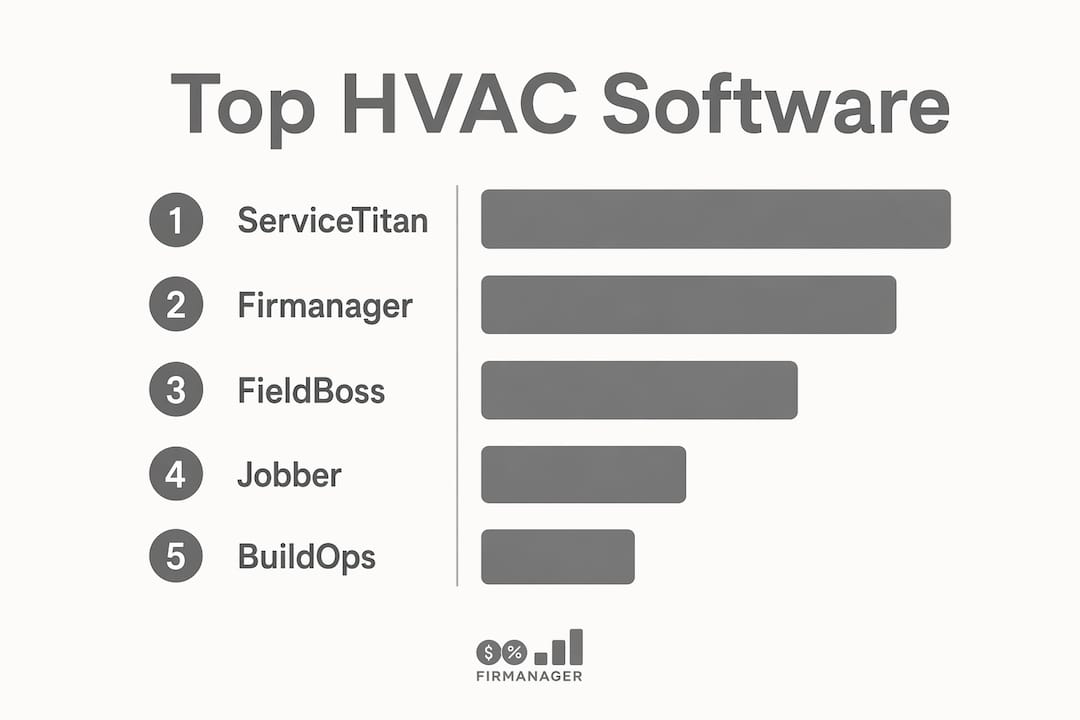
For most U.S. HVAC businesses that need dispatch, work orders, billing, and QuickBooks connectivity under one login, Firmanager is the recommended pick. It covers the full back-office stack, from route and dispatch management to invoicing with Stripe, HR, and real-time analytics, without requiring separate tools for each function. If your team runs on QuickBooks and you want a single platform your dispatcher and techs can both use from day one, Firmanager is where to start.
The runners-up each win a specific scenario:
- ServiceTitan — best for larger residential and commercial operations that need deep reporting and advanced back-office workflows.
- BuildOps — best for commercial HVAC contractors with project-based work orders and multi-phase jobs.
- FieldEdge — best for mid-market shops where parts and inventory control are the daily bottleneck.
- Jobber — best for small residential teams (under 10 techs) that need fast onboarding and simple invoicing.
- Housecall Pro — best for mid-sized residential shops that want customer self-scheduling and a polished mobile experience.
- FieldCamp — best for very small teams that want AI-assisted scheduling with minimal setup.
- WennSoft — best for large enterprise HVAC organizations with complex workforce and payroll requirements.
- FieldBoss — best for operations where constraint-based routing and fleet scheduling are the primary need.
Pro Tip: Before your first demo, pull your last 30 days of dispatch data: total jobs, average drive time per tech, and first-time fix rate. Those three numbers become your baseline for measuring ROI during any pilot.
Use the comparison table and buying checklist below to narrow your list to two or three options, then run a two-week pilot with real jobs before committing.
Table of Contents
- Best HVAC dispatch software at a glance
- Short profiles: which product fits your operation?
- What should you look for in HVAC dispatch software?
- What does HVAC dispatch software actually cost?
- Which integrations matter most for HVAC operations?
- How long does implementation actually take?
- How we evaluated these products
- Key Takeaways
- The real trade-off most HVAC owners miss
- Firmanager covers dispatch, billing, and back-office in one platform
- Useful sources and next steps
Best HVAC dispatch software at a glance
| Product | Best for | Pricing shape | Dispatch & scheduling | Technician mobile app | Integrations | Onboarding | Support | Scalability |
|---|---|---|---|---|---|---|---|---|
| Firmanager | Small to mid-market HVAC contractors | Tiered SaaS; free plan available | Drag-and-drop, route & dispatch, real-time ETA | Offline capable; work orders, invoicing, parts | QuickBooks, Stripe, CRM, SMS/email alerts | Fast; modular setup | Live support; onboarding included | Multi-location; HR, compliance, payroll |
| ServiceTitan | Large residential & commercial operations | Enterprise; custom quote | Advanced scheduling, AI dispatch, multi-board | Full-featured; offline mode | QuickBooks, ERP, CRM, telematics | Complex; 60–90 days typical | Dedicated success manager | Strong; multi-location, reporting |
| FieldBoss | Routing-first service fleets | Mid-market; per-user | Constraint-based routing, multi-stop | Parts lookup, job notes | ERP, QuickBooks | Moderate | Phone & email | Enterprise routing features |
| BuildOps | Commercial HVAC contractors | Commercial tier; custom quote | Work-order-driven dispatch, project scheduling | Project workflows, offline | ERP, QuickBooks, CRM | Moderate; 30–60 days | Onboarding team | Multi-location; project management |
| Jobber | Small residential teams (under 10 techs) | Per-user; low entry tier | Basic drag-and-drop calendar | Mobile invoicing, client hub | QuickBooks, Stripe | Very fast; same-day possible | Chat & email | Limited enterprise features |
| Housecall Pro | Mid-sized residential shops | Per-user; tiered | Drag-and-drop; customer self-scheduling | Mobile-first; customer notifications | QuickBooks, Stripe | Fast; 1–2 weeks | Chat, phone, onboarding | Moderate; good for residential growth |
| FieldEdge | Mid-market parts/inventory-heavy shops | Per-user; mid-market | Dispatch board, technician assignment | Parts lookup, service history | QuickBooks (deep), parts suppliers | Moderate | Phone & email | Mid-market; inventory focus |
| WennSoft | Large enterprise HVAC & mechanical | Enterprise; custom | Advanced scheduling, workforce management | Mobile field access | ERP, payroll, compliance | Complex; 90+ days | Enterprise support team | Full enterprise; payroll, compliance |
| FieldCamp | Very small teams (1–5 techs) | Low-cost entry; free trials common | AI-assisted scheduling, drag-and-drop | Basic mobile; scheduling focus | Limited; QuickBooks add-on | Very fast | Email & chat | Minimal; designed for small teams |

Trial and demo availability: Firmanager offers a free plan and tiered paid options. Jobber, Housecall Pro, and FieldCamp offer free trials. ServiceTitan, BuildOps, FieldBoss, FieldEdge, and WennSoft primarily offer guided demos rather than self-serve trials.
Short profiles: which product fits your operation?
Firmanager
Firmanager’s core advantage is breadth without complexity. Dispatch, work orders, route management, invoicing, parts and inventory, HR, and compliance all live in one platform. Your dispatcher assigns jobs and tracks routes; your techs complete work orders and capture signatures on the mobile app; your office syncs invoices directly to QuickBooks. There is no separate billing tool to reconcile and no standalone HR system to maintain.
Where Firmanager is strongest: small to mid-market HVAC contractors (roughly 5–50 techs) who want to stop stitching together separate tools. The QuickBooks and Stripe integrations are native, not bolted on, which matters when you are processing dozens of invoices a day. The free plan lets you evaluate core features before committing to a paid tier.
Where it is lighter: teams with 100+ techs running complex enterprise payroll or multi-union compliance may find WennSoft or ServiceTitan’s enterprise depth more appropriate for those specific workflows.
Week 1 pilot test: Assign five real jobs through the dispatch board, complete them on the mobile app, and push the invoices to QuickBooks. If that loop runs without manual re-entry, the integration is working.
ServiceTitan
ServiceTitan is the most widely deployed platform among large residential and commercial HVAC operations in the U.S. Its dispatch board, reporting suite, and back-office depth are genuinely strong. The trade-off is implementation complexity: most teams need 60–90 days and a dedicated project lead to go live. Pricing is enterprise-tier and requires a custom quote.
Week 1 pilot test: Run the dispatch board for one service zone and verify that technician skill filters and job-type routing work as configured.
FieldBoss
FieldBoss is built around constraint-based routing and fleet scheduling. If your primary pain point is routing efficiency across a large service fleet, it is worth evaluating. It is less focused on back-office breadth than Firmanager or ServiceTitan. Field service software alternatives that cover both routing and back-office may serve mixed-need teams better.
Week 1 pilot test: Build a multi-stop route for three techs and verify that constraint filters (certifications, parts on truck) apply correctly.
BuildOps
BuildOps targets commercial HVAC contractors with project-based workflows: multi-phase work orders, subcontractor coordination, and commercial billing. If your jobs run days or weeks rather than hours, BuildOps handles that structure well. For residential dispatch or small-team scheduling, it is more platform than you need.
Week 1 pilot test: Create a multi-phase work order, assign it across two techs, and confirm that billing milestones attach correctly.
Jobber
Jobber is the fastest platform to get running for a small residential shop. Onboarding can happen in a day. The drag-and-drop calendar, client hub, and QuickBooks sync cover the basics well. It does not offer deep route optimization or enterprise inventory management, but for a team under 10 techs, those gaps rarely matter. Jobber alternatives are worth reviewing if you anticipate growing past 15 techs within 12 months.
Week 1 pilot test: Schedule a full day’s jobs, send customer notifications, and collect payment through the mobile app.
Housecall Pro
Housecall Pro’s standout feature is customer self-scheduling, which reduces inbound call volume for residential shops. The mobile app is polished and the customer notification flow is one of the better implementations in this category. For residential-focused contractors, fast mobile check-in, parts lookup, and customer notifications typically matter more than enterprise payroll features, and Housecall Pro delivers on those priorities.
Week 1 pilot test: Enable customer self-scheduling for one service type and measure how many bookings arrive without dispatcher involvement.
FieldEdge
FieldEdge focuses on technician productivity: parts lookup from the truck, service history at a glance, and a deep QuickBooks integration that handles flat-rate pricing and parts invoicing. Mid-market shops where return trips caused by missing parts are a recurring cost will find the parts-management workflow genuinely useful.
Week 1 pilot test: Have a tech look up parts availability and add them to a work order from the mobile app, then verify the invoice in QuickBooks.
WennSoft
WennSoft is built for large HVAC and mechanical service organizations with enterprise workforce requirements: multi-union payroll, compliance tracking, and workforce management at scale. Implementation is complex and typically takes 90 or more days. It is not the right fit for teams under 50 techs.
Week 1 pilot test: Validate that payroll rules and certification flags apply correctly to a sample dispatch scenario.
FieldCamp
FieldCamp is a scheduling-first tool designed for very small teams. The AI-assisted scheduling suggestions and drag-and-drop calendar make it easy to learn. It lacks the back-office depth of Firmanager or the enterprise routing of FieldBoss, but for a 1–5 tech shop that just needs to get jobs on a calendar and send invoices, it is a low-friction starting point.
Week 1 pilot test: Schedule a full week of jobs using the AI suggestions and confirm that the mobile app delivers job details to techs correctly.
What should you look for in HVAC dispatch software?
Core dispatch features to require
- Drag-and-drop scheduling board with real-time technician availability.
- Constraint-aware auto-assign that filters by technician certification (EPA 608, for example), skill set, and parts on truck.
- Multi-stop route optimization to reduce total drive time across a shift.
- Job batching for recurring maintenance visits in the same geographic zone.
- Real-time ETA updates pushed to customers automatically, replacing wide service windows.
Operational must-haves
- Parts and inventory lookup from the mobile app, so techs confirm availability before leaving the warehouse.
- Offline mobile mode for jobs in basements, mechanical rooms, or areas with poor signal.
- EPA 608 certification flags and technician credential tracking visible to the dispatcher.
- Job notes, photos, and customer signature capture on the mobile app.
- Automated invoicing that pushes to QuickBooks without manual re-entry.
Integration and data requirements
- QuickBooks (or your accounting system): non-negotiable for most U.S. HVAC shops.
- Parts suppliers: reduces return trips caused by missing inventory information.
- Telematics or GPS: improves ETA accuracy and confirms technician location.
- CRM or customer portal: enables self-scheduling and automated service reminders.
- Payroll system: critical for teams with hourly techs and overtime rules.
Questions to ask every vendor during a demo
- How long does data migration take, and who owns the process?
- What is your API availability and documentation quality?
- What is your uptime SLA, and how do you handle outages during business hours?
- What support hours do you offer, and is phone support included in the base plan?
- What does the training package include, and is there a dedicated onboarding manager?
Red flags to watch for
- No offline mobile mode.
- Vague integration descriptions with no live demo of the QuickBooks sync.
- Pricing that requires a sales call before any figures are shared.
- Data migration handled entirely by the vendor with no buyer access to the process.
- No self-serve trial or sandbox environment.
What does HVAC dispatch software actually cost?
Pricing in this category varies widely by team size and feature depth. Here is a practical breakdown by tier:
- Small teams (1–10 techs): Entry-level tools like FieldCamp and Jobber typically start at low per-user monthly rates, and freemium models and low-cost first tiers are common for this segment. Firmanager’s free plan covers core features, with paid tiers scaling by seat count.
- Mid-market (10–50 techs): Platforms like Firmanager, Housecall Pro, and FieldEdge typically operate on per-user or tiered monthly billing. Expect to budget for integrations and any professional services for data migration.
- Enterprise (50+ techs): ServiceTitan, WennSoft, and BuildOps use custom enterprise pricing. Add-on fees for advanced routing, AI dispatch modules, telematics connectors, and dedicated success managers can add meaningfully to the base cost.
Beyond the subscription, factor in data migration, training time, and any professional services fees. Those costs are often as significant as the first year of software fees for a mid-market or enterprise deployment.
On ROI: Well-executed routing implementations commonly reach positive ROI within 6–18 months, driven by a 15–25% reduction in travel costs and measurable gains in technician utilization per shift. At 50+ techs, fleet-wide optimization replaces per-vehicle planning and the returns scale accordingly.
The three metrics that most reliably predict payback: reduction in total drive time per shift, increase in jobs completed per tech per day, and improvement in first-time fix rate. Track all three from day one of your pilot.
Which integrations matter most for HVAC operations?
Not all integrations deliver equal value. Prioritize by impact on daily dispatch outcomes:
Tier 1 (highest impact):
- QuickBooks — eliminates double-entry between field invoices and accounting. A native sync is meaningfully better than a CSV export workflow.
- Parts and inventory systems — parts visibility on the mobile app directly reduces return trips. QuickBooks and parts-inventory integrations are consistently cited as high-impact connections for HVAC operations.
- Telematics or AVL providers — live vehicle location improves ETA accuracy and lets dispatchers reroute in real time. Real-time ETA updates and proof-of-service capture reduce reliance on wide service windows and improve customer satisfaction.
Tier 2 (important for growth):
- CRM or customer portal — enables self-scheduling, automated reminders, and service history access for customers.
- Stripe or payment processors — mobile payment collection at job completion reduces accounts receivable lag.
- Route optimization add-ons — route-optimization add-ons can be deployed on top of existing FSM software via pre-built connectors, so you do not always need to replace your CRM to gain optimization benefits.
Tier 3 (enterprise-specific):
- ERP systems — relevant for large organizations managing procurement, multi-location inventory, and financial consolidation.
- Payroll platforms — critical when hourly techs, overtime rules, and union agreements are in play.
For small and mid-market teams, focus on QuickBooks, parts visibility, and a customer notification layer first. Enterprise teams should map their ERP and payroll dependencies before selecting a platform. Tools like MyAirCare demonstrate how purpose-built HVAC platforms can bundle these integrations for field teams without requiring a separate connector for each system.
How long does implementation actually take?
Realistic timelines depend on team size and data complexity. Here is a phased approach that works for most HVAC operations:
- Discovery (Week 1–2): Map your current dispatch workflow, identify data sources (customer records, equipment assets, pricebooks, parts inventory, technician certifications), and assign an internal project lead.
- Data export and cleanup (Week 2–3): Export customer records, service history, and pricebooks from your current system. Clean duplicates and standardize formats before import.
- Pilot (Week 3–5): Run one branch or 2–5 techs on the new platform with real jobs. Keep your old system running in parallel.
- Full rollout (Week 5–8): Expand to all techs once the pilot confirms the dispatch loop, mobile app, and QuickBooks sync are working correctly.
- Optimization (Month 3 onward): Review 30/60/90-day metrics, adjust routing rules, and schedule recurring training for new hires.
Data migration checklist:
- Customer records and contact history.
- Equipment and asset records (unit type, install date, service history).
- Pricebooks and flat-rate pricing tables.
- Parts inventory and supplier catalog.
- Technician certifications (EPA 608, manufacturer credentials).
- Open work orders and scheduled maintenance contracts.
Adoption tips that actually work:
- Designate one power user per branch who owns the platform and trains peers.
- Run parallel dispatch for 2–4 weeks so no job falls through during the transition.
- Set three concrete success metrics before go-live: drive time per shift, jobs per tech per day, and first-time fix rate.
- Schedule a 30-day review with your vendor’s onboarding team to address friction points before they become habits.
For most mid-market teams, plan for one internal project lead at roughly 50% of their time during the first four weeks, plus part-time IT support for data migration. Vendor success managers vary widely in availability; confirm what is included in your plan before signing.
Pro Tip: The work order software you use today likely holds your most valuable migration asset: service history tied to equipment records. Export that data first and verify it before anything else.
How we evaluated these products
Evaluation covered eight dimensions: dispatch capability and scheduling depth, route optimization (AI and constraint-based), mobile app completeness (offline mode, parts lookup, invoicing), integration quality (QuickBooks, ERP, CRM, parts suppliers), pricing transparency, onboarding complexity, support availability, and scalability for multi-location or enterprise operations.
Data sources used:
- Vendor product pages and feature documentation.
- Public case studies and independent review platforms.
- Guided vendor demos and hands-on product walkthroughs.
- Industry roundups and practitioner discussions, including Reddit’s HVAC community and published software comparison guides.
- Internal Firmanager product knowledge and blog research.
Evaluation criteria weighted by buyer impact:
- Dispatch and scheduling depth (highest weight for this audience).
- Mobile app completeness for field techs.
- QuickBooks and parts-inventory integration quality.
- Onboarding speed and self-serve trial availability.
- Pricing transparency and total cost of ownership.
Disclosure: Firmanager is the publisher of this article and is presented as the recommended all-in-one option for most small to mid-market HVAC businesses. That position reflects a genuine assessment of its feature breadth and integration depth for this audience. You should still request demos from two or three vendors on this list and run a pilot with real jobs before committing to any platform.
Manual dispatch typically becomes a bottleneck at around 15–20 techs per dispatcher; beyond that point, constraint-based routing or AI orchestration is required to maintain service-level performance without adding dispatcher headcount. That threshold is a practical guide for when to prioritize routing depth in your evaluation.
Key Takeaways
The right HVAC dispatch software depends on your team size, dispatch maturity, and back-office needs — but for most small to mid-market contractors, an all-in-one platform with native QuickBooks integration and a capable mobile app delivers the fastest path to measurable ROI.
| Point | Details |
|---|---|
| Team size drives the decision | 1–10 techs: prioritize ease of use and fast onboarding (Firmanager, Jobber, FieldCamp). 10–50 techs: require route optimization and QuickBooks sync. 50+ techs: evaluate enterprise routing and payroll depth. |
| ROI timeline is predictable | Routing implementations commonly reach positive ROI within 6–18 months via 15–25% travel-cost reductions and technician utilization gains. |
| Three pilot metrics matter most | Track drive time per shift, jobs per tech per day, and first-time fix rate from day one of your pilot. |
| Integration quality beats feature count | A native QuickBooks sync and parts-inventory visibility on mobile reduce invoicing errors and return trips more than any single scheduling feature. |
| Firmanager for all-in-one coverage | Firmanager covers dispatch, work orders, invoicing, HR, and QuickBooks/Stripe integration in one platform, with a free plan to evaluate before committing. |
The real trade-off most HVAC owners miss
The software decision that trips up most HVAC owners is not which platform has the best dispatch board. It is whether to buy an all-in-one platform or stack a best-of-breed routing tool on top of existing software.
The all-in-one argument is straightforward: one login, one data model, one vendor to call when something breaks. For a 15-tech residential shop, the operational simplicity of having dispatch, invoicing, and HR in the same system is worth more than marginal routing gains from a specialized add-on.
The best-of-breed argument is also real. Route-optimization add-ons can be deployed on top of existing FSM software via pre-built connectors. If you already have a CRM your team loves and a QuickBooks workflow that runs cleanly, adding a routing layer without replacing everything is a legitimate path.
Where the conventional wisdom breaks down is at the 20-tech threshold. Below that, most shops do not need fleet-wide AI optimization. Above 50 techs, the operational inflection point where routing optimization delivers outsized returns kicks in and a dedicated routing engine starts to justify its complexity. The middle band, roughly 20–50 techs, is where the all-in-one versus best-of-breed debate is genuinely close.
Two scenarios worth considering: A 20-tech regional contractor with mixed residential and light commercial work will almost always benefit more from a unified platform like Firmanager than from a specialized routing tool bolted onto a fragmented back office. A 6-tech residential shop that already runs QuickBooks and just needs scheduling and mobile invoicing should start with Jobber or FieldCamp and revisit the decision when the team grows.
The pilot is the only honest answer. Run two weeks of real jobs, measure the three metrics, and let the data decide.
Firmanager covers dispatch, billing, and back-office in one platform
Most HVAC software comparisons end with a list of tools and no clear path forward. Firmanager is built to be that path: dispatch and route management, work orders, invoicing with Stripe, QuickBooks sync, parts and inventory, technician mobile app, HR, and compliance tracking, all under one login.

For a 5–50 tech HVAC operation, that means your dispatcher, your techs, and your office team are all working from the same data in real time. No re-entry between field and accounting. No separate HR tool. No routing module that requires a separate vendor call to configure.
The free plan lets you test core dispatch and work-order features before committing to a paid tier. Paid plans scale by seat count, and onboarding support is included. To see how Firmanager fits your specific dispatch workflow, start your free plan or request a guided demo directly on the platform.
Useful sources and next steps
Use these resources to go deeper on specific platforms and prepare for vendor demos:
- Firmanager platform: firmanager.cloud — start the free plan or request a demo.
- Field service software comparison: Top 6 field service software alternatives — broader context on FSM platforms.
- Route optimization background: Best route optimization software — how routing engines work and what to evaluate.
- Workforce management context: Workforce management software alternatives — relevant for teams evaluating WennSoft or ServiceTitan’s workforce features.
- ServiceTitan: servicetitan.com — enterprise demo request.
- BuildOps: buildops.com — commercial contractor demo.
- Jobber: getjobber.com — self-serve trial available.
- WennSoft: wennsoft.com — enterprise contact and demo.
Suggested next steps:
- Pull your baseline metrics: drive time per shift, jobs per tech per day, first-time fix rate.
- Export your customer records, equipment assets, and pricebooks from your current system.
- Schedule demos with Firmanager and one or two runners-up from this list.
- Run a two-week pilot with 2–5 techs on real jobs before making a final decision.
Recommended
Run your whole business in one place
CRM, quotes, work orders, invoicing, expenses, HR and HSE — one login, every device. Free-forever plan.
Start free →