Best Sales Pipeline Software for Service Businesses
Best Sales Pipeline Software for Service Businesses
For U.S. service businesses, Firmanager is the top pick for sales pipeline management. It combines a visual CRM pipeline, automated invoicing with Stripe, work-order workflows, and a mobile field app in a single platform — no patchwork of disconnected tools required.
Why Firmanager stands out:
- Kanban-style pipeline with customizable deal stages that mirror your actual sales process
- Built-in invoicing and Stripe integration so quoting flows directly to payment
- Mobile app for field teams to log activity and update deals in real time
- Automated workflows that reduce manual data entry and keep forecasts accurate
- All-in-one platform covering CRM, work orders, HR, and financial reporting
Next step: Start a free trial or schedule a demo to see the full pipeline and service workflow in action.
Table of Contents
- What does sales pipeline software actually do for your team?
- Key features to look for in the best sales pipeline software
- How Firmanager maps to the must-have criteria for service businesses
- How do you choose the right sales pipeline software?
- What does a typical implementation timeline look like?
- What do pricing models look like for U.S. sales pipeline tools?
- What should you expect from vendor support and training?
- Key Takeaways
- Why we recommend Firmanager for service businesses
- Firmanager: what the demo includes and how to get started
What does sales pipeline software actually do for your team?
A sales pipeline system is your team’s single source of truth for every active deal. It tracks where each opportunity sits, what actions have been taken, and what needs to happen next. Without it, forecasts are built on memory and spreadsheets — neither of which ages well.

The link between automated activity capture and forecast accuracy is direct. When calls, emails, and meetings log themselves, your pipeline reflects reality. When reps enter data manually, it reflects optimism. A visual Kanban dashboard with automation reduces that gap by ensuring next steps are assigned and tracked without human intervention.
Three things reliable pipeline software delivers:
- Visibility: Every deal, every stage, every rep’s activity in one view
- Predictability: Automated logging produces forecasts you can actually act on
- Productivity: Workflow automation handles follow-up reminders and task creation so reps focus on selling
Here’s a concrete example: if deals consistently stall at the proposal stage, a good pipeline tool surfaces that pattern and can trigger an automatic follow-up task or alert the manager. That’s bottleneck detection working in real time rather than surfacing in a quarterly review.
Key features to look for in the best sales pipeline software
Not every feature matters equally. These are the capabilities that actually move outcomes for sales teams and service businesses:
- Visual pipeline (Kanban/stages): Drag-and-drop deal management across clearly defined stages
- Automation and workflows: Trigger follow-ups, task creation, and status updates without manual input
- Real-time activity logging: Automatic capture from email, calls, and meetings — without it, pipelines reflect guesses rather than reality
- Reporting and forecasting: Dashboards, alerts, and deal-gap analysis for managers
- Integrations: CRM, invoicing, work orders, and field service workflows connected in one system; disconnected systems create data silos that hurt forecasting
- AI assistants: Lead qualification, scheduling, follow-up drafting, and coaching summaries to scale smaller teams
- Customization: Multiple custom pipelines to match different services or customer journeys — not one rigid funnel
- Mobile and field access: Reps and technicians update deals on-site, not after the fact
- Security and compliance: Data protection standards relevant to U.S. operations
- Onboarding and support: Implementation help, training resources, and responsive support
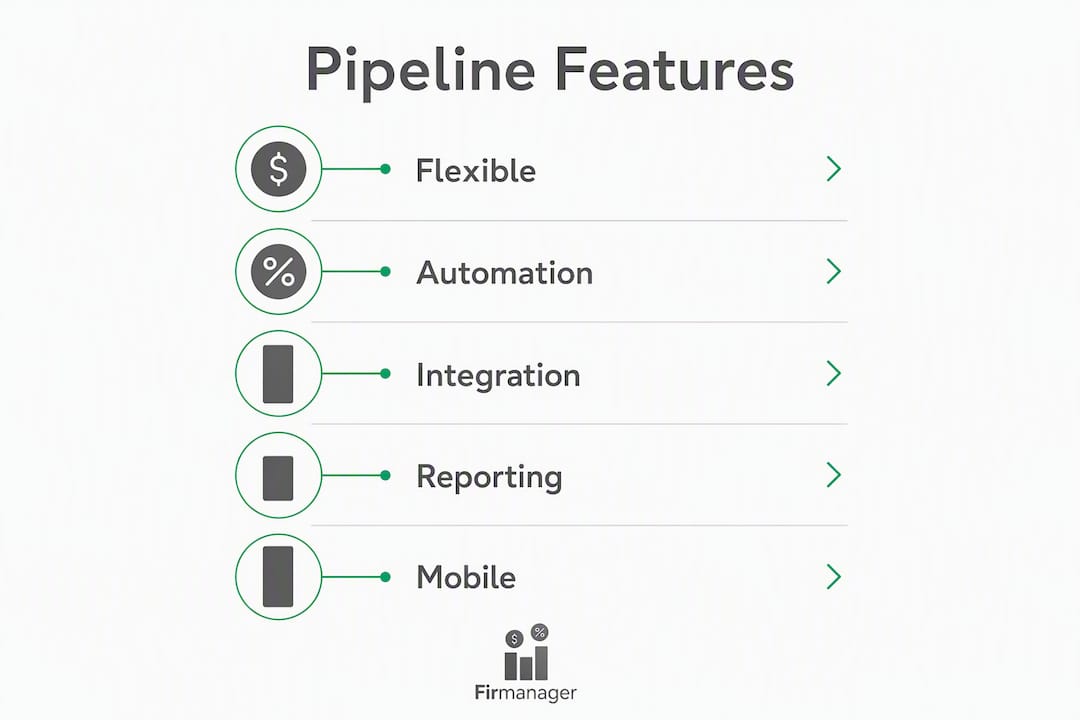
Quick evaluation checklist: Score each candidate tool 1–3 on pipeline flexibility, automation depth, integration coverage (especially invoicing and work orders), mobile capability, and support quality. Any tool scoring below 2 on integrations or automation is a risk for a service business.
How Firmanager maps to the must-have criteria for service businesses
Firmanager was built for service companies, which means the feature set goes beyond a standard CRM pipeline. Here’s how it maps to the evaluation dimensions:
| Dimension | Firmanager capability |
|---|---|
| Pipeline visualization | Kanban-style pipeline with customizable stages and deal tracking |
| Automation and logging | Automated workflows, task assignment, and real-time activity sync |
| Reporting and forecasting | Financial dashboards with real-time analytics and deal-stage reporting |
| Integrations | CRM, invoicing (Stripe), work orders, route/dispatch, and HR in one platform |
| AI and workflow assistants | Automated notifications via SMS and email; workflow triggers |
| Customization | Multiple configurable pipelines to match different service lines |
| Mobile and field access | Employee self-service mobile portal for field teams |
| Security and compliance | HSE compliance tracking; cloud-synced data with access controls |
| Pricing and trial | Free tier available; tiered subscription plans paid monthly or annually |
| Implementation and onboarding | Modular setup with guided configuration across all modules |
Concrete product benefits:
- One login covers CRM, work orders, invoicing, HR, and financial management
- Stripe integration connects the pipeline directly to payment collection
- Field teams access and update jobs from the mobile app without returning to the office
- Automated invoicing triggers after work-order completion, cutting billing lag
- Customizable pipelines let you model a residential service process differently from a commercial contract process
A service business that previously managed quotes in a spreadsheet, work orders in a separate app, and invoices in a third tool can consolidate all three into Firmanager. The result is fewer handoff errors, faster billing cycles, and a pipeline that reflects actual job status rather than a sales rep’s last manual update.
Pro Tip: If your team manages work orders and field dispatch alongside sales, prioritize a platform where those workflows share data with the pipeline — not one that requires a separate integration to connect them.
How do you choose the right sales pipeline software?
Step-by-step selection checklist:
- Map your current sales process and identify every stage from first contact to closed invoice
- List the integrations you cannot live without (invoicing, work orders, calendar, email)
- Require automated activity capture — manual entry is a forecast reliability risk
- Test mobile access with a field rep before committing
- Validate security practices and data residency for U.S. compliance requirements
Questions to ask in a vendor demo:
- How does the system capture activity from email and calls — automatically or manually?
- Can we configure multiple pipelines for different service lines?
- What does the API or native integration look like for our invoicing and work-order tools?
- What onboarding support is included, and what’s the typical time to go live?
- What is the SLA for uptime, and how is data backed up?
Red flags to watch for:
- Rigid, single-pipeline structure with no customization
- Heavy reliance on manual data entry for deal updates
- No offline or mobile capability for field teams
- Invoicing and financial reporting require a separate tool entirely
Pilot KPIs for the first 30–90 days: time saved on administrative tasks per rep per week, deal velocity (average days per stage), forecast accuracy (predicted vs. actual closed revenue), and win rate change from baseline.
What does a typical implementation timeline look like?
Most service businesses can go live with a well-configured pipeline tool in four to eight weeks. Here’s a realistic phase breakdown:
- Week 1–2 (Discovery and mapping): Document current pipeline stages, data fields, and integration requirements
- Week 2–3 (Data migration): Import contacts, deals, and historical records from spreadsheets or prior tools
- Week 3–4 (Configuration): Build pipeline templates, set automation rules, and configure invoicing and work-order connections
- Week 4–5 (Integrations): Connect email, calendar, Stripe, and any field service tools
- Week 5–6 (Pilot): Run a small group of reps through live deals; collect feedback and adjust
- Week 6–8 (Full rollout): Train remaining team members and activate all automations
Onboarding checklist: admin account setup, pipeline stage templates, contact and deal import, automation rule configuration, rep training sessions, and a 30-day check-in with the vendor’s support team. Involve your sales manager, a field rep, and your finance contact from day one — their input on pipeline stages and invoicing triggers saves rework later.
By day 90, you should see measurable reductions in manual data entry time and improved forecast accuracy as automated logging replaces spreadsheet updates.
What do pricing models look like for U.S. sales pipeline tools?
Most pipeline and CRM platforms in the U.S. market use per-seat, tiered subscription pricing. Entry-level plans typically cover basic pipeline visualization and contact management. Higher tiers unlock automation, AI assistants, advanced reporting, and deeper integrations — the features that actually drive forecast accuracy and team productivity.
Free tiers and free trials are common. Use the trial period to test automated activity capture, mobile access, and at least one integration (invoicing or work orders) with real data from your team. A trial that only tests the pipeline view misses the features that determine long-term value.
Firmanager offers a free option alongside tiered paid plans billed monthly or annually based on seats and usage. To get a quote matched to your team size and service workflows, request pricing or a demo directly from the Firmanager team.
What should you expect from vendor support and training?
Support quality separates tools that get adopted from tools that get abandoned. Look for vendors that offer structured onboarding, not just a help center. The best platforms provide live onboarding sessions, video training libraries, and a dedicated contact for the first 60–90 days.
For service businesses with field teams, training needs to cover both the desktop pipeline and the mobile app. Reps who never learn to log activity from the field will revert to manual updates, which defeats the purpose of automated logging.
Ask vendors specifically about their response time SLA for support tickets, whether onboarding is included in the base plan or priced separately, and whether they offer ongoing training as your team grows. A platform with strong compliance management and security documentation also signals a vendor that takes its operational responsibilities seriously.
Key Takeaways
For U.S. service businesses, the best sales pipeline software combines visual deal tracking, automated activity logging, and native service workflows in one platform — Firmanager delivers all three.
| Point | Details |
|---|---|
| Automation drives forecast accuracy | Automated activity capture replaces manual entry and produces reliable pipeline data. |
| Integration coverage is non-negotiable | Pipeline tools must connect to invoicing, work orders, and field workflows to prevent data silos. |
| Customization matches your process | Multiple configurable pipelines let you model different service lines without forcing a rigid funnel. |
| Pilot with real KPIs | Measure admin time saved, deal velocity, and forecast accuracy in the first 30–90 days. |
| Firmanager for service businesses | Firmanager combines CRM, pipeline, Stripe invoicing, and field service workflows in one platform with a free tier available. |
Why we recommend Firmanager for service businesses
Most sales pipeline tools are built for pure sales teams — they handle deals well but fall apart the moment a service business needs to connect a closed deal to a work order, dispatch a technician, or generate an invoice automatically. That gap forces teams to maintain two or three separate systems, which means data never stays in sync and forecasts are always a step behind reality. Firmanager closes that gap by treating the pipeline as one module in a complete operational platform, not a standalone CRM bolted onto everything else. For U.S. service businesses that need their sales process and their service delivery to share the same data, that architecture is the right call.
Firmanager: what the demo includes and how to get started
If you run a service business and your pipeline lives in a spreadsheet while your invoices live somewhere else, Firmanager is the direct fix. One platform covers your CRM, sales pipeline, work orders, invoicing, and field team access — with a free tier to get started and no requirement to buy modules you don’t need yet.

What a Firmanager demo includes:
- Full pipeline walkthrough with Kanban stages and deal customization
- Integrations review covering Stripe, work orders, and field dispatch
- Sample work-order-to-invoice flow showing how a closed deal becomes a paid job
- Implementation timeline estimate based on your team size and current tools
Firmanager’s all-in-one platform is available with a free option for teams ready to consolidate their sales and service operations. To see pricing for your seat count or to schedule a live walkthrough, visit firmanager.cloud and request a demo.
Recommended
Run your whole business in one place
CRM, quotes, work orders, invoicing, expenses, HR and HSE — one login, every device. Free-forever plan.
Start free →