Mobile Job Management: A Practical Guide for Field Teams
Mobile Job Management: A Practical Guide for Field Teams
Mobile job management is the set of tools that let field teams schedule, dispatch, execute, and close out work orders from a phone or tablet instead of paperwork or a desktop back at the office. If you’re evaluating options, the single best move is to run a timeboxed pilot of a few weeks with one crew, testing three things: scheduling accuracy, offline mobile execution, and dispatching speed. Watch how it affects your first-time fix rate (FTFR), the percentage of jobs resolved without a return visit, since that number tells you more about a tool’s real-world fit than any feature list.
A handful of platforms, including Firmanager, now build AI-assisted scheduling and dispatching into that workflow, matching technicians to jobs based on skill, location, and availability rather than a dispatcher’s memory.
Before you commit budget or training time, know what to look for:
- A mobile app that works offline, not just “mostly online”
- Real-time dashboards that show job status without a phone call
- Native invoicing so a completed job becomes a paid invoice faster
- Integration paths into your existing CRM or accounting software
Key Takeaways
Mobile job management works best when scheduling, offline mobile execution, and invoicing run inside one connected system rather than several disconnected apps.
| Point | Details |
|---|---|
| Start with a pilot | Test scheduling, offline execution, and dispatching with one crew for 4 to 8 weeks before scaling. |
| Track first-time fix rate | FTFR reveals whether technicians have the asset data and parts they need before arriving. |
| Test offline mode for real | Put a device in airplane mode during your pilot to confirm sync doesn’t break job data. |
| Match features to crew size | Small teams need fast mobile invoicing; larger crews need skills-based dispatch and ERP integration. |
| Firmanager as the connected option | Firmanager combines scheduling, mobile execution, invoicing, and inventory under one login, reducing the integration gaps that fragmented tool stacks create. |
Table of Contents
- What Does Mobile Job Management Cover?
- Which Features Actually Matter When Choosing Software?
- What Business Results Should You Expect?
- How Do You Roll Out Mobile Job Management Without Disrupting Operations?
- How Firmanager Covers the Mobile Job Management Checklist
- What Should You Understand Before Buying and Rolling Out Mobile Job Management?
- Ready to Test Mobile Job Management in Your Own Operation?
- Frequently Asked Questions
- Sources
What Does Mobile Job Management Cover?
Mobile job management spans the entire life of a job, from the moment a customer calls to the invoice landing in their inbox. Four stages define that lifecycle: capture and booking, scheduling and dispatch, mobile execution on-site, and completion with invoicing and reporting. Each stage needs its own set of tools, and a gap in any one of them creates a bottleneck somewhere else.
It’s worth separating this from mobile workforce management, a related but distinct category focused on scheduling labor, tracking compliance, and managing time off. Mobile job management is about the work itself: the forms a technician fills out, the asset history they pull up on-site, the photos they attach before leaving.
Here’s how the stages map to daily use:
- Capture and booking: a call or web request becomes a scheduled job with customer and site details attached.
- Scheduling and dispatch: the right technician gets assigned based on skill, location, and route efficiency.
- Mobile execution: the tech opens the job scheduling app on-site, fills out dynamic forms, photographs the work, and captures a signature.
- Completion and reporting: the job closes, an invoice generates, and the manager sees the update on a live dashboard without waiting for an end-of-day call.
A crew working on a busy Tuesday shouldn’t need to phone the office to confirm a job is done. The dashboard should already know.
Which Features Actually Matter When Choosing Software?
Not every feature on a vendor’s website earns its place in your daily operation. Some are essential, some are situational, and a few are marketing dressing. Start with the non-negotiables.
Core features that carry the operation:
- Offline-first mobile app that keeps working when a job site has no signal
- Dynamic work-order templates and custom forms for different job types
- Scheduling and dispatch tools that account for technician skill and current capacity
- Route optimization to cut drive time between jobs
- Parts and inventory tracking synced to the job in progress
- Mobile invoicing with payment capture on-site
- Subcontractor workflows for teams that lean on outside labor
- API connectors into CRM, ERP, or accounting software
- Security controls including role-based access and encrypted data sync
How you prioritize this list depends on your size. A two-truck operation cares most about fast booking and mobile invoicing, closer to the phone-first approach JobUp built its product around, where SMS confirmations and quick job creation matter more than deep ERP integration. A 40-technician operation, on the other hand, needs skills-based dispatch, parts inventory tied to multiple warehouses, and API connectors into an existing accounting stack. Enterprise platforms like Salesforce Field Service lean into pre-work briefs and asset context precisely because larger crews juggle more equipment history per job.
Offline capability deserves special scrutiny. Vendors like REM Logics build real-time sync specifically because field crews routinely lose signal in basements, rural areas, and steel-frame buildings, and a job management tool that stalls out in a dead zone defeats its own purpose.
Pro Tip: During your pilot, put a phone in airplane mode, complete a full job form with photos, then reconnect and watch how the sync resolves. If it overwrites data or throws an error, that’s a dealbreaker, not a minor bug.
What Business Results Should You Expect?
The value of mobile job management shows up in numbers you can track weekly, not in vague claims about efficiency. Five metrics matter most: first-time fix rate, average travel minutes per job, jobs completed per technician per day, days sales outstanding (DSO) on invoicing, and schedule adherence.
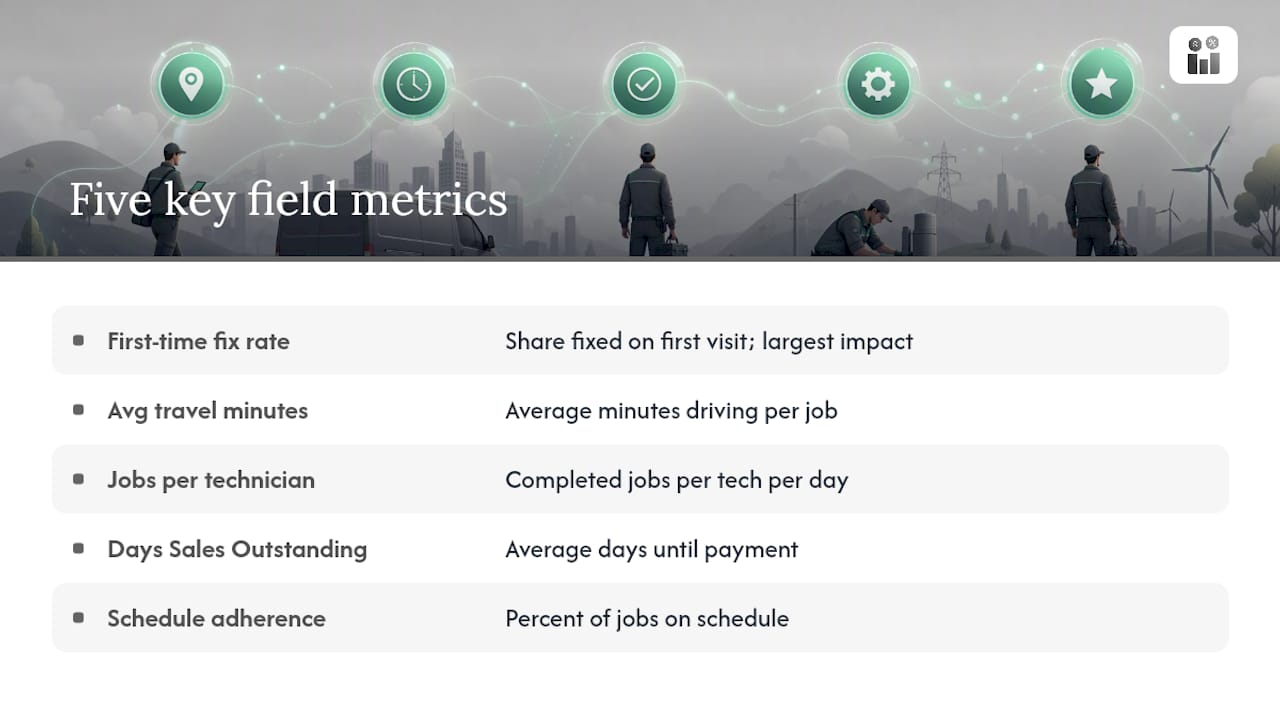
First-time fix rate tends to move first and move most. When a technician can see asset history and job notes before arriving, they show up with the right parts instead of guessing. ServiceNow’s field service materials describe this pattern directly: AI-guided dispatch that surfaces asset history and matches the right technician to the job improves first-time resolution because the tech isn’t troubleshooting blind.
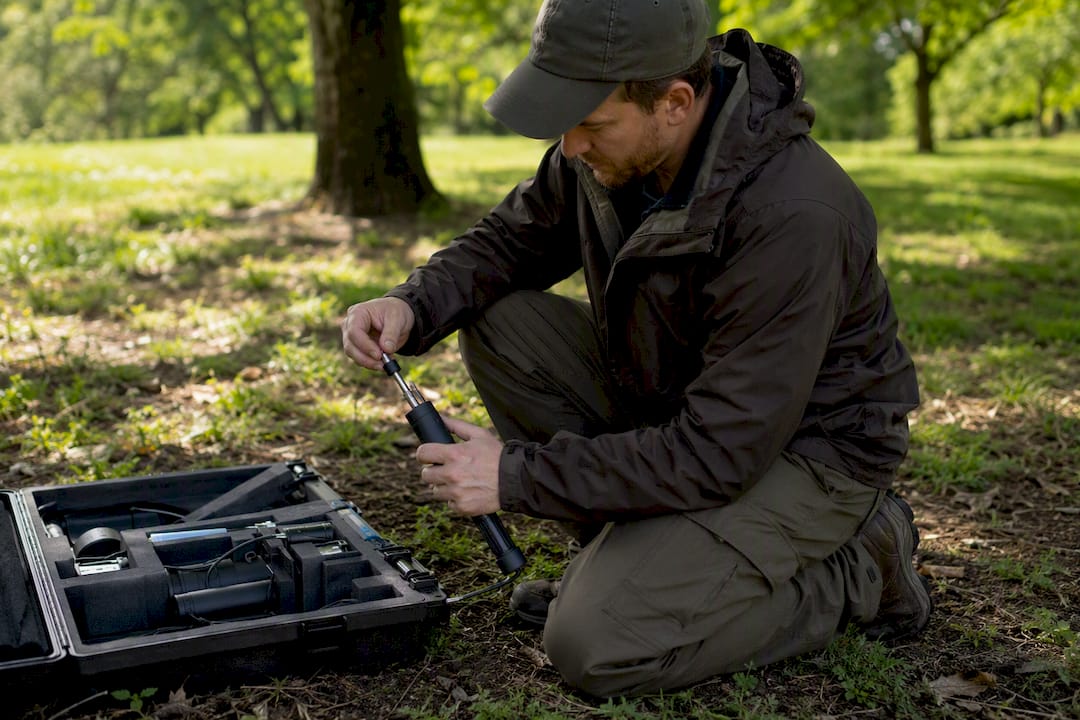
Faster invoicing follows a similar logic. A job that closes on-site with a signature and an instant invoice gets paid faster than one waiting for a paper form to reach the office. That shift shows up in your DSO figure within a billing cycle or two.
Reviewers tracking platforms like ServiceNow’s field service tools point to AI-assisted scheduling as a real lever for reducing dispatcher workload and improving assignment accuracy, though the actual gain depends heavily on your job mix and how disciplined your team is about entering data. Track the metric yourself during your pilot rather than assuming a vendor’s general claim applies to your operation.
How Do You Roll Out Mobile Job Management Without Disrupting Operations?
A rollout that skips steps costs more in the long run than one that takes an extra week upfront. Four phases keep the process controlled:
- Plan (1 to 2 weeks): define which crews pilot first, map your current work-order fields, and list which integrations (accounting, CRM) are must-haves versus nice-to-haves.
- Pilot (4 to 8 weeks): run the tool with one or two representative crews, including at least one that regularly works in low-signal locations.
- Iterate (4 weeks): fix workflow gaps the pilot surfaced, retrain on anything that confused technicians, and finalize your form templates.
- Scale (quarterly rollout): expand crew by crew or region by region rather than switching every technician over on the same day.
Cost isn’t just the subscription. Seat count, device policy (company phones versus bring-your-own), integration complexity, and how much historical data you need to migrate all factor into the real budget. A business running everything through spreadsheets today will spend more time on data migration than one already using a basic CRM.
Your pilot checklist should include:
- Test offline mode in an actual dead zone, not just theoretically
- Validate route optimization against your team’s own knowledge of traffic patterns
- Measure first-time fix rate and technician time saved before and after
- Collect direct feedback from the technicians using it, not just the managers watching dashboards
The most common failure isn’t picking the wrong software. It’s under-training field staff, skipping the accounting integration because it seemed optional, or handing a small crew an enterprise tool built for problems they don’t have.
How Firmanager Covers the Mobile Job Management Checklist
Firmanager was built as an all-in-one platform for service businesses, which means the mobile job management pieces aren’t bolted onto a separate CRM or invoicing tool. Scheduling, dispatch, mobile execution, invoicing, and inventory all live under a single login, synced across devices in real time.
| Checklist Item | How Firmanager Handles It |
|---|---|
| Scheduling and dispatch | Route and dispatch management with real-time job assignment |
| Mobile execution | Employee self-service mobile portal with forms, photos, and job tracking |
| Invoicing | Automated invoicing with Stripe integration for on-site payment capture |
| Inventory and supplier tracking | Supplier and product management tied to active work orders |
| Compliance and safety | Built-in HSE compliance tracking across job sites |
| Reporting | Real-time financial analytics visible across devices |
Onboarding typically starts with importing existing customer and job data, setting up your team’s roles and permissions, and connecting any accounting integrations you already rely on. A short pilot or demo lets you test scheduling accuracy, offline mobile execution, and invoicing speed on real jobs before committing your whole team, the same three variables the opening of this guide recommended validating first.
What Should You Understand Before Buying and Rolling Out Mobile Job Management?
The clearest finding across this guide is that mobile job management succeeds when offline execution, real-time dispatch, and integrated invoicing work together under one login rather than as separate tools stitched together.
Most buying guides treat mobile job management as a feature checklist: does it have offline mode? Does it have route optimization? Does it integrate with your accounting software. That framing misses the bigger issue. The failure point in most rollouts isn’t a missing feature. It’s fragmentation, one app for scheduling, another for invoicing, a third for inventory, none of them talking to each other in real time.

Conventional advice tells operations managers to pick “best in class” tools for each function and stitch them together with integrations. That works fine in a slide deck. In practice, every integration point is a place where sync fails, data lags, or a technician sees outdated job status because two systems updated at different times. A dispatcher working off stale information makes worse decisions than one working off no system at all.
What should you prioritize first? Not the longest feature list, the tightest one. A single platform where scheduling, mobile execution, and invoicing share the same data in real time will outperform a best-of-breed stack for most service businesses under 100 employees, simply because there’s less that can break between systems. Firmanager’s modular, single-login design reflects that priority directly.
Ready to Test Mobile Job Management in Your Own Operation?
Firmanager gives you one place to run scheduling, dispatch, mobile execution, invoicing, and inventory instead of juggling separate apps that each solve one piece of the job. That matters most for service businesses tired of re-entering the same job data three times before it reaches an invoice.

Where a phone-first tool like the ones covered earlier in this guide handles booking and mobile invoicing well, Firmanager extends that same mobile access into CRM, HSE compliance, HR, and financial reporting, all synced across devices under a single login. If your team is outgrowing a single-purpose app, or your current setup means switching between three logins just to close one job, that’s the gap Firmanager was built to close.
Start with a short pilot: import a sample of your active jobs, set up one crew, and run scheduling, offline mobile execution, and invoicing through a real week of work. You can request a demo or start a trial on Firmanager’s platform to see how it handles your specific job types before rolling it out further.
Frequently Asked Questions
What is mobile job management, in simple terms? It’s the software and mobile app combination that lets field crews receive, execute, and close out work orders from their phone, including forms, photos, signatures, and invoicing, without returning to an office.
How is mobile job management different from field service management software? Field service management software is the broader category. Mobile job management specifically refers to the mobile-facing tools technicians use on-site: forms, offline access, and job status updates that feed back into the larger system.
Do I need offline support if my crews mostly work in cities with good signal? Yes. Even strong coverage areas have dead zones inside buildings, basements, and parking structures, and a single failed sync during a job can cost more time than the feature costs to include.
How long does it take to implement mobile job management? A basic pilot with one or two crews typically runs 4 to 8 weeks. Full rollout across a larger team usually happens in phases over one or two quarters, depending on integration complexity.
What should a small service business prioritize first? Fast mobile booking and on-site invoicing matter most for small crews. Skills-based dispatch and deep ERP integration become more important as the team and job complexity grow.
Sources
- G2 — ServiceNow Field Service Management reviews
Recommended
Run your whole business in one place
CRM, quotes, work orders, invoicing, expenses, HR and HSE — one login, every device. Free-forever plan.
Start free →