Best Workiz Alternatives for Small Service Businesses
Best Workiz Alternatives for Small Service Businesses
For most small-to-mid-size service businesses, the strongest starting shortlist comes down to four options: Housecall Pro for solo and small home-service operators, Jobber for growing field teams that need clean client management, ServiceTitan for trade contractors who need enterprise-grade reporting, and Firmanager as the recommended all-in-one alternative for service businesses that want integrated CRM, invoicing, dispatch, and compliance without enterprise pricing.
- Housecall Pro — best for solo contractors and small home-service teams; strong mobile UX, but pricing scales quickly past 1–2 technicians
- Jobber — best for growing SMBs managing client relationships and recurring jobs; limited built-in call tracking
- ServiceTitan — best for established HVAC, plumbing, and electrical companies needing deep reporting; custom pricing and a steep onboarding curve
- FieldEdge — best for trade-focused businesses that want QuickBooks-native integration; narrower feature set outside trades
- Service Fusion — best for mid-size teams wanting flat-rate pricing with GPS dispatch; fewer AI/automation features
- Joist — best for solo contractors focused on fast estimates and invoices; not a full field service platform
- Firmanager — recommended all-in-one alternative for service businesses that want CRM, work orders, HSE compliance, and real-time analytics in a single platform with transparent tiered pricing
The comparison table below covers all seven across the dimensions that drive real buying decisions.
Table of Contents
- How do these Workiz alternatives compare side by side?
- What each alternative actually does best (and where it falls short)
- Why do service businesses look for Workiz alternatives?
- How do you choose the right Workiz alternative for your business?
- Why Firmanager is a strong Workiz alternative
- Key Takeaways
- The case for being deliberate about your next platform
- Firmanager gives you a clear path to get started
- Useful sources and next steps
How do these Workiz alternatives compare side by side?
The table maps each platform across the nine dimensions that matter most when you’re evaluating a switch. Pricing estimates reflect publicly available starting tiers; “custom quote” means the vendor does not publish rates.
| Platform | Best for | Starting price / model | Core features | Communications | Integrations | Ease of use | Support & onboarding | Scalability | Free trial / demo |
|---|---|---|---|---|---|---|---|---|---|
| Housecall Pro | Solo/small home services | ~$79/mo, tiered per user | Scheduling, dispatch, mobile app, invoicing | SMS/email automation; limited AI calling | QuickBooks, Stripe, Zapier | Low learning curve | Chat, phone, onboarding coach | SMB to mid-market | Free trial available |
| Jobber | Growing SMBs, recurring jobs | ~$49/mo, tiered | Scheduling, CRM, quoting, invoicing, mobile | SMS/email automation; no native call tracking | QuickBooks, Stripe, Zapier, Mailchimp | Low-to-moderate | Chat, email, help center | SMB to mid-market | Free trial available |
| ServiceTitan | Enterprise trade contractors | Custom quote, per-tech | Full dispatch, reporting, memberships, pricebook | Call recording, AI scheduling assist | QuickBooks, Sage, custom API | Steep learning curve | Dedicated onboarding team | Mid-market to enterprise | Demo only |
| FieldEdge | Trade businesses (HVAC, plumbing) | Custom quote | Dispatch, QuickBooks sync, service agreements | Call tracking available | QuickBooks (deep native) | Moderate | Phone, onboarding | Mid-market | Demo only |
| Service Fusion | Mid-size teams, GPS dispatch | ~$225/mo flat rate | Scheduling, GPS, invoicing, inventory | SMS notifications; limited AI | QuickBooks, payment processors | Moderate | Phone, email | SMB to mid-market | Demo available |
| Joist | Solo contractors, fast estimates | Free tier; ~$16/mo paid | Estimates, invoices, basic job tracking | Email only | Limited (Stripe payments) | Very low | Email, help docs | Solo to small team | Free tier available |
| Firmanager | All-in-one service businesses | Tiered, free option available | CRM, work orders, dispatch, invoicing, HSE, analytics | SMS/email notifications, real-time alerts | Stripe, open API | Low-to-moderate | Guided onboarding, mobile portal | SMB to mid-market | Free plan + demo |
Pricing snapshot by team size:
- Solo contractor: Joist (free tier) or Firmanager (free plan) for basic operations; Jobber at ~$49/month for client management
- Small team (2–5 technicians): Housecall Pro (~$79/month for entry tier), Jobber (higher tiers have published pricing available), or Firmanager’s paid tiers
- Mid-size team (6–20 technicians): Service Fusion (~$225/month flat rate), ServiceTitan or FieldEdge (custom quote), or Firmanager’s mid-tier plans
Transparent tiered pricing is a real differentiator at the SMB level. Vendors like Housecall Pro and Jobber publish their rates; ServiceTitan and FieldEdge require a sales call before you see a number.
What each alternative actually does best (and where it falls short)
Housecall Pro
Pros:
- Clean, fast mobile app that technicians adopt quickly
- Built-in online booking, automated review requests, and payment processing
- Strong customer communication tools including automated SMS and email follow-ups
Cons:
- Pricing increases as you add more users beyond the base tier
- Reporting depth is limited compared to enterprise platforms
Pricing: Starts around $79/month; scales per user tier. Free trial available.
Best for: Small home-service businesses (cleaning, landscaping, pest control) with 1–5 technicians who prioritize mobile ease of use.

Jobber
Pros:
- Polished client hub that lets customers self-schedule, approve quotes, and pay online
- Solid recurring job management and automated follow-up sequences
- Clean QuickBooks and Stripe integrations
Cons:
- No native call tracking or AI answering; inbound call workflows require third-party tools
- Advanced reporting requires higher-tier plans
Pricing: Starts around $49/month for a single user; team plans run higher. Free trial available.
Best for: Growing service businesses with a strong client-relationship focus, especially those managing recurring agreements.

ServiceTitan
Pros:
- Deep pricebook, membership management, and multi-location dispatch
- Call recording and AI-assisted scheduling are built in at higher tiers
- Extensive third-party integrations and a large partner ecosystem
Cons:
- Custom pricing with no published rates; onboarding fees can be substantial
- Significant learning curve; smaller teams often find it over-built for their needs
Pricing: Custom quote, typically per-technician. Demo required.
Best for: Established HVAC, plumbing, and electrical contractors with 10+ technicians who need enterprise reporting and membership billing.
FieldEdge
Pros:
- Native QuickBooks sync is among the tightest in the category
- Service agreement and maintenance contract management built in
- Call tracking available as part of the platform
Cons:
- Custom pricing with no public rate card
- Feature set is narrower outside core trade verticals
Pricing: Custom quote. Demo required.
Best for: Trade-focused businesses (HVAC, plumbing) where QuickBooks is the financial backbone and service agreements drive recurring revenue.
Service Fusion
Pros:
- Flat-rate pricing model is predictable regardless of technician count
- GPS fleet tracking and dispatch built in
- Covers estimates, invoicing, inventory, and customer management
Cons:
- AI and voice automation features are limited compared to newer platforms
- Mobile app reviews are mixed on performance and reliability
Pricing: Starts around $225/month flat rate. Demo available.
Best for: Mid-size service teams that want predictable monthly costs and GPS dispatch without per-user fees.
Joist
Pros:
- Free tier makes it accessible for solo operators with no budget
- Fast estimate-to-invoice workflow with a minimal learning curve
- Stripe payment processing built in
Cons:
- Not a full field service management platform; lacks scheduling, dispatch, and CRM
- Limited scalability beyond a solo or two-person operation
Pricing: Free tier available; paid plans start around $16/month.
Best for: Solo contractors who need a fast, simple tool for estimates and invoices and aren’t yet ready for a full platform.
Firmanager
Pros:
- Covers CRM, work orders, invoicing (Stripe), route and dispatch, HSE compliance, and employee self-service in one platform
- Real-time analytics and live dashboards give managers visibility across operations and finance
- Free plan available; transparent tiered pricing scales with your team
Cons:
- Newer platform with a smaller user community than established players
- Some advanced trade-specific features (deep pricebook, multi-location enterprise dispatch) are still maturing
Pricing: Free plan available; paid tiers scale by seats and usage. No custom-quote barrier.
Best for: Service businesses that want an all-in-one platform covering operations, finance, and compliance without the cost and complexity of enterprise tools.
Pro Tip: Before your demo, ask each vendor to walk you through their mobile app on a real device with a sample job. How a technician closes out a job in the field, captures a signature, and triggers an invoice tells you more than any slide deck.
Why do service businesses look for Workiz alternatives?
Workiz is well-regarded for its caller-ID and voice workflow features, which automatically create jobs from inbound calls. That’s a genuine differentiator for on-demand trades where the phone drives new work. But several common triggers push businesses to look elsewhere.
Pricing that scales aggressively. Third-party pricing write-ups estimate Workiz tiers can reach $200–$350/month for small teams, with additional fees for payments and call features. As you add users or activate add-ons, the monthly cost can outpace the value for teams that don’t rely heavily on the call-automation features.
Missing integrations or feature gaps. Teams that need deep QuickBooks sync, recurring service agreement management, or HSE compliance tracking often find Workiz’s integration library too thin. Businesses running facility-heavy or compliance-driven operations hit this ceiling quickly.
Performance and scale limits. Businesses that grow past a certain technician count sometimes encounter performance or scaling constraints, pushing them toward either an enterprise-grade platform or a lighter, lower-cost tool with a better daily UX.
No built-in AI answering for high-call-volume trades. While Workiz has caller-ID features, some HVAC and emergency service providers need 24/7 AI booking agents that capture missed calls and convert them automatically. AI voice assistants have become a competitive axis in field service, and not every platform handles this equally.
Which alternative category fits which pain point:
- Aggressive pricing: Move to Jobber, Firmanager, or Service Fusion for more predictable cost structures
- Feature gaps (compliance, CRM depth): Firmanager covers HSE, CRM, and financial analytics in one platform
- Scale and enterprise reporting: ServiceTitan or FieldEdge for trade contractors with 10+ technicians
- Caller-ID and voice-first workflows: Evaluate platforms with native call tracking or pair your platform with a dedicated automated voice messaging integration
- Simplicity and low cost: Joist or Housecall Pro for small teams that don’t need a full operations suite
How do you choose the right Workiz alternative for your business?
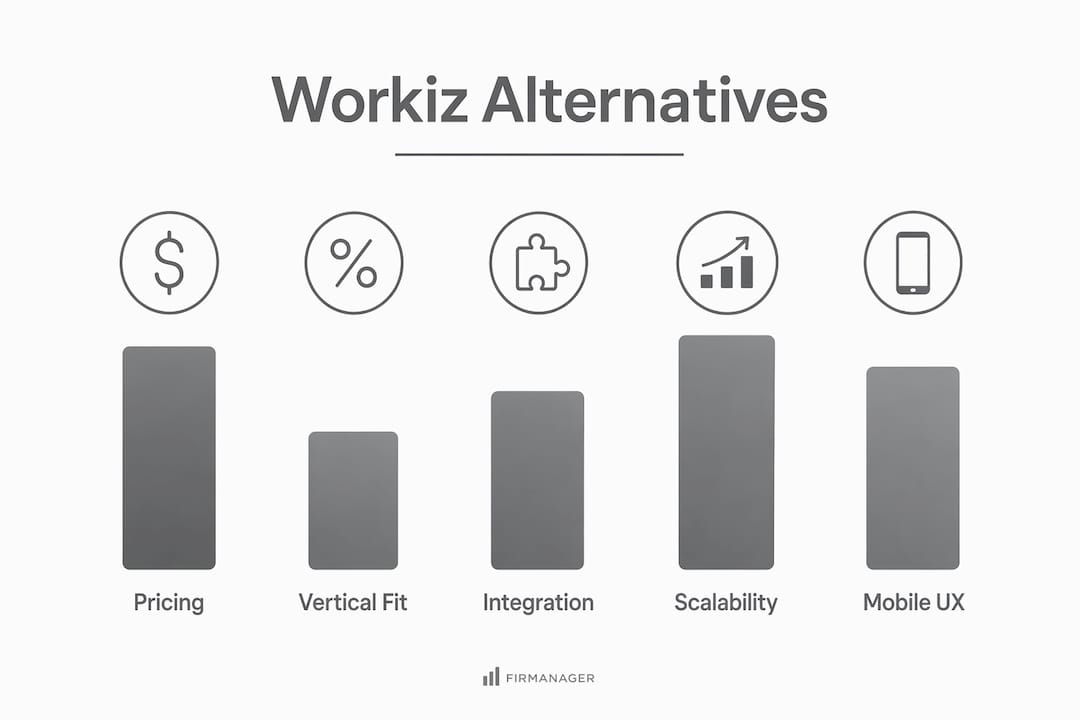
The right platform depends on five variables: technician count, vertical fit, integration requirements, call-handling needs, and budget shape. Work through these in order before you talk to a vendor.
Decision criteria for SMBs
- Technician count and growth trajectory. Per-technician pricing models can become expensive fast. If you’re at 5 technicians today but expect 15 in two years, model the cost at scale, not just at entry.
- Vertical fit. HVAC, plumbing, and electrical businesses benefit from trade-specific pricebooks and service agreement tools. General home services (cleaning, landscaping) need simpler scheduling and client communication.
- Integration requirements. QuickBooks or Xero sync, Stripe or payment processor support, and CRM connections are non-negotiable for most teams. Confirm these work natively, not just via Zapier.
- Call-handling needs. If inbound calls are your primary lead source, test call tracking and AI answering during the pilot. AI features and voice automation are now a central competitive axis in field service.
- Budget shape. Flat-rate pricing (Service Fusion) is predictable. Per-user tiered pricing (Jobber, Housecall Pro) is cheaper at entry but scales. Custom-quote platforms (ServiceTitan, FieldEdge) require a sales conversation before you know the real number.
Questions to ask vendors during demos
- Can I export all customer records, job history, and notes in a standard format (CSV or JSON) at any time?
- What does the mobile app look like on Android and iOS? Can I test it with a real technician today?
- What is the onboarding cost, and what does it include?
- What is your uptime SLA, and how do you communicate outages?
- Which accounting platforms do you integrate with natively, and how does the sync work?
- Do you offer a real free trial, or only a guided demo?
- Can you connect me with a reference customer in my trade vertical?
Red flags to watch for
- Pricing not published on the website (signals aggressive upselling)
- No clear data export path for customers and jobs
- Minimal API or third-party integration support
- Negative mobile app reviews on Google Play or the App Store
- Onboarding timelines quoted in months rather than weeks
Migration timeline for small-to-mid teams
A realistic switch takes 6–10 weeks for a team of 2–20 technicians. Rushing the data migration or skipping the pilot phase is the most common cause of failed rollouts.
| Phase | Duration | Key steps | Who owns it |
|---|---|---|---|
| Data export and prep | Week 1–2 | Export customer records, open jobs, price lists, and technician records from current platform | Operations manager |
| Platform setup | Week 2–3 | Configure services, users, integrations (accounting, payments), and notification rules | Admin + vendor onboarding |
| Pilot with 1–2 technicians | Week 3–5 | Run real jobs end-to-end: booking, dispatch, mobile close-out, invoice, payment | Field lead + admin |
| Team training | Week 5–6 | Train remaining technicians on mobile app; train office staff on scheduling and reporting | Vendor + internal lead |
| Full cutover | Week 6–10 | Migrate all open jobs; deactivate old platform; monitor for data gaps | Operations manager |
| Review and optimize | Week 6–10 | Audit reports, confirm integrations, collect technician feedback | Management |
A 1–2 week hands-on pilot with real jobs and real technicians is the single most reliable evaluation method. Demos show you what a platform can do; a pilot shows you what your team will actually use.
Why Firmanager is a strong Workiz alternative
Firmanager is built specifically for service businesses that need more than scheduling and invoicing. The platform covers CRM, work order management, route and dispatch, invoicing with Stripe, HSE compliance, employee self-service, and real-time financial analytics in a single interface. That breadth directly addresses the most common reasons teams leave Workiz.
Feature-to-pain-point mapping:
- Disjointed workflows: Firmanager centralizes customer records, job history, and financial data so your office team and field technicians work from the same source of truth
- Compliance gaps: Built-in HSE compliance tools cover health, safety, and environment requirements that most field service platforms leave to third-party add-ons
- Reporting blind spots: Live dashboards and real-time analytics give managers a current view of revenue, job status, and team performance without exporting to a spreadsheet
- Employee management: The self-service mobile portal lets technicians manage their own schedules, time tracking, and leave requests, reducing administrative load on the office
Use-case fit by business type:
- Solo contractor: Start on the free plan to manage customers, quotes, and invoices; add work orders and dispatch as the team grows
- Small home-service team (2–10 technicians): Use CRM, scheduling, and Stripe invoicing together; add route and dispatch management for multi-tech coordination
- Trade-focused mid-market (10–30 technicians): Leverage recurring workflow tracking, sales pipeline, and financial analytics alongside field operations
- Membership and recurring services: Track recurring agreements, automate job creation, and monitor contract compliance from the same platform
Onboarding with Firmanager is designed to be direct. Before you start, prepare four datasets: your customer records with contact and billing details, open jobs and job notes, your price lists and service packages, and technician records including licenses, equipment, and schedules. With those ready, the platform setup and integration configuration typically completes within the first two weeks of the migration timeline above.
For a broader look at how Firmanager compares across the field service category, the field service software alternatives roundup covers additional platforms and use cases.
Key Takeaways
For most SMB service businesses, the right Workiz alternative comes down to matching pricing model, vertical fit, and integration requirements to your actual team size and growth plan — not just picking the platform with the most features.
| Point | Details |
|---|---|
| Pricing model matters more than entry price | Per-technician pricing scales fast; model costs at your 2-year headcount, not today’s. |
| Pilot beats demo every time | A 1–2 week field pilot with real jobs reveals fit faster than any vendor presentation. |
| Communications features need live testing | Call tracking and AI answering should be tested with real call volumes during the pilot phase. |
| Migration takes 6–10 weeks | Plan for data export, platform setup, pilot, training, and cutover in sequence — not all at once. |
| Firmanager covers the full stack | CRM, work orders, dispatch, invoicing, HSE compliance, and analytics in one platform with a free plan to start. |
The case for being deliberate about your next platform
Switching field service software is one of those decisions that looks tactical but plays out strategically. The platform your technicians use every day shapes how fast you can invoice, how cleanly your data flows to accounting, and whether your office team is chasing information or acting on it.
Most comparison articles treat this as a feature checklist exercise. The more useful frame is: which platform will your team actually use six months after go-live? A platform with every feature on paper but a mobile app your technicians find slow or confusing will underperform a simpler tool they trust.
That’s why the evaluation priority order matters. Start with mobile UX and technician acceptance. Then confirm integration stability with your accounting platform. Then look at pricing at scale. Features come last, because most platforms in this category cover the basics; the differentiators are in the details of how those features work in the field.
Firmanager earns a strong recommendation for service businesses that want enterprise-level breadth (CRM, compliance, analytics, dispatch) without the enterprise pricing model or the multi-month onboarding process. For businesses where inbound call volume is the primary growth driver and caller-ID automation is non-negotiable, a trade-specific platform with deeper voice integration may still be the better fit. And for solo contractors who just need fast estimates and invoices, Joist’s free tier is the honest starting point.
The procurement advice that holds across all of these: insist on a data export test before you sign anything, and get onboarding deliverables in writing. A vendor confident in their product will agree to both without hesitation.
Firmanager gives you a clear path to get started
If you’ve worked through the comparison above and want an all-in-one platform that covers CRM, work orders, dispatch, invoicing, and compliance without a custom-quote sales process, Firmanager is built for exactly that.

The free plan lets you get your customer records, jobs, and invoicing set up before you commit to a paid tier. To run a productive pilot, bring three things: a CSV export of your current customer list, a sample of 5–10 open or recent jobs, and 1–2 field technicians willing to use the mobile app for one to two weeks. By the end of that pilot, you’ll know whether the booking-to-invoice workflow fits your operation and whether your technicians will actually use it in the field.
Start your free trial or request a demo directly from the Firmanager platform page. No custom quote required.
Useful sources and next steps
Use these resources to go deeper on vendor evaluation, pricing research, and migration planning:
- Firmanager platform overview — product features, pricing tiers, and trial/demo options; the starting point for any Firmanager evaluation
- Field service software alternatives roundup — broader comparison of field service platforms beyond this shortlist
- CRM for contractors comparison — focused comparison for businesses where client relationship management is the primary need
- Safety management software alternatives — useful if HSE compliance is a key evaluation criterion for your operation
- AI voice assistants for missed calls — partner resource on how AI voice tools convert missed calls to bookings; relevant if call handling is a primary requirement
- G2 Workiz alternatives page — third-party review scores and user ratings for platforms in this category
When you’re ready to evaluate vendors, run your demo notes in a shared document and include at least one technician in the mobile-app pilot. Their feedback on the field workflow is the most reliable signal you’ll get.
Recommended
Run your whole business in one place
CRM, quotes, work orders, invoicing, expenses, HR and HSE — one login, every device. Free-forever plan.
Start free →