Best Customer Management Software for Service Businesses
For service businesses, the best customer management software is an integrated, all-in-one platform that connects CRM, work orders, invoicing, compliance, and financial reporting in a single interface. Generic CRM tools built for sales teams rarely account for the operational complexity of service delivery: scheduling technicians, tracking work orders, managing compliance, and keeping clients informed in real time. Platforms purpose-built for service operations close that gap.
Firmanager is a leading example. Designed specifically for service businesses, it combines customer relationship management with field service management, financial tracking, and employee tools in one place. Here is what that looks like in practice:
- CRM and contact management: Track every client interaction, communication log, and service history from one dashboard.
- Work order and field service management: Assign, track, and close work orders with real-time status updates.
- Invoicing with Stripe integration: Generate and collect payments without switching platforms.
- Financial management and analytics: Monitor revenue, costs, and performance through live dashboards.
- Employee self-service portal: Let your team manage schedules, leave, and tasks independently.
- HSE compliance tracking: Stay audit-ready without manual checklists.
- Real-time SMS and email notifications: Keep clients and staff informed automatically.
Table of Contents
- What features should customer management software have for service businesses?
- How do you choose the right CRM for your service business?
- How Firmanager solves the real operational challenges service businesses face
- What should service business managers do next?
- Key Takeaways
- Firmanager gives service businesses one platform for everything
What features should customer management software have for service businesses?
Not every CRM is built for service operations. When evaluating client management software, prioritize platforms that cover the full operational lifecycle, not just contact storage.
Core CRM capabilities:
- Multi-channel contact management with full interaction history
- Sales pipeline tracking and quoting tools
- Communication logs tied to individual client records
- Customer-facing portals for approvals, work requests, and service history
A client-facing portal reduces inbound inquiries significantly by letting customers view service history, approve quotes, and submit requests via mobile. That alone cuts administrative overhead in ways a standard CRM cannot.
Operational integrations:
- Scheduling and dispatch management
- Invoicing and payment processing
- Work order creation and tracking
- Supplier and product management
Compliance and security:
- Role-based access controls to protect sensitive client data
- HSE and regulatory compliance tracking
- Audit logs and document management
- Data encryption and secure cloud storage
Usability and support:
- Mobile-ready interface for field teams
- Intuitive setup with minimal training required
- Vendor-provided onboarding guides and accessible customer support
Vendor support quality matters more than most buyers expect. Intuitive software backed by solid onboarding resources improves team adoption and sustains long-term use, especially for field-heavy service teams who need tools that work without a learning curve.
How do you choose the right CRM for your service business?
The right top CRM solution for your business depends on more than feature lists. The most common mistake service managers make is selecting software that is too complex for their team to actually use. Overly complex platforms get underutilized, which eliminates the ROI you were expecting.

Use this framework when evaluating your options:
1. Match complexity to your team’s capacity. A 12-person HVAC company has different needs than a 200-person facilities management firm. Choose a platform your team will actually adopt, not the one with the longest feature list.
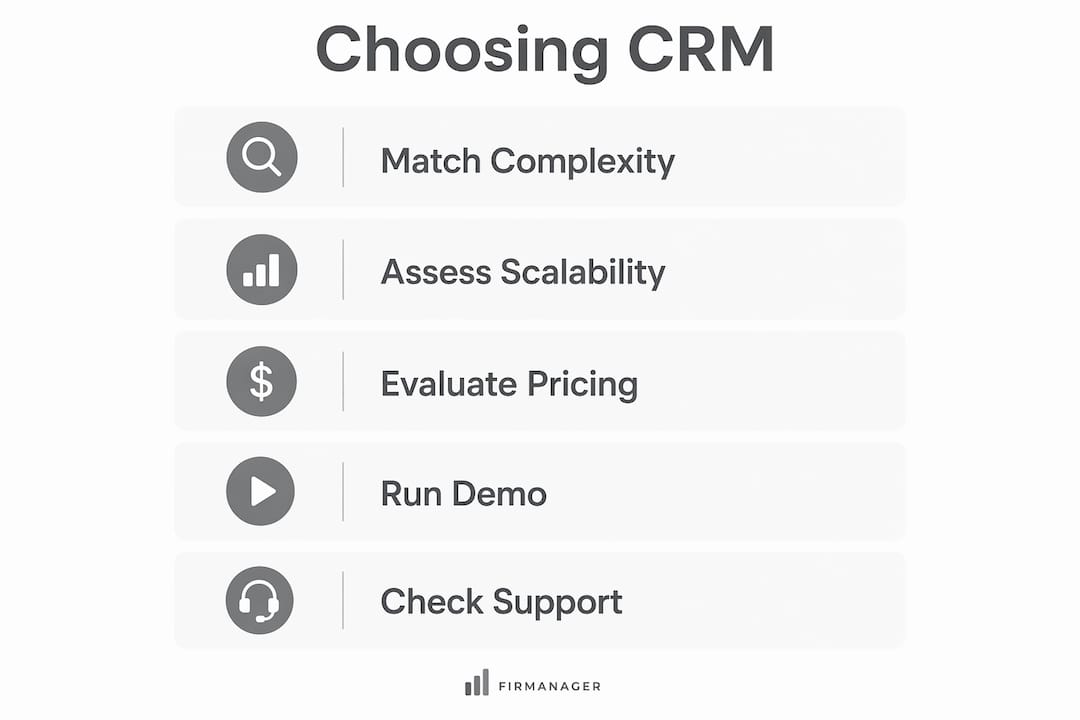
2. Assess scalability and integration. Software that expands with business growth and connects to your existing tools, such as accounting software, scheduling apps, or communication platforms, delivers far more value over time. Confirm what integrations are available before committing.
3. Evaluate pricing models carefully. Look for transparent, tiered pricing with a free or trial option. Hidden costs for additional users or features add up quickly in growing service businesses.
4. Run a real demo with your actual workflows. Generic demos show best-case scenarios. Ask vendors to walk through your specific use cases: creating a work order, generating an invoice, and pulling a compliance report. Involve your field supervisors and office staff in the evaluation, not just management.
5. Check vendor support and migration help. Ask about onboarding timelines, data migration support, and what happens when something breaks. A platform with responsive support and clear documentation reduces the risk of a failed rollout.
Pro Tip: Before signing any contract, run a 14-to-30-day trial with a real project. Assign your most skeptical team member as the primary tester. If they find it manageable, adoption across the team will follow.
How Firmanager solves the real operational challenges service businesses face
Most service businesses run on a patchwork of disconnected tools: one app for scheduling, another for invoicing, a spreadsheet for compliance, and email threads for client communication. That fragmentation creates errors, delays, and frustrated clients.
Firmanager addresses this directly by consolidating every operational function into a single platform. Here is how its modules map to the pain points service managers deal with daily:
| Operational Challenge | Firmanager Solution |
|---|---|
| Fragmented client data | Centralized CRM with full interaction and service history |
| Missed work orders | Work order management with real-time assignment and tracking |
| Slow invoicing cycles | Invoicing with direct Stripe payment integration |
| Compliance gaps | Built-in HSE tracking and document management |
| Poor team visibility | Live dashboards and real-time SMS/email notifications |
| Manual leave and scheduling | Employee self-service portal for time, leave, and task management |
| Disconnected field teams | Route and dispatch management with mobile access |
The employee self-service portal and real-time notifications are particularly valuable for field-heavy operations. They reduce manual communication overhead and give managers proactive visibility into what is happening on-site without constant check-in calls.
Firmanager also handles supplier and product management, recurring task workflows, and financial reporting, so your team is not toggling between platforms to get a complete picture of the business.
What should service business managers do next?
The case for an integrated platform over a generic CRM is straightforward. When your customer management tools, work order system, invoicing, and compliance tracking all live in the same place, your team spends less time managing software and more time delivering service.
Here is what to take away from this:
- Avoid generic CRMs built for sales teams. They lack the operational depth service businesses need.
- Prioritize integration. The more functions your platform handles natively, the fewer errors and handoffs you create.
- Involve your field team in software selection. Adoption depends on usability at the operational level, not just at the management level.
- Look for compliance support. HSE tracking and document management are non-negotiable for regulated service industries.
- Start with a free tier or trial. Platforms like Firmanager offer tiered plans, including a free option, so you can validate fit before committing.
Tailored platforms consistently outperform generic CRMs for service businesses because they are built around how service delivery actually works, not how a sales funnel does. The right software does not just store client data. It runs your operation.
Key Takeaways
Integrated, all-in-one platforms purpose-built for service businesses deliver higher adoption and operational efficiency than generic CRM tools adapted for service use.
| Point | Details |
|---|---|
| Integration beats point solutions | A single platform covering CRM, invoicing, and compliance eliminates costly data handoffs. |
| Adoption depends on simplicity | Overly complex software gets underutilized; match platform depth to your team’s capacity. |
| Client portals reduce admin load | Mobile-friendly client portals cut inbound inquiries by letting customers self-serve approvals and requests. |
| Compliance tools are essential | Built-in HSE tracking and document management keep service businesses audit-ready without manual effort. |
| Firmanager covers the full stack | Firmanager combines CRM, work orders, invoicing, compliance, and financial analytics in one platform built for service operations. |
Firmanager gives service businesses one platform for everything
Running a service business on disconnected tools costs you time, accuracy, and client trust. Firmanager is built specifically for service operations, not retrofitted from a sales CRM, which means every module from work order management to field service dispatch is designed around how your business actually runs.

You get CRM, invoicing with Stripe, HSE compliance, real-time dashboards, employee self-service, and financial reporting in a single subscription. Plans start with a free tier, so there is no large upfront commitment to test whether it fits your workflows.
Service managers who want fewer tools, less manual work, and better visibility into operations have one clear next step: start your free Firmanager account and run it against your real workflows today.
Recommended
Run your whole business in one place
CRM, quotes, work orders, invoicing, expenses, HR and HSE — one login, every device. Free-forever plan.
Start free →