Best Document Management Software for Service Businesses
Best Document Management Software for Service Businesses
For service businesses that need document handling built into their daily operations, Firmanager is the recommended all-in-one platform. It connects documents directly to work orders, customer records, and field workflows, so nothing gets lost between the office and the job site.
Start here:
- Sign up for a free Firmanager trial at firmanager.cloud
- In your first session, attach a document to a live work order and confirm it appears in the customer record
- Run one approval flow on an SOP to verify routing and audit logging
- Test the mobile portal offline to confirm field technicians can access documents without a connection
Table of Contents
- Why document management works differently for service businesses
- What features should you require from document management software?
- How does Firmanager map to the document management checklist?
- What does a realistic implementation timeline look like?
- How should you evaluate document management software in a trial?
- What mistakes do service businesses make with document management?
- Key Takeaways
- Why an integrated document approach wins for service businesses
- Firmanager gives service businesses a practical starting point
- Useful sources
Why document management works differently for service businesses
Documents in a service business are not static files. They are active business assets tied to jobs, customers, safety protocols, and regulatory requirements. A safety checklist that reaches a field technician one version behind is not just an efficiency problem; it is a liability. A lost invoice tied to a completed work order delays payment and creates disputes.
Metadata-driven architecture keeps documents connected to the people, projects, and work they belong to, preserving business context across every system. Without that connection, staff waste time searching folders, and managers lose visibility into what version of a procedure is actually in use.
The mandatory capabilities for service businesses go beyond basic cloud storage:
- Metadata tagging that links documents to specific work orders, customers, and job types
- Mobile access with offline sync so field technicians can retrieve and update documents without a connection
- Version control with approval workflows to prevent outdated SOPs from circulating
- Audit trails that log every view, edit, and approval for compliance and incident review
- Integration with CRM, work-order, and accounting systems so documents follow the operational record
Pro Tip: A single version of truth reduces your liability exposure during safety audits and regulatory inspections. If two versions of a procedure exist in your system simultaneously, the wrong one will eventually reach the field.
What features should you require from document management software?
The best document management software for service businesses does more than store files. It enforces process, routes approvals, and keeps every team member working from the correct document at the right time.
Metadata-driven architecture is the foundation. Documents linked to business objects like work orders and customer records stay findable and governable without manual filing. A single file can appear in multiple logical views without duplication, so a technician, an account manager, and a compliance officer each see the same document in their own context.
Auto-attach to work orders and customers means documents are filed automatically when a job is created or updated. No manual drag-and-drop, no lost attachments.

OCR and full-text search let your team find any document by content, not just file name. This matters when you have thousands of job records and need to locate a specific inspection report fast.
Version control with approval routing locks outdated versions and restricts access to approved documents only. Automatic archiving of old versions and restricted access to approved content eliminates version chaos before it creates a compliance incident.
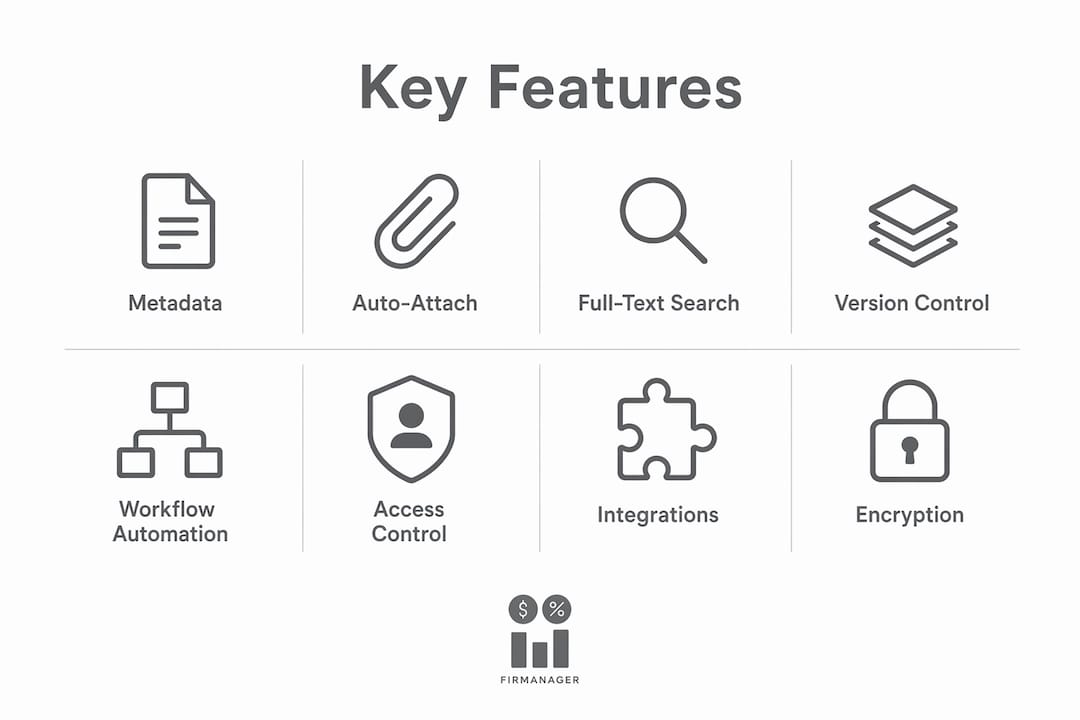
Workflow automation covers approval routing, automated alerts, and e-signatures. Automated approval routing removes bottlenecks as your business scales, keeping review cycles moving without slowing delivery.
Access control and audit logs track every action on every document. For businesses subject to ISO, OSHA, or similar standards, a centralized audit trail is the difference between passing an inspection and scrambling to reconstruct records.
Integrations with your CRM, accounting platform, and payroll system prevent data silos. Cloud-based multitenant platforms with open APIs and pre-built connectors reduce integration effort significantly.
Encryption and compliance features protect sensitive customer and employee data at rest and in transit.
Pro Tip: Prioritize metadata strategy and workflow automation over raw storage capacity. A well-tagged 50GB library is more useful than a disorganized 5TB one.
Pricing for top document management solutions typically follows SaaS tiers based on user seats and storage. Expect entry-level plans to cover core storage and search, with workflow automation and advanced integrations available on higher tiers. Migration and onboarding fees vary by vendor and data volume.
How does Firmanager map to the document management checklist?
Firmanager implements the full checklist as built-in features within one platform, so you are not stitching together a separate document control tool with your CRM and work-order system.
| Checklist Capability | Firmanager Feature |
|---|---|
| Metadata-driven filing | Document handling with configurable tags linked to job type, customer, and location |
| Auto-attach to work orders | Documents attach directly to work orders and customer records in the same interface |
| OCR and search | Full-text search across all stored documents and records |
| Version control and approvals | Approval routing with version tracking and audit logging |
| Workflow automation and e-sign | Automated alerts, approval flows, and e-signature support |
| Mobile and offline access | Employee self-service mobile portal with offline sync for field technicians |
| Access control and audit logs | Role-based permissions and complete audit trails exportable for compliance review |
| CRM and work-order integration | Native CRM, work order, invoicing, and financial management in one platform |
| Encryption and compliance | HSE compliance module with secure data handling |
| Migration support | Configurable metadata templates and onboarding assistance |
Expected outcomes for service businesses using Firmanager:
- Fewer lost documents because every file is attached to an operational record
- Faster approvals through automated routing instead of email chains
- Reduced version errors because only approved documents are accessible to field staff
- Better audit readiness with exportable logs and controlled access
- Improved field productivity through the mobile portal, even without a connection
Test these in your Firmanager trial:
- Attach a document to a live work order and retrieve it from the customer view
- Run an approval flow on an SOP and verify the audit log captures each step
- Access a document on the mobile portal, go offline, and confirm it remains available
- Export audit logs for a document that was recently edited
For context on how document management fits into broader field service workflows, the requirements around mobile sync and offline access are especially critical for technicians working in areas with poor connectivity.
What does a realistic implementation timeline look like?
A 6–12 week phased pilot-to-rollout is realistic for most small and mid-size service businesses. The key is not speed; it is sequencing.
- Discovery and mapping (weeks 1–2): Inventory your current documents, identify which are tied to active work orders or customer records, and define your metadata taxonomy. This step exposes hidden manual processes that need standardizing before you automate them.
- Cleanup and metadata strategy (weeks 1–3): Standardize file naming, remove duplicates, and define the tags your platform will use. Migrations that skip this step end up digitizing inefficient manual processes rather than fixing them.
- Pilot with one or two teams (weeks 2–4): Run the platform with a limited group. Measure retrieval speed, approval cycle time, and user adoption. Gather feedback before expanding.
- Full rollout and training (weeks 2–4): Roll out to remaining teams, complete integration configuration, and run training sessions. Set measurable success criteria before you go live.
Migration checklist:
- Inventory all existing documents and classify by type, owner, and linked record
- Define metadata schema and tagging rules
- Script automated classification for high-volume document types where possible
- Map integrations with CRM, accounting, and payroll systems
- Run the pilot, collect feedback, and iterate before full rollout
Typical cost items to budget:
- Subscription seats (scaled by team size and tier)
- Migration labor, both internal staff time and any vendor assistance
- Integration and configuration fees for custom connectors
- Training time and materials
- Optional professional services for complex migrations
For guidance on scoping integration projects and estimating the work involved, a structured scoping process helps avoid cost overruns during the configuration phase.
How should you evaluate document management software in a trial?
Run scenario-based tests that mirror your actual daily operations, not a feature tour. A vendor demo that shows every capability in isolation tells you far less than watching your own workflows run through the system.
Start by attaching a real document to a live work order and confirming it appears correctly in the customer record. Then run an approval and e-signature flow on an SOP your team actually uses. Search for a document using metadata fields rather than the file name, and verify the result is the current approved version. Have a field technician access a document on the mobile portal, disable the connection, and confirm offline access holds. Finally, make a change to an SOP and pull the audit log to verify the change is captured with a timestamp and user identity.
Success criteria to track: retrieval time under five seconds, correct version returned on every search, full audit traceability on all edits, integration behavior confirmed between the DMS and your CRM or accounting system, and field staff able to complete tasks without needing to call the office for document access.
Vendor questions worth asking:
- What are your SLA uptime guarantees and how are outages communicated?
- How long is document version history retained, and can it be exported?
- What encryption standards apply to data at rest and in transit?
- What migration assistance is included in the onboarding package?
What mistakes do service businesses make with document management?
The most damaging mistakes are process mistakes, not product limitations. A well-configured platform cannot fix a team that treats documents as static files or skips the metadata strategy entirely.
Common pitfalls and how to avoid them:
- Treating documents as static files: Enforce metadata policies from day one. Every document should be tagged to a work order, customer, or project at the point of creation.
- Skipping metadata strategy: Define your taxonomy before migration. Without it, search becomes unreliable and governance breaks down.
- Rolling out organization-wide before piloting: Pilot with one or two teams first. Catch configuration issues before they affect your entire operation.
- Relying on email for approvals: Automate approval routing inside the platform. Email approvals create version confusion and leave no auditable trail.
- Ignoring mobile and offline needs: Verify mobile sync in the field before rollout. A system that fails without a connection is not usable for most service teams.
Pro Tip: Standardize your workflows before you migrate. The platform should enforce improved behavior, not automate the manual steps you were already doing wrong.
For service businesses managing safety documentation, the connection between controlled documents and safety workflows is where version control failures create the most serious risk.
Key Takeaways
For service businesses, the best document management software is one that connects documents to work orders, customer records, and field workflows inside a single platform.
| Point | Details |
|---|---|
| Metadata strategy first | Define your tagging taxonomy before migration to keep search reliable and governance intact. |
| Pilot before full rollout | Run a 2–4 week pilot with one or two teams to catch configuration issues early. |
| 6–12 week timeline | A phased pilot-to-rollout is realistic for most small and mid-size service businesses. |
| Test three scenarios in trial | Attach a document to a work order, run an approval flow, and verify mobile offline access. |
| Firmanager recommendation | Firmanager delivers the full checklist as built-in features, connecting document handling to CRM, work orders, and the mobile portal in one platform. |
Why an integrated document approach wins for service businesses
The conventional wisdom says to pick the best document management software first, then figure out integrations later. That approach consistently produces the same outcome: a capable DMS that sits beside your CRM and work-order system with a fragile connector in between, and a team that defaults back to email attachments within six months.
The more defensible position is to treat document handling as a function of your operational platform, not a separate product. When documents are native to the system that manages your work orders, customer records, and invoicing, the metadata problem solves itself. Files attach automatically, versions are controlled at the point of process, and audit logs reflect real operational activity rather than a separate document system’s activity.
The businesses that get the most from document control are the ones that set measurable pilot goals before they go live: retrieval time, approval cycle time, version error rate. Without those benchmarks, it is impossible to know whether the platform is working or whether the team has simply adapted their workarounds to a new interface.
Firmanager gives service businesses a practical starting point
Service businesses that need document handling built into their operations, not bolted on afterward, get a direct path with Firmanager. The platform includes document handling, work order management, CRM, invoicing, HSE compliance, and a mobile portal for field technicians, all in one subscription.

Your trial includes access to the core document handling module, work order integration, and the mobile portal. During the trial, attach documents to live work orders, run an approval flow, and test offline access in the field. Firmanager’s onboarding includes configurable metadata templates and migration support to help you get from your current setup to a working pilot in days, not months.
Start your free trial and see how document handling works when it is part of the same platform managing your jobs, customers, and compliance.
Useful sources
The sources below provide authoritative perspectives on metadata-driven document management, version control, and workflow-centric document control for service businesses.
- M-Files — Industry perspective on metadata-driven architecture and linking documents to business objects for governance and automation
- Ideagen — Document control system — Guidance on version locking, approval workflows, and integrated traceability for compliance-driven document control
- Process.st — Document control software — Recommendations on automated approval routing and workflow-centric document management for scaling operations
- Intellect — QMS Document Control Software — Coverage of centralized audit trails, e-signatures, and compliance standards including ISO and FDA 21 CFR Part 11
- DocuWare Cloud — Overview of multitenant SaaS deployment, intelligent indexing, and secure cloud hosting for document management
- Document Locator — Practical guidance on standardizing workflows before migration to avoid digitizing inefficient manual processes
Recommended
Run your whole business in one place
CRM, quotes, work orders, invoicing, expenses, HR and HSE — one login, every device. Free-forever plan.
Start free →