Best Quoting Software for US Businesses in 2026
Best Quoting Software for US Businesses in 2026
What’s the best quoting software for US businesses right now?
The best quoting software for US businesses in 2026 is Firmanager for service companies that need quoting integrated with CRM, financials, and field operations. For document-heavy sales teams, PandaDoc leads on branded templates and eSignature. Enterprise buyers with complex pricing logic will find Salesforce CPQ or Revenue Cloud the most capable options. The table below maps every major platform to its best-fit use case so you can identify the right tool without reading every review on the internet.
| Platform | Best For | Key Features | Ease of Use | Integrations | Pricing | Pros | Cons |
|---|---|---|---|---|---|---|---|
| Firmanager | Service businesses needing unified quote-to-cash | CRM, quoting, invoicing, work orders, real-time analytics, Stripe | ⭐⭐⭐⭐⭐ | CRM, Stripe, SMS/email notifications | Tiered plans, free option | All-in-one platform, no data silos | Newer brand; fewer third-party reviews |
| PandaDoc | Branded proposals and document automation | Template library, eSignature, approval workflows | ⭐⭐⭐⭐⭐ | Salesforce, HubSpot, Zapier | Paid plans from $— | Strong automation, great UX | Can be pricey for small teams |
| Salesforce CPQ | Large enterprises with complex pricing | Product configuration, pricing rules, discount controls | ⭐⭐⭐ | Salesforce ecosystem, ERP | Requires Salesforce license | Highly scalable, deep customization | Steep learning curve, high cost |
| Qwilr | Interactive, mobile-first proposals | Web-based proposals, analytics, payment integration | ⭐⭐⭐⭐ | HubSpot, Salesforce, Slack | From $— | Visually impressive, mobile-optimized | Limited offline functionality |
| Quotient | SMBs wanting fast, simple quoting | Quote builder, client acceptance, basic CRM | ⭐⭐⭐⭐⭐ | Xero, QuickBooks | From $— | Very easy to use, clean UI | Limited advanced features |
| Quotewerks | Multi-vendor pricing and approvals | Pricing approvals, vendor integration, audit trails | ⭐⭐⭐⭐ | CRM, ERP, distributor feeds | Contact for pricing | Robust governance, trusted by thousands | Dated interface |
| Nusii | Freelancers and creative agencies | Proposal templates, client feedback, notifications | ⭐⭐⭐⭐⭐ | Zapier, Stripe | From $— | Simple, fast, client-friendly | Not suited for complex quoting |
| Scoro | Project-driven businesses | Quoting, project tracking, time billing, reporting | ⭐⭐⭐⭐ | QuickBooks, Xero, Zapier | From $— | End-to-end project management | Overkill for simple quoting needs |
| RFPIO | Enterprise RFP and proposal teams | RFP automation, content library, collaboration | ⭐⭐⭐ | Salesforce, Slack, Google Drive | Contact for pricing | Excellent for complex RFPs | Not a general quoting tool |
| Bidsketch | SMBs wanting proposal analytics | Proposal templates, client interaction analytics | ⭐⭐⭐⭐ | Basecamp, Highrise | From $— | Useful engagement data | Limited integrations |
| Bitrix24 | Startups needing free CRM + quoting | CRM, quoting, sales automation, task management | ⭐⭐⭐⭐ | Google Drive, Mailchimp, Zapier | Free plan available | Generous free tier | Complex UI at scale |
| Proposify | Improving quote-to-close rates | Branded proposals, approval workflows, analytics | ⭐⭐⭐⭐ | Salesforce, HubSpot, Stripe | From $49/mo | Strong closing-rate focus | Higher cost per seat |
| iQuoteXpress | Insurance industry quoting | Insurance-specific workflows, compliance tools | ⭐⭐⭐⭐ | Industry-specific CRM | Contact for pricing | Purpose-built for insurance | Narrow industry fit |
| ScalePad Quoter | Managed service providers (MSPs) | MSP quoting, IT stack integration, distributor pricing | ⭐⭐⭐⭐ | ConnectWise, Autotask, IT tools | Contact for pricing | Built for MSPs specifically | Limited outside IT services |
| ConnectWise CPQ | Technology service businesses | CPQ, IT management suite integration, automation | ⭐⭐⭐ | ConnectWise platform, PSA tools | Contact for pricing | Deep IT management integration | Requires ConnectWise ecosystem |
| HubSpot Sales Hub | SMBs with HubSpot CRM | Embedded quoting, deal tracking, email automation | ⭐⭐⭐⭐⭐ | HubSpot ecosystem, Stripe | Free to paid plans | Unified CRM + quoting | Advanced features need paid tiers |
| Cincom CPQ | Complex manufacturing | Product configuration, pricing intelligence, rules engine | ⭐⭐⭐ | ERP, CAD, manufacturing systems | Contact for pricing | Industry leader for manufacturing | Enterprise-only complexity |
| Kaseya Quote Manager | IT service providers | IT quoting, Kaseya platform integration, automation | ⭐⭐⭐⭐ | Kaseya IT management suite | Contact for pricing | Tight IT service management fit | Kaseya ecosystem dependency |
| Revenue Cloud | Enterprise quote-to-cash automation | CPQ, billing, revenue recognition, subscription mgmt | ⭐⭐⭐ | Full Salesforce ecosystem | Requires Salesforce license | Comprehensive revenue lifecycle | High implementation cost |
| PandaDoc CPQ | Teams needing CPQ within PandaDoc | Configure-price-quote within PandaDoc workflows | ⭐⭐⭐⭐ | PandaDoc ecosystem | Included in PandaDoc plans | Familiar PandaDoc interface | Less powerful than standalone CPQ |
Table of Contents
- What is quoting software and what does it actually do?
- What key features should you look for in quoting software?
- How does quoting software benefit your sales team?
- How should you choose the best quoting software for your business?
- Detailed profiles of the top quoting tools for US businesses
- Why unified platforms give you a real operational edge
- How these platforms were evaluated
- Key Takeaways
- The quoting software market is moving faster than most buyers realize
- Firmanager gives service businesses a smarter starting point
What is quoting software and what does it actually do?
Quoting software is a category of business application that lets your sales team create, send, track, and manage price quotes for products or services. The formal industry term is CPQ (Configure, Price, Quote), though many platforms use “quoting software” or “proposal software” interchangeably depending on their feature depth.
At its core, quoting software replaces manual spreadsheets and PDF documents with a structured, automated process. Here’s what it handles:
- Quote creation: Build accurate, branded quotes from a product or service catalog with pre-set pricing rules.
- Approval workflows: Route quotes through internal review before they reach the client, reducing pricing errors and unauthorized discounts.
- Client delivery and tracking: Send quotes digitally and see when clients open, view, or accept them.
- eSignature and acceptance: Allow clients to sign and accept quotes online without printing a single page.
- CRM and accounting integration: Sync accepted quotes directly into your CRM pipeline and accounting system, eliminating duplicate data entry.
- Quote-to-project handoff: Convert a signed quote into a work order, project, or invoice with minimal manual steps.
The distinction between basic quoting tools and full CPQ platforms matters. A tool like Quotient handles fast, simple quote creation for SMBs. A platform like Salesforce CPQ manages thousands of product configurations, tiered pricing rules, and multi-level approvals for enterprise sales teams. Knowing which category fits your operation is the first decision to make.
What key features should you look for in quoting software?
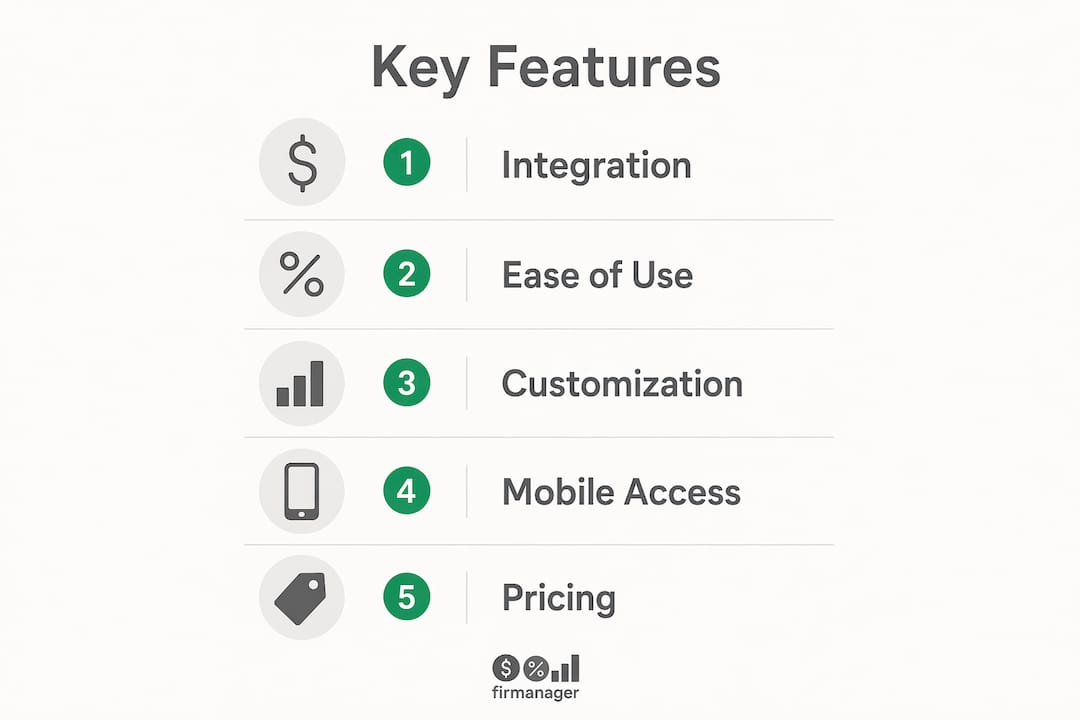
Not every quoting platform is built the same way. The features that matter most depend on your business model, but these are the ones that consistently separate capable tools from frustrating ones:
- Branded, customizable templates: Your quote is often the first formal document a client receives. Templates that reflect your brand build credibility from the first interaction.
- Pricing rules and discount controls: Set floor prices, volume discounts, and approval thresholds so your team can’t accidentally undercut margins.
- Approval workflows: Multi-step review processes catch errors before quotes go out and enforce pricing governance across the sales team.
- CRM integration: A quote that doesn’t sync with your CRM creates a data gap. Look for native connectors to Salesforce, HubSpot, or whichever CRM you use.
- ERP and accounting sync: Accepted quotes should flow into your accounting system automatically. Manual re-entry is where errors accumulate.
- eSignature: Clients expect to sign digitally. Any platform without this feature adds unnecessary friction to closing.
- Mobile accessibility: Sales reps in the field need to create and send quotes from a phone or tablet. Mobile-optimized interfaces aren’t optional in 2026.
- Analytics and tracking: Knowing when a client opened a quote, how long they spent on it, and which section they reviewed most gives your sales team a real advantage in follow-up conversations.
- Scalability and customization: A tool that works for five users should still work for fifty. Check whether pricing tiers and feature sets scale with your team.
- Security and compliance: Look for SOC 2 compliance, data encryption, and role-based access controls, especially if you handle sensitive pricing or client data.
Pro Tip: Before evaluating any platform, map your current quote-to-close process on paper. The features you need will become obvious once you see where the friction points actually are.
How does quoting software benefit your sales team?
The business case for adopting quote management software is straightforward once you see what manual quoting actually costs. Sales reps spend time building quotes in spreadsheets, chasing approvals by email, and manually updating CRM records after a client signs. Every one of those steps is a place where time is lost and errors are introduced.
Here’s what a well-implemented quoting tool delivers:
- Faster quote turnaround: Automated templates and pre-built pricing catalogs cut quote creation time significantly. Reps send quotes in minutes rather than hours.
- Higher accuracy: Pricing rules and approval workflows prevent the margin-eroding mistakes that happen when reps manually calculate discounts.
- Better client experience: Interactive, mobile-optimized proposals with embedded payment options look professional and make it easy for clients to say yes.
- Cleaner pipeline data: Quotes that sync automatically with your CRM keep deal stages accurate without relying on reps to update records manually.
- Faster approvals: Digital approval workflows replace email chains. Managers review and approve from any device, and the quote moves forward without delay.
- Reduced rework: When a quote converts to a project or invoice automatically, your operations team starts with accurate data instead of re-entering information from a PDF.
Interactive quoting platforms that include payment options and mobile-friendly layouts consistently outperform static PDF proposals in closing rates. The quote itself becomes a sales asset, not just a formality.
How should you choose the best quoting software for your business?
Choosing the right tool comes down to matching the platform’s capabilities to your specific operation. Here are the criteria that matter most:
- Business size and complexity: A freelancer needs something like Nusii. A manufacturer with thousands of product configurations needs Cincom CPQ or Salesforce CPQ. Don’t pay for complexity you won’t use, and don’t limit yourself with a tool that can’t grow with you.
- Industry fit: Some platforms are purpose-built for specific sectors. iQuoteXpress is designed for insurance. ScalePad Quoter targets MSPs. ConnectWise CPQ is built for technology service businesses. A general-purpose tool may work, but a purpose-built one usually works better.
- Total cost of ownership: Monthly per-seat pricing is only part of the cost. Factor in implementation, training, integration development, and ongoing support. Enterprise CPQ tools often require months of configuration before they’re usable.
- Integration with existing systems: Your quoting tool needs to talk to your CRM, accounting software, and ideally your project management or field service platform. Gaps in data flow create manual work and errors.
- Vendor support and training: Check whether onboarding support is included or costs extra. A platform with poor documentation and slow support will frustrate your team regardless of how good the features are.
- Security and compliance: Confirm the vendor’s data security certifications. For US businesses handling client financial data, SOC 2 Type II compliance is the baseline to look for.
- Scalability: Will the platform handle your volume in two years? Check user limits, quote volume caps, and whether advanced features are locked behind higher tiers.
Common red flags to avoid:
- Platforms with no native CRM integration requiring expensive middleware
- Vendors that lock you into annual contracts with no trial period
- Tools that treat the quote as the endpoint rather than the start of a project workflow
- Pricing that isn’t publicly listed, which often signals high implementation costs
Detailed profiles of the top quoting tools for US businesses
Firmanager
Firmanager is built specifically for service businesses that need quoting to connect directly to CRM, financials, and field operations. Rather than treating the quote as a standalone document, Firmanager converts accepted quotes into work orders and projects automatically, with real-time analytics tracking the entire workflow. It includes Stripe-integrated invoicing, supplier and product management, route and dispatch management, and HSE compliance tools alongside its quoting module. For service companies managing recurring work, field teams, and client relationships in one place, this is the most operationally complete option on this list.

PandaDoc
PandaDoc excels at document automation and branded proposal creation. Its template library is extensive, eSignature is built in, and the approval workflow tools are mature. G2 reviewers consistently highlight its ease of use and the quality of its document output. It integrates with Salesforce, HubSpot, and Zapier, making it a natural fit for teams already embedded in those ecosystems. The limitation is that PandaDoc is primarily a document tool. Once a quote is signed, the handoff to operations is manual unless you build custom integrations.
Salesforce CPQ and Revenue Cloud
Salesforce CPQ handles complex product configurations, multi-tier pricing rules, and discount governance at enterprise scale. It’s tightly integrated with the Salesforce CRM, which is both its strength and its constraint. G2 reviews note that the platform is powerful but requires significant configuration time and Salesforce expertise to deploy effectively. Revenue Cloud extends this into full quote-to-cash automation, adding billing, revenue recognition, and subscription management. Both are enterprise tools with enterprise price tags and implementation timelines.
Qwilr
Qwilr takes a different approach: quotes are interactive web pages rather than static documents. Clients can view pricing options, accept terms, and pay directly from the proposal. The mobile experience is genuinely strong, and the analytics on client engagement are useful for sales follow-up. It integrates with HubSpot, Salesforce, and Slack. The tradeoff is that Qwilr works best when your sales process benefits from a high-touch, visually impressive presentation. For transactional or high-volume quoting, the format adds more overhead than value.

Quotient
Quotient is the right choice when speed and simplicity matter more than advanced features. The interface is clean, quote creation is fast, and the client acceptance flow is frictionless. It connects to Xero and QuickBooks for accounting sync. G2 reviewers praise its ease of use. It’s not built for complex pricing rules or enterprise workflows, but for SMBs that need to get professional quotes out the door quickly, it delivers exactly what it promises.
Quotewerks
Quotewerks has been in the market for decades and is trusted by thousands of businesses for centralized quoting with pricing approvals and vendor integration. Its approval workflows and audit trails are among the most mature on this list. The interface shows its age, but the underlying functionality for multi-vendor pricing governance is solid. It suits businesses that need rigorous pricing control more than they need a polished client-facing experience.
Nusii
Nusii is purpose-built for freelancers and small creative agencies. Proposal creation is fast, the client feedback loop is built in, and the notification system keeps you informed when a client opens or comments on a proposal. It connects to Zapier and Stripe. For a solo consultant or a five-person agency, it’s one of the most efficient tools available. It’s not designed for complex quoting scenarios, and that’s intentional.
Scoro
Scoro combines quoting with project management, time tracking, and financial reporting in one platform. Capterra reviewers highlight its depth as a business management tool. For project-driven businesses that bill by time and deliverable, Scoro’s ability to connect a quote to a project budget and track actuals against it is genuinely useful. The tradeoff is complexity. If you only need quoting, Scoro is more platform than you need.
RFPIO
RFPIO is an enterprise RFP management platform, not a general quoting tool. It’s built for teams that respond to formal requests for proposals, with a content library, collaboration tools, and workflow automation designed for complex, multi-contributor responses. G2 reviewers note its strength in managing large-scale proposal processes. If your sales cycle involves formal RFPs, RFPIO is worth evaluating. If it doesn’t, look elsewhere.
Bidsketch
Bidsketch offers proposal templates and client interaction analytics at a price point accessible to smaller businesses. The engagement data, showing which sections clients spent time on, gives sales reps useful context for follow-up. Capterra reviewers note its simplicity and value. Integration options are limited compared to larger platforms, which is the main constraint for teams that need deep CRM or accounting connectivity.
Bitrix24
Bitrix24 offers a free CRM with quoting and sales automation built in, making it the most accessible entry point for startups and very small businesses. The free plan is genuinely functional. G2 reviewers note that the interface becomes complex as you add users and features, but for a team getting started with structured quoting, it’s a low-risk way to begin.
Proposify
Proposify focuses specifically on improving quote-to-close rates through branded proposals and approval workflows. Its analytics track how clients interact with proposals, and its template tools make it easy to maintain brand consistency across the sales team. At $49 per user per month, it’s priced for teams that expect a measurable return on closing rate improvement.
iQuoteXpress
iQuoteXpress is built for insurance companies. Its workflows, compliance tools, and data structures are designed around insurance quoting requirements. For an insurance operation, that specificity is valuable. For any other industry, it’s not the right fit.
ScalePad Quoter and ConnectWise CPQ
Both platforms serve the IT services market. ScalePad Quoter integrates with ConnectWise, Autotask, and other IT service stacks, with distributor pricing feeds built in. ConnectWise CPQ is part of the broader ConnectWise IT business management suite. For MSPs and technology service businesses, either platform offers a level of workflow integration that general quoting tools can’t match. Outside the IT services sector, neither is a practical choice.
HubSpot Sales Hub
HubSpot Sales Hub embeds quoting directly into the HubSpot CRM, making it a natural fit for teams already using HubSpot for marketing and sales. Quote creation, deal tracking, and email automation work together without switching platforms. The free tier includes basic quoting; more advanced features require paid plans. For SMBs that want quoting inside their CRM without a separate tool, it’s one of the most practical options available.
Cincom CPQ and Kaseya Quote Manager
Cincom CPQ is an industry leader for complex manufacturing environments, handling product configuration, pricing intelligence, and rules engines for businesses with highly configurable product catalogs. Kaseya Quote Manager serves IT service providers within the Kaseya platform ecosystem. Both are strong within their specific domains and impractical outside them.
Why unified platforms give you a real operational edge
The most common failure point in quoting workflows isn’t the quote itself. It’s what happens after the client signs. When quoting software doesn’t connect to your project management, field service, or invoicing system, someone on your team manually re-enters that data. That step introduces errors, delays project starts, and creates a gap between what was sold and what gets delivered.
Unified platforms address this directly:
- No manual re-entry: A signed quote automatically creates a work order, assigns tasks, and triggers invoicing. The data flows without human intervention.
- Real-time visibility: Managers see quote status, project progress, and financial performance in a single dashboard rather than switching between three or four tools.
- Fewer errors: Every manual data transfer is a potential mistake. Eliminating those transfers improves accuracy across sales, operations, and finance.
- Faster project activation: When the quote-to-project handoff is automatic, your operations team starts work sooner. That speed is a direct competitive advantage in service industries.
- Compliance and audit trails: Integrated platforms maintain a complete record from initial quote through project completion and invoice payment, which matters for both internal governance and client disputes.
For service companies managing field teams, recurring work orders, and client relationships simultaneously, the all-in-one platform approach consistently outperforms a stack of disconnected tools. The efficiency gains compound over time as your team stops managing data and starts managing work.
Pro Tip: If your sales team and operations team use different systems with no native integration, calculate how many hours per week are spent on manual data transfer. That number, multiplied by your average hourly labor cost, is the minimum ROI threshold your quoting software needs to clear.
How these platforms were evaluated
Every platform on this list was assessed against a consistent set of criteria drawn from publicly available product documentation, verified user reviews on G2 and Capterra, and direct analysis of each platform’s feature set and positioning.
The evaluation process covered:
- Feature completeness: Does the platform handle the full quote lifecycle from creation through client acceptance and downstream handoff?
- Ease of use: Can a new user create and send a professional quote without extensive training?
- Integration depth: How well does the platform connect to CRM, accounting, ERP, and operational systems?
- Pricing transparency: Is pricing publicly listed, and does the total cost of ownership reflect the platform’s value?
- Industry fit: Is the platform designed for a specific sector, and does that specialization add real value?
- Scalability: Can the platform grow with a business from five users to fifty without a platform migration?
- Support quality: What onboarding, documentation, and ongoing support does the vendor provide?
No sponsored placements influenced the rankings. Firmanager appears as the recommended option for service businesses because its feature set, specifically the integration of quoting with CRM, field operations, financials, and compliance tools, is the strongest match for that buyer profile among the platforms evaluated.
Key Takeaways
The best quoting software connects your sales process to your operations, not just your inbox.
| Point | Details |
|---|---|
| Match tool to business type | Enterprise CPQ tools suit complex manufacturers; unified platforms suit service businesses better. |
| Integration depth matters most | A quote that doesn’t sync with your CRM and operations creates manual work and errors downstream. |
| Total cost includes implementation | Per-seat pricing is only part of the cost; factor in setup, training, and integration development. |
| Interactive quotes close faster | Mobile-optimized, payment-enabled proposals consistently outperform static PDF quotes in win rates. |
| Firmanager for service businesses | Firmanager integrates quoting with CRM, work orders, invoicing, and real-time analytics in one platform. |
The quoting software market is moving faster than most buyers realize
The conventional wisdom in 2026 is that you need a dedicated CPQ tool if you’re serious about quoting. That’s true for manufacturers with thousands of product configurations. For the vast majority of US service businesses, it’s the wrong frame entirely.
The platforms that are gaining real traction aren’t the ones adding more configuration options. They’re the ones eliminating the gap between a signed quote and an active project. That gap is where revenue leaks, where client expectations get mismanaged, and where your operations team starts a job with incomplete information.
What’s underestimated is how much of the “quoting problem” is actually an integration problem. A sales rep can create a beautiful, branded proposal in PandaDoc or Qwilr, the client signs it, and then someone manually copies the scope and pricing into a project management tool, an accounting system, and a field service platform. The quote was professional. The handoff was a mess.
The platforms worth watching in 2026 are the ones treating the quote as the beginning of a workflow, not the end of one. That means real-time data flow from quote acceptance through project activation, invoicing, and payment. It means your sales team and your operations team are looking at the same data, not reconciling two different systems at the end of every week.
For service businesses specifically, the CRM and quoting integration question is the most important one to answer before you commit to any platform. Get that right, and everything downstream gets easier.
Firmanager gives service businesses a smarter starting point
Most quoting tools solve one problem and hand you three more. You get a great-looking proposal, and then you’re manually moving data into your project system, your accounting software, and your field service platform. Firmanager is built to close that gap.

For US service businesses managing field teams, recurring work orders, and client relationships, Firmanager brings quoting, CRM, invoicing, work order management, and real-time financial reporting into a single platform. There’s no middleware to configure and no separate tool for every function. Quotes convert to projects automatically. Invoices go out through Stripe. Your team tracks everything from one dashboard.
Firmanager offers a free plan to get started, with paid tiers that scale as your team grows. If you’re evaluating quoting software and your business runs on service delivery, it’s worth seeing how a unified platform compares to the point solutions you’re currently considering. Start with a free account and see how the quote-to-project workflow fits your operation.
Recommended
Run your whole business in one place
CRM, quotes, work orders, invoicing, expenses, HR and HSE — one login, every device. Free-forever plan.
Start free →